 UAU Ready
Description
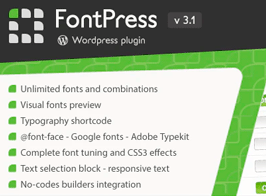
FontPress lets you manage WordPress fonts directly from the dashboard, combining libraries like Google Fonts, Adobe Edge, Fontdeck, and custom fonts (.ttf, .otf, .woff) in a single manager with a visual selector and live preview. Built for anyone who needs to standardize a site’s typography without editing CSS in functions.php, it applies families and weights by CSS selector chosen right in the admin.
Key Features of FontPress
- Multiple font libraries
Brings Google Fonts, Adobe Edge Web Fonts, and uploads of your own fonts together in a single interface. - Visual CSS selector
Applies each font to specific theme tags or classes through a selector field in the dashboard. - Real-time preview
Shows how the font renders before you save the setting on the public site. - Weight and style control
Adjusts variants such as regular, bold, italic, and sizes per rule created in the manager. - Upload custom fonts
Accepts .ttf, .otf, and .woff files uploaded by the admin for use outside external catalogs.
Benefits of FontPress
- Code-free typography
Eliminates the need to manually edit CSS or functions.php to change fonts on the active theme. - Consistent visual identity
Standardizes headings, paragraphs, and buttons based on rules centralized in the dashboard. - Catalog freedom
Combines free, commercial, and proprietary fonts on the same site without relying on extra plugins. - Simplified maintenance
Centralizes typography adjustments in one place, making future visual palette changes easier.
Who Is FontPress For?
- Anyone who manages the visual identity of a WordPress site and wants to apply specific fonts to headings, menus, and text without touching the theme code.
- Designers and agencies delivering projects with custom typography who need clients to swap families from the dashboard.
- Anyone using purchased fonts in .ttf or .otf format who wants standardized loading in WordPress.
How to Download FontPress
FontPress is available for download here at Ultrapack. After downloading the .zip file, install it via Plugins > Add New > Upload Plugin, select the file, and activate. Once activated, the font manager appears in the sidebar menu of the dashboard, ready for you to create your first typography rule.
Aimed at anyone who wants granular control over typography without dealing with stylesheets, FontPress brings public catalogs, custom fonts, and application rules together in a single dashboard. The combination of a visual CSS selector and live preview shortens the testing cycle and keeps the active theme untouched, preventing typography adjustments from being lost in future updates.
Frequently asked questions
Is the FontPress – WordPress Font Manager plugin GPL?
Yes. FontPress – WordPress Font Manager is distributed under the GPL (GNU General Public License). You may legally use, modify and redistribute it on as many sites as you want.
Can I use the FontPress – WordPress Font Manager plugin on more than one site?
Yes. There is no domain limit: you can install FontPress – WordPress Font Manager on as many sites (domains) as you wish.
How much does the FontPress – WordPress Font Manager plugin cost at Ultrapack?
O FontPress – WordPress Font Manager sai por R$ 14,90 as a single purchase, and it is also included in the subscription plans starting at R$ 59,00/mês (VIP I).
Does the FontPress – WordPress Font Manager plugin include updates?
Sim. Cada nova versão do FontPress – WordPress Font Manager é sincronizada automaticamente no Ultrapack. Você baixa a última versão quando quiser, e os assinantes atualizam direto do painel do WordPress com o UAU (Ultrapack Auto Updater).
Is the FontPress – WordPress Font Manager plugin safe to download and install on my WordPress?
Sim, pode baixar com tranquilidade. Cada versão do FontPress – WordPress Font Manager é escaneada antes da publicação pelo motor próprio do Ultrapack (UltraHub), que combina ClamAV e regras YARA, tecnologias usadas para detectar malware e código malicioso. Assim você instala no seu WordPress sem preocupação.