 UAU Ready
Description
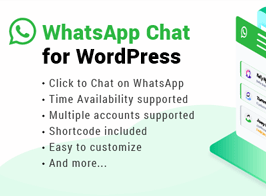
WhatsApp Chat WordPress adds a floating WhatsApp chat button to any page on the site, opening a direct chat with the support number configured in the panel. The tool includes color customization, pre-set messages, agent photo and name, turning the site into an instant support channel connected to the visitor’s mobile app or WhatsApp Web.
Key Features
- Configurable floating button
Positions the chat widget in screen corners, with icon and color adjustable from the panel. - Automatic initial message
Sets pre-formatted text sent when starting the conversation, speeding up the first contact. - Multiple agents
Allows registering several numbers with photo, role and individual availability schedule. - Per-page control
Enables or hides the button on specific URLs, posts or WordPress content types. - Online status indicator
Displays business hours and an alternate message outside the registered working hours. - Mobile and desktop compatibility
Automatically redirects to the app on mobile and to WhatsApp Web in the browser.
Benefits of WhatsApp Chat WordPress
- Direct support channel
Shortens the path between a question and an answer, with no forms or waiting for email. - More sales conversions
Reduces abandonment by answering questions at the exact moment of the purchase decision. - Quick implementation
Requires no additional code and works right after installation and number configuration. - Humanized service
Shows the agent’s real photo and name, building closeness and trust with the visitor.
Who Is It For?
- Online stores that want to offer support and close sales through WhatsApp.
- Service providers, clinics, real estate agencies and freelancers who rely on direct contact.
- Marketing teams that want to increase the visitor-to-qualified-lead conversion rate.
Suited for businesses that treat WhatsApp as their main relationship channel, the plugin delivers an always-visible point of contact on the site, with fine control over appearance, hours and page-level targeting. Centralized configuration in the WordPress panel requires no technical intervention and keeps the widget aligned with the brand’s visual identity on any device.
Frequently asked questions
Is the WhatsApp Chat WordPress plugin GPL?
Yes. WhatsApp Chat WordPress is distributed under the GPL (GNU General Public License). You may legally use, modify and redistribute it on as many sites as you want.
Can I use the WhatsApp Chat WordPress plugin on more than one site?
Yes. There is no domain limit: you can install WhatsApp Chat WordPress on as many sites (domains) as you wish.
How much does the WhatsApp Chat WordPress plugin cost at Ultrapack?
O WhatsApp Chat WordPress sai por R$ 14,90 as a single purchase, and it is also included in the subscription plans starting at R$ 49,00/mês (VIP I).
Does the WhatsApp Chat WordPress plugin include updates?
Sim. Cada nova versão do WhatsApp Chat WordPress é sincronizada automaticamente no Ultrapack. Você baixa a última versão quando quiser, e os assinantes atualizam direto do painel do WordPress com o UAU (Ultrapack Auto Updater).
Is the WhatsApp Chat WordPress plugin safe to download and install on my WordPress?
Sim, pode baixar com tranquilidade. Cada versão do WhatsApp Chat WordPress é escaneada antes da publicação pelo motor próprio do Ultrapack (UltraHub), que combina ClamAV e regras YARA, tecnologias usadas para detectar malware e código malicioso. Assim você instala no seu WordPress sem preocupação.