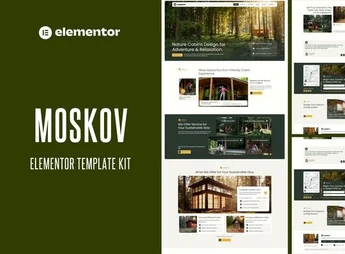
Description
The Maveo template kit is designed for travel agencies and tour operators, with ready-made templates for importing into Elementor and visually editing page content. Using these templates, you can create pages to promote tours and destinations, tailoring the messaging to the agency’s identity and organizing information that helps people planning a trip understand what you offer.
Key Features of Maveo
- Importable templates
Includes ready-made templates that can be imported into Elementor. - Editing in Elementor
Keeps template customization within the builder’s editing environment. - Focus on tourism
Tailors page layouts to promoting trips and tours. - Customizable content
Lets you adapt template text and images to the agency’s messaging. - Collection of layouts
Groups templates for developing pages with a consistent visual approach.
Benefits of Maveo
- Less initial work
Reduces the time spent defining the visual structure of pages. - Clarity for travelers
Helps visitors understand what the trips promoted by the agency offer. - Agency recognition
Supports a recognizable identity when presenting destinations and experiences. - Control over messaging
Simplifies content adjustments when preparing new campaigns.
Who Is Maveo For?
- Anyone who organizes tours and needs to promote itineraries on a tourism website.
- Travel agencies that want to present destinations with a visual style of their own.
- You, if you create pages in Elementor to promote travel experiences.
How to Download Maveo
Maveo is available for download on this Ultrapack page. After downloading the file, follow the process for importing templates with a tool compatible with the kit’s format, then edit the content in Elementor.
When promoting trips, the content needs to explain what makes each destination or tour relevant to the audience. Maveo serves as a visual starting point for this work, basing page layouts on templates that can be edited in Elementor. This allows the agency to focus its website preparation on selecting images, describing experiences, and ensuring clear information.
Frequently asked questions
Is Maveo – Tour & Travel Agency Elementor Pro Template Kit GPL?
Yes. Maveo – Tour & Travel Agency Elementor Pro Template Kit is distributed under the GPL (GNU General Public License). You may legally use, modify and redistribute it on as many sites as you want.
Can I use Maveo – Tour & Travel Agency Elementor Pro Template Kit on more than one site?
Yes. You can use Maveo – Tour & Travel Agency Elementor Pro Template Kit on multiple sites. The number of sites connected to Ultrapack Auto Updater is limited by your plan.
How much does Maveo – Tour & Travel Agency Elementor Pro Template Kit cost at Ultrapack?
Maveo – Tour & Travel Agency Elementor Pro Template Kit costs US$2.99 as a single purchase, and it is also included in the subscription plans starting at US$17/mo (Desenvolvedor I).
Does Maveo – Tour & Travel Agency Elementor Pro Template Kit include updates?
When a new version of Maveo – Tour & Travel Agency Elementor Pro Template Kit becomes available in the catalog, you can download the file during the access period of your purchase or subscription. To update, follow the installation or import procedure described in the documentation for the item and its platform.
Is Maveo – Tour & Travel Agency Elementor Pro Template Kit checked before it is made available for download?
Files for Maveo – Tour & Travel Agency Elementor Pro Template Kit are scanned before publication by UltraHub using ClamAV and YARA rules to detect known threats. This check does not guarantee the absence of risks. Check the item requirements, make a backup, and follow the installation or import instructions for its platform.
How to install
Updates: manual. When a new version comes out, download it on this same page and import it again with Template Kit Import. Template Kits are not updated from the WordPress Themes or Plugins screen.
A template kit is neither a theme nor a plugin. It is imported, and it needs Elementor installed on the site.
- Install and activate the Template Kit Import plugin, which is also here in the catalog.
- Download the file
maveo-tour-travel-agency-elementor-pro-templat.zip. - In the WordPress dashboard, go to Template Kits > Import Kit and upload the file
maveo-tour-travel-agency-elementor-pro-templat.zip. - Pick the templates you want to import and confirm.
- The imported templates end up under Templates > Saved Templates, ready to open in Elementor.
- Some kits use Elementor Pro features. Without it the templates still import, but some blocks have no effect.
Stuck on a step? Open a ticket telling us which one you stopped at.