

Description
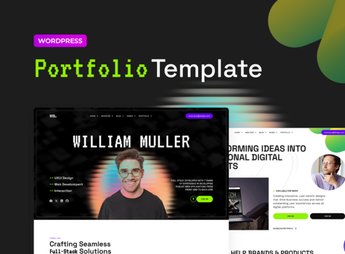
Vectra assembles, within Elementor, a developer portfolio with sections for presentation, a project grid with a 3D cover, technical stack, and a timeline of professional experience, using depth effects and subtle animations as the page scrolls. It serves those who code and want to showcase code projects, open source contributions, and client cases visually, so that recruiters and clients can evaluate technical work beyond a simple list of repositories.
Key Features of Vectra
- 3D project grid
Displays each project in a card with a cover and depth effect. - Technical stack section
Lists languages, frameworks, and tools mastered through icons. - Professional timeline
Organizes positions, freelances, and contributions in chronological order with dates. - Scroll animations
Animates the entry of blocks and images as the visitor scrolls the screen. - Direct contact block
Gathers email, GitHub, and social media in a single contact form.
Benefits of Vectra
- Ready-to-publish portfolio
Reduces the time between organizing projects and launching the website. - Increased chance of getting hired
Facilitates recruiters evaluating technical history in one place. - Different visual from the standard
Highlights the portfolio with uncommon 3D effects on personal pages. - Good reading on mobile
Automatically reorganizes the project grid for smaller screens.
Who is Vectra for?
- Developers who gather personal and freelance projects in one place.
- Those who contribute to open source projects and want to show their history.
- Technical job candidates who need a visual portfolio.
How to Download Vectra
Vectra is available for download here on Ultrapack. After downloading the file, import the kit in Elementor > Tools > Import Kit, which applies the pages, colors, and fonts of the template. Replace projects, texts, and links with the technical material to be disclosed.
A well-presented technical portfolio often opens more conversations than a loose social network profile or a standalone repository link. With the structure of Vectra already ready, the time that would be spent assembling sections goes directly to choosing the projects that best represent the work.
Frequently asked questions
Is Vectra – Developer Portfolio Elementor Pro Template Kit GPL?
Yes. Vectra – Developer Portfolio Elementor Pro Template Kit is distributed under the GPL (GNU General Public License). You may legally use, modify and redistribute it on as many sites as you want.
Can I use Vectra – Developer Portfolio Elementor Pro Template Kit on more than one site?
Yes. You can use Vectra – Developer Portfolio Elementor Pro Template Kit on as many sites as you want.
How much does Vectra – Developer Portfolio Elementor Pro Template Kit cost at Ultrapack?
Vectra – Developer Portfolio Elementor Pro Template Kit costs US$2.99 as a single purchase, and it is also included in the subscription plans starting at US$17/mo (Desenvolvedor I).
Does Vectra – Developer Portfolio Elementor Pro Template Kit include updates?
When a new version of Vectra – Developer Portfolio Elementor Pro Template Kit becomes available in the catalog, you can download the file during the access period of your purchase or subscription. To update, follow the installation or import procedure described in the documentation for the item and its platform.
Is Vectra – Developer Portfolio Elementor Pro Template Kit checked before it is made available for download?
Files for Vectra – Developer Portfolio Elementor Pro Template Kit are scanned before publication by UltraHub using ClamAV and YARA rules to detect known threats. This check does not guarantee the absence of risks. Check the item requirements, make a backup, and follow the installation or import instructions for its platform.
How to install
Updates: manual. When a new version comes out, download it on this same page and import it again with Template Kit Import. Template Kits are not updated from the WordPress Themes or Plugins screen.
A template kit is neither a theme nor a plugin. It is imported, and it needs Elementor installed on the site.
- Install and activate the Template Kit Import plugin, which is also here in the catalog.
- Download the file
elements-vectra-developer-portfolio-elementor-pro-templat.zip. - In the WordPress dashboard, go to Template Kits > Import Kit and upload the file
elements-vectra-developer-portfolio-elementor-pro-templat.zip. - Pick the templates you want to import and confirm.
- The imported templates end up under Templates > Saved Templates, ready to open in Elementor.
- Some kits use Elementor Pro features. Without it the templates still import, but some blocks have no effect.
Stuck on a step? Open a ticket telling us which one you stopped at.


