

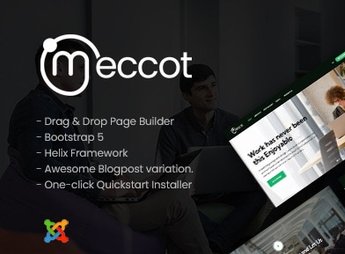
Description
Meccot is a Joomla template designed for coworking spaces, shared offices, and innovation hubs, featuring a layout dedicated to showcasing plans, rooms, and virtual tours of the space. Built on Joomla 4, it includes blocks for listing environments, reservation form for desks, and an area for event scheduling, catering to managers who need to communicate the physical infrastructure and capture monthly subscription leads.
Main Features
- Joomla 4 Compatibility
Native structure for the current CMS version, with support for modern layouts. - Coworking Focus Layout
Sections ready for presenting rooms, subscription plans, and space structure. - Dynamic and Responsive Design
Automatic adaptation to desktops, tablets, and mobile devices with smooth transitions and animations. - Diverse Internal Pages
Prepared templates for home, about, services, blog, contact, and reservation forms. - Color and Typography Customization
Visual adjustments directly in the Joomla admin panel without editing code.
Benefits of Meccot
- Quick Website Launch
Speeds up publication with a ready structure for the shared space niche. - Clear Communication of Proposal
Organizes information about plans, environments, and space differentials in an objective manner. - Qualified Lead Capturing
Directs visitors to reservation and contact forms with the space manager. - Contemporary Visual Identity
Presents coworking in an aesthetic that aligns with the creative and startup audience.
For Who Is It Suitable?
- Managers of coworking spaces who need a professional digital presence.
- Innovation hubs, accelerators, and incubators that host entrepreneurs and startups.
- Shared offices, hourly private rooms, and business centers.
- Agencies and developers who deliver institutional Joomla sites for the segment.
Meccot gathers visual elements and internal pages tailored for the daily management of shared spaces, from plan disclosure to event agenda display. The combination of modern layout and niche-specific structure reduces adaptation efforts and helps the manager convey credibility from the first visit to the website.
Frequently asked questions
Is Meccot – Dynamic Coworking Space Joomla Templates GPL?
Yes. Meccot – Dynamic Coworking Space Joomla Templates is distributed under the GPL (GNU General Public License). You may legally use, modify and redistribute it on as many sites as you want.
Can I use Meccot – Dynamic Coworking Space Joomla Templates on more than one site?
Yes. You can use Meccot – Dynamic Coworking Space Joomla Templates on as many sites as you want.
How much does Meccot – Dynamic Coworking Space Joomla Templates cost at Ultrapack?
Meccot – Dynamic Coworking Space Joomla Templates costs US$2.99 as a single purchase, and it is also included in the subscription plans starting at US$17/mo (Desenvolvedor I).
Does Meccot – Dynamic Coworking Space Joomla Templates include updates?
When a new version of Meccot – Dynamic Coworking Space Joomla Templates becomes available in the catalog, you can download the file during the access period of your purchase or subscription. To update, follow the installation or import procedure described in the documentation for the item and its platform.
Is Meccot – Dynamic Coworking Space Joomla Templates checked before it is made available for download?
Files for Meccot – Dynamic Coworking Space Joomla Templates are scanned before publication by UltraHub using ClamAV and YARA rules to detect known threats. This check does not guarantee the absence of risks. Check the item requirements, make a backup, and follow the installation or import instructions for its platform.
How to install
Updates: manual. When a new version comes out, download it on this same page and follow the replacement or import process for the platform shown. This item is not updated through WordPress.
Extras gathers what is neither a WordPress theme nor a plugin: templates, scripts, project files and supporting material.
- Download the file
elements-meccot-dynamic-coworking-space-joomla-templates.zipand extract it on your computer. - Open the author documentation that came in the package. It tells you where each file goes.
- When there is a
Como Instalar.txtfile in the main folder of the package, read it first.
Stuck on a step? Open a ticket telling us which one you stopped at.


