

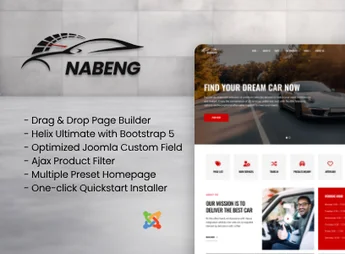
Description
Nabeng is a Joomla template designed for dealerships, mechanical workshops and vehicle classifieds portals, with a car listing system, detailed technical sheet and search filters by brand, model, year and category. Built on Joomla, it organizes the vehicle catalog in navigable directories, with comparison modules, image gallery per listing and direct contact forms for each listing.
Key Features
- Vehicle Listing
Registers cars with technical sheet, multiple photos, price and seller details. - Dynamic AJAX Search
Filters results in real time by brand, model, year, fuel type and price range. - Classifieds Directory
Organizes announcements into navigable categories with custom pagination and sorting. - Workshop Pages
Structures dedicated areas for automotive repair services, technical staff and scheduling. - Responsive Layout
Automatically adapts the vehicle catalog for desktops, tablets and smartphones.
Benefits of Nabeng
- Ready Digital Showcase
Places the vehicle inventory online without custom development from scratch. - Qualified Lead Conversion
Integrated forms on each listing bring buyers closer to the sales team. - Decision-Focused Navigation
AJAX filters reduce the time between search and the right vehicle. - Automotive Industry Identity
A visual aligned with the niche conveys credibility to dealerships and workshops.
Who Is It Recommended For?
- Dealerships of new and pre-owned vehicles that need an online catalog.
- Mechanical workshops and automotive repair centers that want a professional digital presence.
- Car classifieds portals and independent resellers that centralize multiple listings.
Nabeng delivers the automotive market a Joomla base with listing structure, filtered search and technical sheet already modeled for the car industry. Dealerships, workshops and classified portals gain a functional starting point, with modules designed for the discovery, comparison and buyer contact cycle, avoiding heavy customizations in Joomla.
Frequently asked questions
Is Nabeng – Car Directory with Ajax Filter Joomla Templates GPL?
Yes. Nabeng – Car Directory with Ajax Filter Joomla Templates is distributed under the GPL (GNU General Public License). You may legally use, modify and redistribute it on as many sites as you want.
Can I use Nabeng – Car Directory with Ajax Filter Joomla Templates on more than one site?
Yes. You can use Nabeng – Car Directory with Ajax Filter Joomla Templates on as many sites as you want.
How much does Nabeng – Car Directory with Ajax Filter Joomla Templates cost at Ultrapack?
Nabeng – Car Directory with Ajax Filter Joomla Templates costs US$2.99 as a single purchase, and it is also included in the subscription plans starting at US$17/mo (Desenvolvedor I).
Does Nabeng – Car Directory with Ajax Filter Joomla Templates include updates?
When a new version of Nabeng – Car Directory with Ajax Filter Joomla Templates becomes available in the catalog, you can download the file during the access period of your purchase or subscription. To update, follow the installation or import procedure described in the documentation for the item and its platform.
Is Nabeng – Car Directory with Ajax Filter Joomla Templates checked before it is made available for download?
Files for Nabeng – Car Directory with Ajax Filter Joomla Templates are scanned before publication by UltraHub using ClamAV and YARA rules to detect known threats. This check does not guarantee the absence of risks. Check the item requirements, make a backup, and follow the installation or import instructions for its platform.
How to install
Updates: manual. When a new version comes out, download it on this same page and follow the replacement or import process for the platform shown. This item is not updated through WordPress.
Extras gathers what is neither a WordPress theme nor a plugin: templates, scripts, project files and supporting material.
- Download the file
elements-nabeng-car-dealer-and-directory-joomla-template.zipand extract it on your computer. - Open the author documentation that came in the package. It tells you where each file goes.
- When there is a
Como Instalar.txtfile in the main folder of the package, read it first.
Stuck on a step? Open a ticket telling us which one you stopped at.


