Description
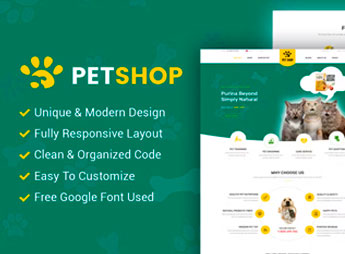
PetShop is a beautiful responsive Magento 2 theme designed for pet shops, animal product stores, and veterinary clinics. With a responsive layout, highlighted product blocks, and specific categories for dogs, cats, and other animals, the theme integrates seamlessly with Magento’s native catalog. It organizes collections by species and enables navigation filters that help customers find pet food, accessories, and toys quickly on both mobile and desktop devices.
Key Features
- Responsive layout for Magento 2
Adapts the storefront to desktop, tablet, and mobile while maintaining product legibility. - Species-segmented catalog
Organizes categories and subcategories specifically for dogs, cats, and other animals. - Home page product highlights
Displays promotional banners, trending products, and seasonal collections on the front page. - Optimized product pages
Presents gallery, description, reviews, and a clearly hierarchical buy button. - Integration with native modules
Supports shopping cart, wishlist, product comparison, and Magento 2 checkout.
Benefits of PetShop
- Branded niche identity
Communicates the pet segment clearly, reducing decision friction for visitors. - Quick navigation on mobile
Achieves faster customer journeys on smartphones, the primary channel for recurring orders. - Guided conversion by category
Direcst the pet owner directly to the animal section, shortening the path to checkout. - Theme implementation without custom development
AVoids creating a theme from scratch, saving agency hours to launch the store.
Who is it For?
- Physical pet shops launching an e-commerce operation on Magento 2.
- Online stores of pet food, accessories, and animal products.
- Pet clinics and pet franchise stores selling products as supplementary to veterinary services.
PetShop caters to pet store retailers who already operate or plan to migrate to Magento 2 and need a niche-aligned storefront without custom development investment. The combination of a responsive layout, species-segmented catalog, and integration with native Magento modules allows for quick store deployment, focusing on assortment, campaigns, and customer service.
Frequently asked questions
Is PetShop – Beautiful Responsive Magento 2 Theme GPL?
Yes. PetShop – Beautiful Responsive Magento 2 Theme is distributed under the GPL (GNU General Public License). You may legally use, modify and redistribute it on as many sites as you want.
Can I use PetShop – Beautiful Responsive Magento 2 Theme on more than one site?
Yes. You can use PetShop – Beautiful Responsive Magento 2 Theme on as many sites as you want.
How much does PetShop – Beautiful Responsive Magento 2 Theme cost at Ultrapack?
PetShop – Beautiful Responsive Magento 2 Theme costs US$2.99 as a single purchase, and it is also included in the subscription plans starting at US$17/mo (Desenvolvedor I).
Does PetShop – Beautiful Responsive Magento 2 Theme include updates?
When a new version of PetShop – Beautiful Responsive Magento 2 Theme becomes available in the catalog, you can download the file during the access period of your purchase or subscription. To update, follow the installation or import procedure described in the documentation for the item and its platform.
Is PetShop – Beautiful Responsive Magento 2 Theme checked before it is made available for download?
Files for PetShop – Beautiful Responsive Magento 2 Theme are scanned before publication by UltraHub using ClamAV and YARA rules to detect known threats. This check does not guarantee the absence of risks. Check the item requirements, make a backup, and follow the installation or import instructions for its platform.
How to install
Updates: manual. When a new version comes out, download it on this same page and follow the replacement or import process for the platform shown. This item is not updated through WordPress.
Extras gathers what is neither a WordPress theme nor a plugin: templates, scripts, project files and supporting material.
- Download the file
elements-petshop-beautiful-responsive-magento-2-theme.zipand extract it on your computer. - Open the author documentation that came in the package. It tells you where each file goes.
- When there is a
Como Instalar.txtfile in the main folder of the package, read it first.
Stuck on a step? Open a ticket telling us which one you stopped at.