 UAU Ready
Description
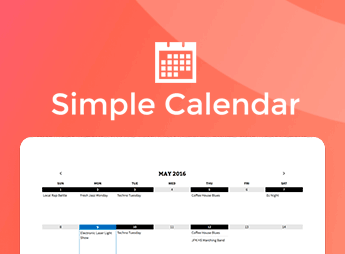
Built on FooEvents, the Calendar displays events in calendars and lists on WordPress, using shortcodes or widgets to render posts, pages, and custom post types converted into events, with category filters via shortcode parameters. The extension helps those who sell tickets and organize conferences, courses, shows, activities, or sporting events publish a searchable schedule without separating the calendar from the FooEvents workflow.
Key Features of the Calendar
- Events in content
Adds event information to posts, pages, and custom post types. - Multiple calendars
Allows displaying more than one calendar on the same page. - List view
Shows events in a calendar grid or list format. - Shortcodes and widgets
Inserts calendars into content areas or widget positions. - Category filters
Filters events using shortcode parameters for the selected category.
Benefits of the Calendar
- More visible schedule
Makes it easier to check dates without relying on isolated pages. - Context-based organization
Separates events by category according to theme, location, or schedule. - More flexible publishing
Allows placing calendars on pages, posts, and sidebar areas. - Centralized workflow
Keeps events and ticket sales within the FooEvents ecosystem.
Who Is the Calendar For?
- Those who organize conferences and need to display sessions, dates, and activities on a public schedule.
- Anyone selling tickets for shows, courses, or sporting events using FooEvents on WordPress.
- Those who already publish events in posts or pages and want to bring them together in a navigable calendar.
How to Download the Calendar
The Calendar is available for download here at Ultrapack. After downloading the .zip file, go to Plugins > Add New > Upload Plugin, select the package, and activate it on WordPress. As an addon, it requires FooEvents installed to work properly.
The Calendar adds a layer of public presentation to events, connecting data already registered in WordPress to calendar views, lists, visual themes, and category filters. For sites that depend on organized scheduling and ticket sales through FooEvents, the addon reduces scattered pages and concentrates date navigation in an interface that is easier to browse.
Frequently asked questions
Is the FooEvents | Calendar plugin GPL?
Yes. FooEvents | Calendar is distributed under the GPL (GNU General Public License). You may legally use, modify and redistribute it on as many sites as you want.
Can I use the FooEvents | Calendar plugin on more than one site?
Yes. There is no domain limit: you can install FooEvents | Calendar on as many sites (domains) as you wish.
How much does the FooEvents | Calendar plugin cost at Ultrapack?
O FooEvents | Calendar sai por R$ 14,90 as a single purchase, and it is also included in the subscription plans starting at R$ 59,00/mês (VIP I).
Does the FooEvents | Calendar plugin include updates?
Sim. Cada nova versão do FooEvents | Calendar é sincronizada automaticamente no Ultrapack. Você baixa a última versão quando quiser, e os assinantes atualizam direto do painel do WordPress com o UAU (Ultrapack Auto Updater).
Is the FooEvents | Calendar plugin safe to download and install on my WordPress?
Sim, pode baixar com tranquilidade. Cada versão do FooEvents | Calendar é escaneada antes da publicação pelo motor próprio do Ultrapack (UltraHub), que combina ClamAV e regras YARA, tecnologias usadas para detectar malware e código malicioso. Assim você instala no seu WordPress sem preocupação.