 UAU Ready
Description
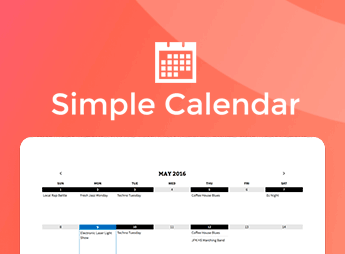
The FullCalendar extension adds display options based on the FullCalendar.js library to Simple Calendar, allowing you to display Google Calendar events in monthly, weekly, and daily grids with support for multiple time zones and informative event popups. This add-on expands the plugin’s standard layouts, serving users who need to organize class schedules, corporate events, or timetables with dynamic navigation between dates and detailed times.
Key Features of Simple Calendar – FullCalendar Add-on
- Multiple grid views
Displays appointments in full-month, time-slotted weekly, or daily formats. - Modal windows with details
Opens informative popups when events are clicked, showing the description, location, and direct link. - Google Calendar synchronization
Automatically retrieves updates, category colors, and schedule changes through the official API. - Time zone control
Adjusts the displayed times according to the local time zone configured on the website. - Category filters
Lets you filter specific calendars or combine multiple feeds on the same screen.
Benefits of Simple Calendar – FullCalendar Add-on
- Intuitive schedule navigation
Makes it easy for visitors to check dates and times using quick navigation buttons. - Less manual work
Instantly updates appointments on the website whenever they are changed in Google Calendar. - Clarity in busy schedules
Organizes multiple appointments on the same day without visually cluttering the page. - Adaptable to any layout
Fits compact or full grids into sidebars and institutional pages.
Who Is Simple Calendar – FullCalendar Add-on For?
- Users who organize courses, workshops, and recurring events and want a detailed weekly grid.
- Users who manage team shifts, on-call schedules, or community programs in Google Calendar.
- Users who already use Simple Calendar and need popups with complete details for each appointment.
How to Download Simple Calendar – FullCalendar Add-on
Simple Calendar – FullCalendar Add-on is available for download here at Ultrapack. After downloading the .zip file, install it by going to Plugins > Add New > Upload Plugin, select the file, and activate it. The new display mode will then be ready for selection in your calendar settings.
The FullCalendar extension eliminates the rigidity of simple tables by introducing an interactive interface with support for multi-day events, color coding, and smooth transitions between time periods.
Designed for users who publish complex activity schedules or need to keep visitors informed about programs in real time, the tool consolidates appointment viewing in WordPress without requiring duplicate data maintenance.
Frequently asked questions
Is Simple Calendar – FullCalendar Add-on GPL-licensed?
Yes. Simple Calendar – FullCalendar Add-on is distributed under the GPL (GNU General Public License). You may legally use, modify and redistribute it on as many sites as you want.
Can I use Simple Calendar – FullCalendar Add-on on multiple sites?
Yes. You can install Simple Calendar – FullCalendar Add-on on as many sites as you want. Only automatic updates through Ultrapack Auto Updater have a limit: from 3 to 80 sites, depending on the plan.
How much does Simple Calendar – FullCalendar Add-on cost at Ultrapack?
Simple Calendar – FullCalendar Add-on costs US$2.99 as a single purchase, and it is also included in the subscription plans starting at US$12/mo (VIP I).
Does Simple Calendar – FullCalendar Add-on include updates?
Yes. The current version of Simple Calendar – FullCalendar Add-on is 1.3.6, published at Ultrapack on Sep 28, 2026. Subscribers update straight from the WordPress dashboard with UAU (Ultrapack Auto Updater).
Is Simple Calendar – FullCalendar Add-on scanned before publication?
Yes. Every version of Simple Calendar – FullCalendar Add-on goes through a malware scan (ClamAV and YARA rules, at UltraHub) before it is published.
What are the requirements for the plugin Simple Calendar – FullCalendar Add-on?
Requires WordPress 4.2 or higher. Tested up to WordPress 7.0.
What changed in this version
Version 1.3.6
- Dev: Use the add-on's version for cache busting.
Version 1.3.5
- Fix: FullCalendar event hover popup style.
Version 1.3.4
- Fix: FullCalendar mobile view issues caused by CSS overrides from the Divi theme.
- Dev: Improved FullCalendar navigation by restricting the Previous/Next buttons to the configured Earliest Event and Latest Event range.
Version 1.3.3
- Dev: Added frontend export buttons for seamless calendar export directly from the calendar interface.
Version 1.3.2
- Fix: Fixed a bug where Limit Visible Events failed to restrict the number of rendered events.
Release notes published by the developer.
How to install
Automatic updates: this item is updated by the Ultrapack Auto Updater. With it installed, the new version shows up in your dashboard like any other WordPress update (how to set it up).
- Download the file
simple-calendar-fullcalendar.zip. - In the WordPress dashboard, go to Plugins > Add New > Upload Plugin.
- Select the file
simple-calendar-fullcalendar.zipand click Install Now. - Click Activate.
Requirements: Requires WordPress 4.2 or higher. Tested up to WordPress 7.0.
Stuck on a step? Open a ticket telling us which one you stopped at.