 UAU Ready
Description
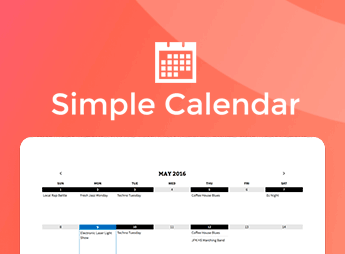
Simple Calendar connects and displays Google Calendar calendars in WordPress through shortcodes, Gutenberg blocks, and customizable widgets in a monthly grid or list. The integration pulls real-time updates from your public or private accounts, eliminating the need to manually recreate events in the admin dashboard every time a new date or appointment is added to your daily routine.
Key Features of Simple Calendar
- Google Calendar synchronization
Imports dates, descriptions, and times from public or private calendars authenticated through the API. - Grid and list views
Displays schedules in a traditional monthly calendar format or as a continuous list of events. - Dedicated blocks and shortcodes
Adds appointment tables to posts, pages, and sidebars without editing PHP files. - Support for recurring events
Processes daily, weekly, or monthly recurrences originally configured in the Google ecosystem. - Time zone control
Automatically adjusts displayed times according to the location configured in WordPress.
Benefits of Simple Calendar
- Elimination of manual rework
Update appointments on your phone or desktop and instantly reflect the changes on your website. - Clean interface for visitors
Makes it easy to check important dates through clear, responsive layouts. - Fast page loading
Stores data in a local cache to prevent constant requests and server slowdowns. - Standardized organizational schedules
Keeps classes, lectures, and meetings consistently aligned with the organization’s official calendar.
Who Is Simple Calendar For?
- People who manage schedules for churches, community centers, or religious institutions with regular services and gatherings.
- Schools, universities, and instructors who publish schedules for classes, workshops, webinars, and academic deadlines.
- Gyms, dance studios, and clinics that publish fixed schedules for classes and weekly appointments.
- Bands, concert venues, and cultural centers that organize tours, musical performances, and public events.
How to Download Simple Calendar
Simple Calendar is available for download here at Ultrapack. After downloading the compressed file, access your website dashboard, go to Plugins > Add New > Upload Plugin, select the .zip file, and complete the activation. The item is ready for immediate use in WordPress.
By centralizing appointment management in Google and mirroring the data in WordPress, the plugin saves operational time and ensures that the public always has access to accurate information. Date management becomes more practical and efficient, allowing you to keep schedules up to date from any device without relying on manual changes in the website dashboard.
Frequently asked questions
Is Simple Calendar – Google Calendar Pro GPL-licensed?
Yes. Simple Calendar – Google Calendar Pro is distributed under the GPL (GNU General Public License). You may legally use, modify and redistribute it on as many sites as you want.
Can I use Simple Calendar – Google Calendar Pro on multiple sites?
Yes. You can install Simple Calendar – Google Calendar Pro on as many sites as you want. Only automatic updates through Ultrapack Auto Updater have a limit: from 3 to 80 sites, depending on the plan.
How much does Simple Calendar – Google Calendar Pro cost at Ultrapack?
Simple Calendar – Google Calendar Pro costs US$2.99 as a single purchase, and it is also included in the subscription plans starting at US$12/mo (VIP I).
Does Simple Calendar – Google Calendar Pro include updates?
Yes. The current version of Simple Calendar – Google Calendar Pro is 2.1.0, published at Ultrapack on Oct 8, 2026. Subscribers update straight from the WordPress dashboard with UAU (Ultrapack Auto Updater).
Is Simple Calendar – Google Calendar Pro scanned before publication?
Yes. Every version of Simple Calendar – Google Calendar Pro goes through a malware scan (ClamAV and YARA rules, at UltraHub) before it is published.
What are the requirements for the plugin Simple Calendar – Google Calendar Pro?
Requires WordPress 4.2 or higher. Tested up to WordPress 7.0.
How to install
Automatic updates: this item is updated by the Ultrapack Auto Updater. With it installed, the new version shows up in your dashboard like any other WordPress update (how to set it up).
- Download the file
simple-calendar-google-calendar-pro.zip. - In the WordPress dashboard, go to Plugins > Add New > Upload Plugin.
- Select the file
simple-calendar-google-calendar-pro.zipand click Install Now. - Click Activate.
Requirements: Requires WordPress 4.2 or higher. Tested up to WordPress 7.0.
Stuck on a step? Open a ticket telling us which one you stopped at.