

Description
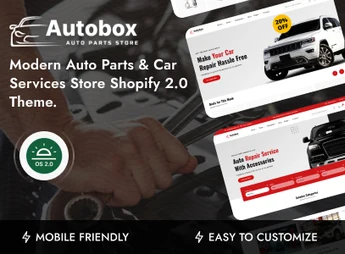
Autobox allows you to build Shopify stores for auto parts and automotive services, with a catalog organized by brand, model, and component category, as well as dedicated pages for workshops and service scheduling. It structures the parts showcase and service presentation in a single theme, catering to those who sell tires, batteries, oils, accessories, and engine components, as well as provide vehicle maintenance.
Main Features of Autobox
- Vehicle-based catalog
Organizes parts into collections segmented by brand, model, and component type. - Sections for automotive services
Blocks dedicated to maintenance, inspection, oil change, and workshop presentation. - Native section editor
Allows reordering and configuring home blocks directly in the Shopify customizer. - Detailed product sheets
Displays technical specifications, compatibility, image gallery, and part variants. - Screen-adapted layout
Adjusts grid, menu, and collection navigation for mobile, tablet, and desktop.
Benefits of Autobox
- More direct part search
Filters and collections shorten the path between the customer’s question and purchase. - Store and workshop on the same site
Product sales and service capture coexist without needing two sites. - Publication without a programmer
Color, typography, and block adjustments are done in the panel, no code editing required. - Consistent visual standard
Collections, sheets, and internal pages maintain the same identity throughout navigation.
Who is Autobox For?
- Those who sell auto parts, tires, batteries, oils, and accessories online.
- Mechanical workshops and automotive centers wanting to promote services and receive online contacts.
- Those already using Shopify who need an automotive catalog organized by brand and model.
- Component distributors who need to present technical specifications alongside each product.
How to Download Autobox
Autobox is available for download here on Ultrapack. After downloading the .zip file, upload the theme through your store’s panel at Online Store > Themes > Add theme > Upload zip file, wait for processing, and publish when you want to put it live. The file is complete and ready for immediate installation.
Combining parts showcase and service presentation in a single theme avoids the common improvisation in automotive stores, where the catalog grows and the workshop section is left forgotten on a loose page. Autobox treats both sides with the same navigation care, helping those who sell technical components keep specifications, compatibility, and scheduling accessible from the customer’s first visit.
Frequently asked questions
Is Autobox – Auto Parts & Car Services Shopify 2.0 Theme GPL?
Yes. Autobox – Auto Parts & Car Services Shopify 2.0 Theme is distributed under the GPL (GNU General Public License). You may legally use, modify and redistribute it on as many sites as you want.
Can I use Autobox – Auto Parts & Car Services Shopify 2.0 Theme on more than one site?
Yes. You can use Autobox – Auto Parts & Car Services Shopify 2.0 Theme on as many sites as you want.
How much does Autobox – Auto Parts & Car Services Shopify 2.0 Theme cost at Ultrapack?
Autobox – Auto Parts & Car Services Shopify 2.0 Theme costs US$2.99 as a single purchase, and it is also included in the subscription plans starting at US$17/mo (Desenvolvedor I).
Does Autobox – Auto Parts & Car Services Shopify 2.0 Theme include updates?
When a new version of Autobox – Auto Parts & Car Services Shopify 2.0 Theme becomes available in the catalog, you can download the file during the access period of your purchase or subscription. To update, follow the installation or import procedure described in the documentation for the item and its platform.
Is Autobox – Auto Parts & Car Services Shopify 2.0 Theme checked before it is made available for download?
Files for Autobox – Auto Parts & Car Services Shopify 2.0 Theme are scanned before publication by UltraHub using ClamAV and YARA rules to detect known threats. This check does not guarantee the absence of risks. Check the item requirements, make a backup, and follow the installation or import instructions for its platform.
How to install
Updates: manual. When a new version comes out, download it on this same page and upload the new file from the Shopify admin. This item is not installed through WordPress.
A Shopify theme is not installed on WordPress. It is uploaded in your store dashboard.
- Download the file
elements-autobox-auto-parts-car-services-shopify-2-0-theme.zipand extract it on your computer. - Inside the package, look for the theme ZIP, which is the file Shopify accepts. It is usually in a folder named after the theme, and it has the
assets,layout,sectionsandtemplatesfolders inside. - In the Shopify dashboard, go to Online Store > Themes.
- Under Theme library, click Add theme > Upload zip file and upload the theme ZIP.
- Use Preview to check it, and Publish when you want it live.
- Shopify rejects packages that are too large. If the upload fails because of size, take the documentation and demo files out of the folder before zipping it.
Stuck on a step? Open a ticket telling us which one you stopped at.


