

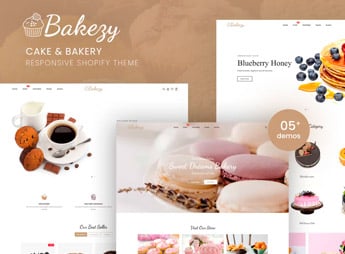
Description
Bakezy sets up a Shopify store geared toward pastry shops, bakeries, and ice cream parlors, featuring a category-based product showcase, a date-based ordering section, an availability calendar, and product pages with size and flavor options. It works for anyone who sells cakes, sweets, or ice cream to order and needs a catalog with customization options visible before checkout, without having to exchange manual messages to confirm every order detail.
Main Features of Bakezy
- Category-based sweet showcase
Separates cakes, pies, and ice cream into easy-to-find sections. - Date-based ordering
Lets customers choose the pickup or delivery date for their order. - Size and flavor options
Displays weight, flavor, and filling variations right on the page. - Availability calendar
Indicates fully booked dates to prevent orders outside the timeframe. - Responsive mobile layout
Keeps photos and buy buttons legible on mobile screens.
Benefits of Bakezy
- Fewer message exchanges
Reduces repetitive questions about flavor, size, and delivery date. - More organized orders
Prevents accepting orders on days without production capacity. - Easy-to-navigate catalog
Helps customers find the right sweet without excessive scrolling. - Store ready to publish
Reduces the time spent setting up each catalog section from scratch.
Who Is Bakezy For?
- Those who sell custom cakes and sweets to order.
- Those who manage an ice cream shop with various flavors and sizes.
- Those who work with artisanal bakeries and receive orders for specific dates.
- Those who resell pastry products on a small scale online.
How to Download Bakezy
Bakezy is available for download here on Ultrapack. Installation is done via Online Store > Themes > Add theme by uploading the zipped file through the Shopify dashboard. Then simply publish the theme and adjust categories, flavors, and dates according to the menu.
Adjusting categories and dates does not require tweaking code: the sections come pre-built to receive photos, flavors, and order deadlines, simply requiring you to adapt the content to the pastry shop or bakery menu. The result is a store ready to publish in a few hours.
Frequently asked questions
Is Bakezy – Cake & Bakery Responsive Shopify Theme GPL?
Yes. Bakezy – Cake & Bakery Responsive Shopify Theme is distributed under the GPL (GNU General Public License). You may legally use, modify and redistribute it on as many sites as you want.
Can I use Bakezy – Cake & Bakery Responsive Shopify Theme on more than one site?
Yes. You can use Bakezy – Cake & Bakery Responsive Shopify Theme on as many sites as you want.
How much does Bakezy – Cake & Bakery Responsive Shopify Theme cost at Ultrapack?
Bakezy – Cake & Bakery Responsive Shopify Theme costs US$2.99 as a single purchase, and it is also included in the subscription plans starting at US$17/mo (Desenvolvedor I).
Does Bakezy – Cake & Bakery Responsive Shopify Theme include updates?
When a new version of Bakezy – Cake & Bakery Responsive Shopify Theme becomes available in the catalog, you can download the file during the access period of your purchase or subscription. To update, follow the installation or import procedure described in the documentation for the item and its platform.
Is Bakezy – Cake & Bakery Responsive Shopify Theme checked before it is made available for download?
Files for Bakezy – Cake & Bakery Responsive Shopify Theme are scanned before publication by UltraHub using ClamAV and YARA rules to detect known threats. This check does not guarantee the absence of risks. Check the item requirements, make a backup, and follow the installation or import instructions for its platform.
How to install
Updates: manual. When a new version comes out, download it on this same page and upload the new file from the Shopify admin. This item is not installed through WordPress.
A Shopify theme is not installed on WordPress. It is uploaded in your store dashboard.
- Download the file
elements-bakezy-cake-bakery-responsive-shopify-theme.zipand extract it on your computer. - Inside the package, look for the theme ZIP, which is the file Shopify accepts. It is usually in a folder named after the theme, and it has the
assets,layout,sectionsandtemplatesfolders inside. - In the Shopify dashboard, go to Online Store > Themes.
- Under Theme library, click Add theme > Upload zip file and upload the theme ZIP.
- Use Preview to check it, and Publish when you want it live.
- Shopify rejects packages that are too large. If the upload fails because of size, take the documentation and demo files out of the folder before zipping it.
Stuck on a step? Open a ticket telling us which one you stopped at.


