

Description
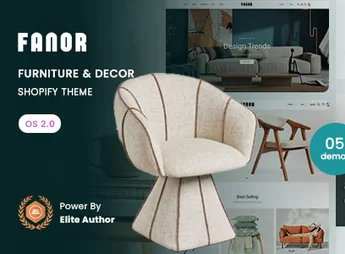
Fanor is a Shopify 2.0 theme designed for furniture, decor, and home items stores that require an elegant and functional digital showcase. Combines minimalist layout, focus on environment photography, and conversion tools to transform visitors into buyers. Ideal for brands that value refined visual presentation without compromising performance and ease of management.
Main Features
- Online Store 2.0 with modular sections
Build and reorganize entire pages by dragging sections around without touching a line of code. - Multiple home and internal page layouts
Ready-made showcases for furniture, lighting, rugs, ceramics, and general decor. - Quick View and Add to Cart via AJAX
Customer views details and adds products to cart without refreshing the page. - Advanced collection filters
Refinement by color, material, dimensions, environment, and price range for extensive catalogs. - Mega menu and intelligent navigation
Organizes hundreds of SKUs in visual categories with images and promotional highlights. - Responsive design optimized for speed
Lean code, progressively loaded images, and fluid experience on mobile and tablet devices.
Fanor Benefits
- More conversions
Short checkout process, side cart, and clear product pages reduce abandonment. - Total management autonomy
Update banners, collections, and seasonal campaigns directly in Shopify’s visual editor. - Increase product value
Large galleries, zoom, and ambiance blocks highlight finish and details of furniture. - Time and investment savings
Ready-to-use structure that eliminates custom development and speeds up store launch.
For Who Is It Recommended?
- Furniture, upholstery, and carpentry stores selling online
- Brands of decor, lighting, textiles, and home utility items
- Interior designers, architects, and agencies creating e-commerce for clients in the segment
With Fanor, your furniture and decor store gains a sophisticated visual identity and a solid technical foundation from day one. Each section was thoughtfully designed to highlight products, facilitate navigation, and guide the customer through the purchase journey, delivering a consistent brand experience across all devices and ready to grow with your catalog.
Frequently asked questions
Is Fanor – Furniture & Decor Shopify 2.0 Theme GPL?
Yes. Fanor – Furniture & Decor Shopify 2.0 Theme is distributed under the GPL (GNU General Public License). You may legally use, modify and redistribute it on as many sites as you want.
Can I use Fanor – Furniture & Decor Shopify 2.0 Theme on more than one site?
Yes. You can use Fanor – Furniture & Decor Shopify 2.0 Theme on as many sites as you want.
How much does Fanor – Furniture & Decor Shopify 2.0 Theme cost at Ultrapack?
Fanor – Furniture & Decor Shopify 2.0 Theme costs US$2.99 as a single purchase, and it is also included in the subscription plans starting at US$17/mo (Desenvolvedor I).
Does Fanor – Furniture & Decor Shopify 2.0 Theme include updates?
When a new version of Fanor – Furniture & Decor Shopify 2.0 Theme becomes available in the catalog, you can download the file during the access period of your purchase or subscription. To update, follow the installation or import procedure described in the documentation for the item and its platform.
Is Fanor – Furniture & Decor Shopify 2.0 Theme checked before it is made available for download?
Files for Fanor – Furniture & Decor Shopify 2.0 Theme are scanned before publication by UltraHub using ClamAV and YARA rules to detect known threats. This check does not guarantee the absence of risks. Check the item requirements, make a backup, and follow the installation or import instructions for its platform.
How to install
Updates: manual. When a new version comes out, download it on this same page and upload the new file from the Shopify admin. This item is not installed through WordPress.
A Shopify theme is not installed on WordPress. It is uploaded in your store dashboard.
- Download the file
elements-fanor-furniture-decor-shopify-2-0-theme.zipand extract it on your computer. - Inside the package, look for the theme ZIP, which is the file Shopify accepts. It is usually in a folder named after the theme, and it has the
assets,layout,sectionsandtemplatesfolders inside. - In the Shopify dashboard, go to Online Store > Themes.
- Under Theme library, click Add theme > Upload zip file and upload the theme ZIP.
- Use Preview to check it, and Publish when you want it live.
- Shopify rejects packages that are too large. If the upload fails because of size, take the documentation and demo files out of the folder before zipping it.
Stuck on a step? Open a ticket telling us which one you stopped at.


