

Description
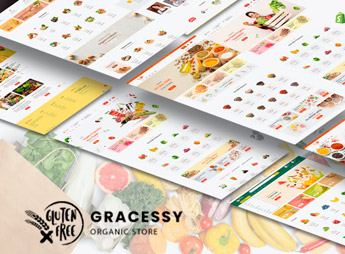
Gracessy sets up a Shopify store for groceries and organic products, with a product grid by category, filtering by food type, showcase sections for daily deals, and dedicated pages for the bakery, fruits, and vegetables all in one place. It caters to those who sell fresh produce, organic products, or bakery items online and need to organize a large catalog without mixing categories that require different information, such as weight, expiration date, and storage method.
Gracessy’s Main Features
- Grid by food category
Separates fresh produce, bakery, and groceries into their own sections within the store. - Daily deals section
Highlights discounted products or those nearing expiration right on the homepage. - Dedicated bakery page
Gathers breads, cakes, and pastries in a separate category from the rest of the market. - Filter by food type
Allows customers to choose between organic, whole wheat, or conventional in the search. - Fruits and vegetables grid
Displays the fresh produce with a photo and unit of sale for each item.
Gracessy’s Benefits
- Large catalog without confusion
Separate categories prevent mixing groceries with daily fresh products. - More visible offers
Products nearing expiration date move off the shelf before becoming waste. - Recurring purchase facilitated
Customers quickly find the items they buy every week at the market. - Store with a market feel
The category-based visual resembles the experience of walking through physical aisles.
Who is Gracessy for?
- Those who sell fresh produce, organics, or market products online.
- Bakeries and confectioneries that want to sell cakes and breads directly through the website.
- Neighborhood markets that are opening their first online sales channel.
- Those who sell organic product baskets by subscription or on order.
How to Download Gracessy
Gracessy is available for download here on Ultrapack. After downloading the file, access Virtual Store > Themes > Add theme in the Shopify dashboard and send the ZIP package to install. Then just register the fresh produce, bakery, and grocery categories.
Online markets often bring together items with short expiration dates, variable weight, and very different categories, which requires more organization than a store selling a single type of product. Separating fresh produce, bakery, and groceries into their own pages prevents the catalog from becoming a confusing list.
Frequently asked questions
Is Gracessy | Grocery Store Shopify 2.0 Theme GPL?
Yes. Gracessy | Grocery Store Shopify 2.0 Theme is distributed under the GPL (GNU General Public License). You may legally use, modify and redistribute it on as many sites as you want.
Can I use Gracessy | Grocery Store Shopify 2.0 Theme on more than one site?
Yes. You can use Gracessy | Grocery Store Shopify 2.0 Theme on as many sites as you want.
How much does Gracessy | Grocery Store Shopify 2.0 Theme cost at Ultrapack?
Gracessy | Grocery Store Shopify 2.0 Theme costs US$2.99 as a single purchase, and it is also included in the subscription plans starting at US$17/mo (Desenvolvedor I).
Does Gracessy | Grocery Store Shopify 2.0 Theme include updates?
When a new version of Gracessy | Grocery Store Shopify 2.0 Theme becomes available in the catalog, you can download the file during the access period of your purchase or subscription. To update, follow the installation or import procedure described in the documentation for the item and its platform.
Is Gracessy | Grocery Store Shopify 2.0 Theme checked before it is made available for download?
Files for Gracessy | Grocery Store Shopify 2.0 Theme are scanned before publication by UltraHub using ClamAV and YARA rules to detect known threats. This check does not guarantee the absence of risks. Check the item requirements, make a backup, and follow the installation or import instructions for its platform.
How to install
Updates: manual. When a new version comes out, download it on this same page and upload the new file from the Shopify admin. This item is not installed through WordPress.
A Shopify theme is not installed on WordPress. It is uploaded in your store dashboard.
- Download the file
elements-gracessy-grocery-store-shopify-2-0-theme.zipand extract it on your computer. - Inside the package, look for the theme ZIP, which is the file Shopify accepts. It is usually in a folder named after the theme, and it has the
assets,layout,sectionsandtemplatesfolders inside. - In the Shopify dashboard, go to Online Store > Themes.
- Under Theme library, click Add theme > Upload zip file and upload the theme ZIP.
- Use Preview to check it, and Publish when you want it live.
- Shopify rejects packages that are too large. If the upload fails because of size, take the documentation and demo files out of the folder before zipping it.
Stuck on a step? Open a ticket telling us which one you stopped at.



