

Description
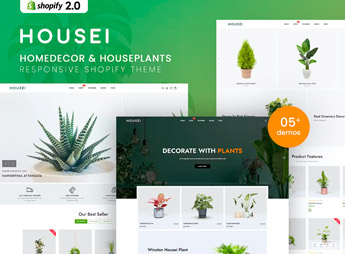
Housei structures a Shopify store that combines interior decoration and houseplants, with showcase sections on the home page, product grids by room, and inspiration blocks that combine furniture, objects, and planters, within the structure of Shopify OS 2.0 sections. It is suitable for those who resell decorative items, flowers, or plants and need a catalog that mixes different categories without appearing cluttered, even with items from distinct segments in the same store.
Main Features of Housei
- Showcase by room
Home sections group decoration and plants by room, such as living room or bedroom. - Combined inspiration blocks
Images of staged environments mix furniture, objects, and plants in the same scene. - Product grid by category
The catalog separates flowers, plants, and decorative items into their own sections. - Flexible product page
The product page can accommodate everything from a decorative vase to a plant with care instructions. - Compatible with Shopify OS 2.0
The theme follows the latest section structure of Shopify, without locked code.
Benefits of Housei
- Mixed catalog without clutter
The separation by section prevents decoration and plants from mixing in the same showcase. - Inspiration turns into cross-selling
Staged environment blocks encourage taking furniture, objects, and plants in the same purchase. - Navigation by room
Filters help shoppers find items designed for the living room, bedroom, or balcony. - Less assembly work
Ready-made sections reduce store setup time without hiring a programmer.
Who is Housei for?
- Those who sell interior decoration with a touch of plants.
- Those who resell flowers, vases, and ornamental arrangements.
- Those who stage decorated environments to inspire furniture sales.
- Those who serve landscaping and residential decoration at the same time.
How to Download Housei
Housei is available for download here on Ultrapack. Installation is done in Online Store > Themes > Add theme, uploading the compressed file in the Shopify dashboard. Then just publish the theme and organize the sections using the visual customizer.
Those who create a catalog that mixes decoration and plants often run into a website that appears cluttered when segments mix without criteria. Organizing by environment and using staged scenes as inspiration helps keep the store coherent even with a varied catalog.
Frequently asked questions
Is Housei – Homedecor & Houseplants Shopify Theme GPL?
Yes. Housei – Homedecor & Houseplants Shopify Theme is distributed under the GPL (GNU General Public License). You may legally use, modify and redistribute it on as many sites as you want.
Can I use Housei – Homedecor & Houseplants Shopify Theme on more than one site?
Yes. You can use Housei – Homedecor & Houseplants Shopify Theme on as many sites as you want.
How much does Housei – Homedecor & Houseplants Shopify Theme cost at Ultrapack?
Housei – Homedecor & Houseplants Shopify Theme costs US$2.99 as a single purchase, and it is also included in the subscription plans starting at US$17/mo (Desenvolvedor I).
Does Housei – Homedecor & Houseplants Shopify Theme include updates?
When a new version of Housei – Homedecor & Houseplants Shopify Theme becomes available in the catalog, you can download the file during the access period of your purchase or subscription. To update, follow the installation or import procedure described in the documentation for the item and its platform.
Is Housei – Homedecor & Houseplants Shopify Theme checked before it is made available for download?
Files for Housei – Homedecor & Houseplants Shopify Theme are scanned before publication by UltraHub using ClamAV and YARA rules to detect known threats. This check does not guarantee the absence of risks. Check the item requirements, make a backup, and follow the installation or import instructions for its platform.
How to install
Updates: manual. When a new version comes out, download it on this same page and upload the new file from the Shopify admin. This item is not installed through WordPress.
A Shopify theme is not installed on WordPress. It is uploaded in your store dashboard.
- Download the file
elements-housei-homedecor-houseplants-shopify-theme.zipand extract it on your computer. - Inside the package, look for the theme ZIP, which is the file Shopify accepts. It is usually in a folder named after the theme, and it has the
assets,layout,sectionsandtemplatesfolders inside. - In the Shopify dashboard, go to Online Store > Themes.
- Under Theme library, click Add theme > Upload zip file and upload the theme ZIP.
- Use Preview to check it, and Publish when you want it live.
- Shopify rejects packages that are too large. If the upload fails because of size, take the documentation and demo files out of the folder before zipping it.
Stuck on a step? Open a ticket telling us which one you stopped at.


