Description
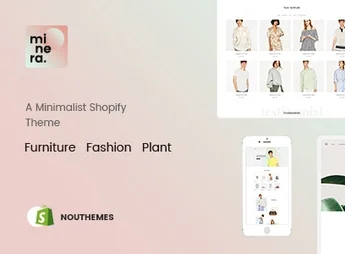
Minera is a minimalist theme, designed for online stores that want a clean and elegant look. Ideal for fashion, jewelry, furniture and home decor brands, but it adapts to any segment that values a refined aesthetic and robust functionalities. It stands out for its wide range of features, all optimized to create an intuitive and satisfying shopping experience.
Main Features
- Minimalist Design:
Has a clean and elegant layout that showcases your products. - Responsive:
Adaptive to any device, ensuring a great experience for all users. - SEO Optimized:
Helps improve your store’s ranking on search engines. - Comprehensive Shopify Integration:
Offers all the tools you need to manage your online store. - Variety of Customization Options:
Allows you to adjust the theme according to your brand’s needs. - Compatibility with Several Plugins:
Works well with a range of popular plugins, further expanding its functionalities.
Benefits of Minera
- Efficiency: Saves time with its easy setup and maintenance.
- Increased Sales: Provides an enjoyable shopping experience that may lead to increased sales.
- Greater Reach: SEO optimization helps attract more visitors to your store.
- Unique Branding: Customization options allow you to create a store that reflects your brand identity.
Who It’s For
- Fashion and accessories stores.
- Furniture and home decor companies.
- E-commerce stores that value simplicity and elegance.
- Those seeking to improve the user experience in their store.
With Minera, you have at your disposal a theme that combines elegance and functionality. Its numerous features and benefits make it the perfect choice for those looking to highlight their products without sacrificing usability. Investing in Minera is investing in an online store that stands out not only for its aesthetics but also for the excellent shopping experience it provides to your customers.
Frequently asked questions
Is Minera – Minimalist Responsive Multipurpose Sections Drag & Drop Builder Shopify Theme GPL?
Yes. Minera – Minimalist Responsive Multipurpose Sections Drag & Drop Builder Shopify Theme is distributed under the GPL (GNU General Public License). You may legally use, modify and redistribute it on as many sites as you want.
Can I use Minera – Minimalist Responsive Multipurpose Sections Drag & Drop Builder Shopify Theme on more than one site?
Yes. You can use Minera – Minimalist Responsive Multipurpose Sections Drag & Drop Builder Shopify Theme on as many sites as you want.
How much does Minera – Minimalist Responsive Multipurpose Sections Drag & Drop Builder Shopify Theme cost at Ultrapack?
Minera – Minimalist Responsive Multipurpose Sections Drag & Drop Builder Shopify Theme costs US$2.99 as a single purchase, and it is also included in the subscription plans starting at US$17/mo (Desenvolvedor I).
Does Minera – Minimalist Responsive Multipurpose Sections Drag & Drop Builder Shopify Theme include updates?
When a new version of Minera – Minimalist Responsive Multipurpose Sections Drag & Drop Builder Shopify Theme becomes available in the catalog, you can download the file during the access period of your purchase or subscription. To update, follow the installation or import procedure described in the documentation for the item and its platform.
Is Minera – Minimalist Responsive Multipurpose Sections Drag & Drop Builder Shopify Theme checked before it is made available for download?
Files for Minera – Minimalist Responsive Multipurpose Sections Drag & Drop Builder Shopify Theme are scanned before publication by UltraHub using ClamAV and YARA rules to detect known threats. This check does not guarantee the absence of risks. Check the item requirements, make a backup, and follow the installation or import instructions for its platform.
How to install
Updates: manual. When a new version comes out, download it on this same page and upload the new file from the Shopify admin. This item is not installed through WordPress.
A Shopify theme is not installed on WordPress. It is uploaded in your store dashboard.
- Download the file
elements-minera-minimalist-multipurpose-shopify-theme.zipand extract it on your computer. - Inside the package, look for the theme ZIP, which is the file Shopify accepts. It is usually in a folder named after the theme, and it has the
assets,layout,sectionsandtemplatesfolders inside. - In the Shopify dashboard, go to Online Store > Themes.
- Under Theme library, click Add theme > Upload zip file and upload the theme ZIP.
- Use Preview to check it, and Publish when you want it live.
- Shopify rejects packages that are too large. If the upload fails because of size, take the documentation and demo files out of the folder before zipping it.
Stuck on a step? Open a ticket telling us which one you stopped at.