Description
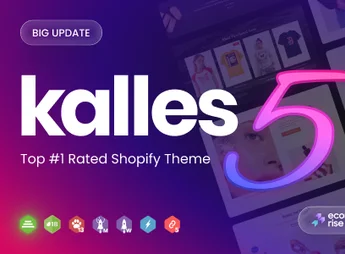
Kalles is a Shopify theme designed to offer a clean, versatile, and fully responsive e-commerce experience. Ideal for retailers seeking a modern and flexible design, it adapts to any market niche, from fashion and electronics to furniture and cosmetics. Focused on usability and performance, the theme ensures your online store stands out and provides impeccable navigation on all devices.
Main Features
- Versatile Design and Multiple Demos
Offers a vast collection of layouts and pre-built demos for various niches, allowing for a quick and professional launch. - Fully Responsive and Mobile-First
Ensures perfect viewing and shopping experiences on desktops, tablets, and smartphones, prioritizing mobile navigation. - Optimized for Speed and Performance
Developed with clean code to ensure fast loading times, improving user experience and conversion rates. - RTL (Right-to-Left) Support
Completely compatible with right-to-left languages like Arabic and Hebrew, expanding your global market reach. - Advanced E-commerce Features
Includes functionalities such as quick view, color swatches, advanced product filtering, and more. - Search Engine Optimization Friendly
Structured to follow best SEO practices, helping your store achieve better rankings in search engines.
Benefits of Kalles
- Increased Conversion Rate
Its user-focused design and speedy load times motivate visitors to complete purchases. - Better Shopping Experience
Intuitive navigation tools and enhanced product features make the customer journey more enjoyable and efficient. - Flexibility to Grow
The extensive customization options allow the theme to evolve alongside your brand’s needs without changing layouts. - Global Market Reach
RTL support enables you to sell products to customers in different regions, breaking language barriers.
Who is it for?
- Businesses of all sizes that want a professional, fast, and high-conversion online store.
- Entrepreneurs and niche brands, such as fashion, jewelry, electronics, furniture, or cosmetics.
- Sellers planning to operate in international markets and needing RTL language support.
With its impeccable design and robust feature set, Kalles is the definitive solution for creating a successful Shopify store that captivates customers and drives sales. Its flexibility ensures that your digital storefront is as unique as your brand, providing a solid foundation for your online business growth.
Frequently asked questions
Is Miniture – Minimalist Shopify Theme OS 3.0 GPL?
Yes. Miniture – Minimalist Shopify Theme OS 3.0 is distributed under the GPL (GNU General Public License). You may legally use, modify and redistribute it on as many sites as you want.
Can I use Miniture – Minimalist Shopify Theme OS 3.0 on more than one site?
Yes. You can use Miniture – Minimalist Shopify Theme OS 3.0 on as many sites as you want.
How much does Miniture – Minimalist Shopify Theme OS 3.0 cost at Ultrapack?
Miniture – Minimalist Shopify Theme OS 3.0 costs US$2.99 as a single purchase, and it is also included in the subscription plans starting at US$17/mo (Desenvolvedor I).
Does Miniture – Minimalist Shopify Theme OS 3.0 include updates?
When a new version of Miniture – Minimalist Shopify Theme OS 3.0 becomes available in the catalog, you can download the file during the access period of your purchase or subscription. To update, follow the installation or import procedure described in the documentation for the item and its platform.
Is Miniture – Minimalist Shopify Theme OS 3.0 checked before it is made available for download?
Files for Miniture – Minimalist Shopify Theme OS 3.0 are scanned before publication by UltraHub using ClamAV and YARA rules to detect known threats. This check does not guarantee the absence of risks. Check the item requirements, make a backup, and follow the installation or import instructions for its platform.
How to install
Updates: manual. When a new version comes out, download it on this same page and upload the new file from the Shopify admin. This item is not installed through WordPress.
A Shopify theme is not installed on WordPress. It is uploaded in your store dashboard.
- Download the file
elements-miniture-minimalist-shopify-theme-os-3-0-theme.zipand extract it on your computer. - Inside the package, look for the theme ZIP, which is the file Shopify accepts. It is usually in a folder named after the theme, and it has the
assets,layout,sectionsandtemplatesfolders inside. - In the Shopify dashboard, go to Online Store > Themes.
- Under Theme library, click Add theme > Upload zip file and upload the theme ZIP.
- Use Preview to check it, and Publish when you want it live.
- Shopify rejects packages that are too large. If the upload fails because of size, take the documentation and demo files out of the folder before zipping it.
Stuck on a step? Open a ticket telling us which one you stopped at.