

Description
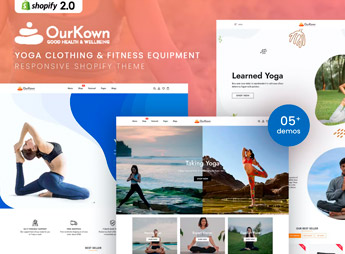
Ourkown organizes a Shopify store for yoga apparel and fitness gear, with product pages that include a size chart, fabric details, compression level, and styling suggestions to complete the look. It’s for fitness apparel brands, yoga studios selling their own branded uniforms, and anyone reselling leggings, tops, and workout accessories to people who train regularly and want clothing that holds up to frequent washing and intense workouts.
Key Features of Ourkown
- Detailed size chart
Shows exact measurements for every piece to cut down on exchanges for the wrong size. - Fabric and fit specs
Describes the material, stretch, and compression level of each piece. - Complete look pairings
Suggests pieces that work together right on the product page. - Categories by workout type
Sorts apparel by activity, such as yoga, running, or weight training, in the navigation. - Action photo gallery
Shows pieces being worn during a workout, not just in flat studio shots.
Benefits of Ourkown
- Fewer size exchanges
Cuts returns by making measurements and fit clear before checkout. - Fitness brand identity
Carries a young, active aesthetic across every page of the store. - Bundled outfit sales
Encourages shoppers to add a top, leggings, and an accessory to the same order. - Confidence before buying
Builds trust in the fit and fabric quality without a fitting room.
Who Is Ourkown For?
- Fitness and activewear apparel brands.
- Yoga studios selling their own branded uniforms.
- Resellers of leggings, tops, and workout accessories.
- Personal trainers launching their own clothing line.
How to Download Ourkown
Ourkown is available for download here on Ultrapack. In your store dashboard, go to Online Store > Themes > Add theme and upload the file to install the full layout. Then add your sizes and fabrics and set up categories by workout type.
Workout apparel lives and dies by fit and stretch, and a photo alone never tells the whole story. Ourkown makes room for those specs on every product, helping fitness brands cut size-related exchanges and build trust with shoppers buying yoga apparel online.
Frequently asked questions
Is Ourkown – Yoga Clothing & Fitness Shopify Theme GPL?
Yes. Ourkown – Yoga Clothing & Fitness Shopify Theme is distributed under the GPL (GNU General Public License). You may legally use, modify and redistribute it on as many sites as you want.
Can I use Ourkown – Yoga Clothing & Fitness Shopify Theme on more than one site?
Yes. You can use Ourkown – Yoga Clothing & Fitness Shopify Theme on as many sites as you want.
How much does Ourkown – Yoga Clothing & Fitness Shopify Theme cost at Ultrapack?
Ourkown – Yoga Clothing & Fitness Shopify Theme costs US$2.99 as a single purchase, and it is also included in the subscription plans starting at US$17/mo (Desenvolvedor I).
Does Ourkown – Yoga Clothing & Fitness Shopify Theme include updates?
When a new version of Ourkown – Yoga Clothing & Fitness Shopify Theme becomes available in the catalog, you can download the file during the access period of your purchase or subscription. To update, follow the installation or import procedure described in the documentation for the item and its platform.
Is Ourkown – Yoga Clothing & Fitness Shopify Theme checked before it is made available for download?
Files for Ourkown – Yoga Clothing & Fitness Shopify Theme are scanned before publication by UltraHub using ClamAV and YARA rules to detect known threats. This check does not guarantee the absence of risks. Check the item requirements, make a backup, and follow the installation or import instructions for its platform.
How to install
Updates: manual. When a new version comes out, download it on this same page and upload the new file from the Shopify admin. This item is not installed through WordPress.
A Shopify theme is not installed on WordPress. It is uploaded in your store dashboard.
- Download the file
elements-ourkown-yoga-clothing-fitness-shopify-theme.zipand extract it on your computer. - Inside the package, look for the theme ZIP, which is the file Shopify accepts. It is usually in a folder named after the theme, and it has the
assets,layout,sectionsandtemplatesfolders inside. - In the Shopify dashboard, go to Online Store > Themes.
- Under Theme library, click Add theme > Upload zip file and upload the theme ZIP.
- Use Preview to check it, and Publish when you want it live.
- Shopify rejects packages that are too large. If the upload fails because of size, take the documentation and demo files out of the folder before zipping it.
Stuck on a step? Open a ticket telling us which one you stopped at.


