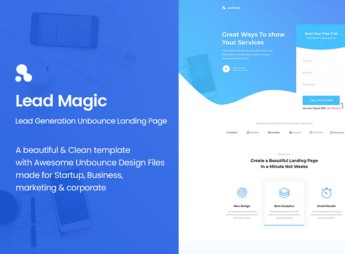
Description
Homely organizes, inside Unbounce, a page for real estate agencies and agents to advertise a specific property, with a gallery section, location map, and tour scheduling form. It’s for anyone who publishes one property at a time and needs a page just for that listing, without mixing it in with the entire catalog on the agency’s main site, keeping the visitor focused on a single property all the way to the click on the contact form.
Key Features of Homely
- Property photo gallery
Displays the property photos in a featured carousel above the fold. - Location map
Shows the property address embedded in an interactive map on the page. - Property spec sheet
Lists square footage, number of bedrooms, parking spaces, and other property features. - Tour scheduling form
Captures name, phone number, and preferred time from anyone who wants to tour the property. - Neighborhood and area section
Describes nearby shops, schools, and transit to place the property in its neighborhood.
Benefits of Homely
- One page per property
Keeps a new listing from depending on changes to the agency’s entire website. - More tours scheduled
Shortens the distance between seeing the listing and booking the tour in the same form. - Organized property presentation
Brings photos, spec sheet, and location together in one place, with no loose links. - Reuse across listings
Lets you duplicate the page and swap photos and details for each new property.
Who Is Homely For?
- Anyone advertising properties for sale or rent one at a time.
- Independent agents who handle the marketing for each property.
- Real estate marketing teams that publish launch pages.
- Anyone capturing tour leads for specific properties through paid ads.
How to Download Homely
Homely is available for download here on Ultrapack. After downloading the file, import it into Unbounce under Pages > Create Page > Upload Custom Template, swap in the photos, copy, and property details, and publish the page before sharing the listing link.
People who work with just a few properties at a time tend to waste time adapting a generic website for each new listing. With a page dedicated to a single property, the link is ready to share in WhatsApp groups, partner portals, or paid ads as soon as the showing is confirmed with the owner.
Frequently asked questions
Is Homely – CMS Real Estate Unbounce Template GPL?
Yes. Homely – CMS Real Estate Unbounce Template is distributed under the GPL (GNU General Public License). You may legally use, modify and redistribute it on as many sites as you want.
Can I use Homely – CMS Real Estate Unbounce Template on more than one site?
Yes. You can use Homely – CMS Real Estate Unbounce Template on as many sites as you want.
How much does Homely – CMS Real Estate Unbounce Template cost at Ultrapack?
Homely – CMS Real Estate Unbounce Template costs US$2.99 as a single purchase, and it is also included in the subscription plans starting at US$17/mo (Desenvolvedor I).
Does Homely – CMS Real Estate Unbounce Template include updates?
When a new version of Homely – CMS Real Estate Unbounce Template becomes available in the catalog, you can download the file during the access period of your purchase or subscription. To update, follow the installation or import procedure described in the documentation for the item and its platform.
Is Homely – CMS Real Estate Unbounce Template checked before it is made available for download?
Files for Homely – CMS Real Estate Unbounce Template are scanned before publication by UltraHub using ClamAV and YARA rules to detect known threats. This check does not guarantee the absence of risks. Check the item requirements, make a backup, and follow the installation or import instructions for its platform.
What changed in this version
Version 1.0 3 March 2017
- =================================================
Release notes published by the developer.
How to install
Updates: manual. When a new version comes out, download it on this same page and follow the replacement or import process for the platform shown. This item is not updated through WordPress.
Extras gathers what is neither a WordPress theme nor a plugin: templates, scripts, project files and supporting material.
- Download the file
homely-cms-real-estate-unbounce-template.zipand extract it on your computer. - Open the author documentation that came in the package. It tells you where each file goes.
- When there is a
Como Instalar.txtfile in the main folder of the package, read it first.
Stuck on a step? Open a ticket telling us which one you stopped at.