 UAU Ready
Descripción
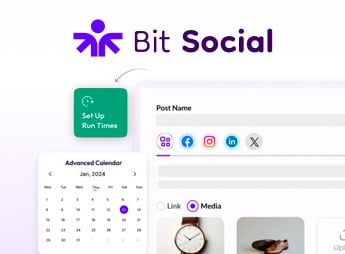
Bit Social Pro publica automáticamente tus contenidos en trece redes sociales en cuanto una publicación sale en línea, conectando las cuentas directamente en el panel de WordPress y manteniendo un calendario propio para programaciones. Dirigido a quien mantiene blog, portal o tienda WooCommerce y necesita mantener presencia constante sin copiar y pegar publicación por publicación, el plugin concentra conexión de cuentas, cola de programación y reutilización de contenido antiguo en un solo lugar.
Principales Características de Bit Social Pro
- Publicación en trece redes sociales
Envía publicaciones a Facebook, X, Instagram, Pinterest, LinkedIn, Tumblr, Telegram y otras cuentas conectadas. - Programador con calendario integrado
Organiza campañas y distribuye publicaciones en los horarios que tú definas. - Generación de textos e imágenes por IA
Crea leyendas, resúmenes e imágenes para acompañar cada publicación automática. - Difusión automática de productos WooCommerce
Promociona artículos de la tienda en las redes conectadas a medida que entran al catálogo. - Reutilización de contenido antiguo
Reactiva publicaciones ya realizadas para mantener los perfiles en movimiento constante.
Beneficios de Bit Social Pro
- Menos tarea manual por publicación
El mismo contenido llega a varios perfiles sin abrir cada red por separado. - Frecuencia de publicación previsible
La cola programada sostiene el ritmo de difusión incluso en semanas cargadas. - Trabajo concentrado en el panel de WordPress
Cuentas, cola e historial quedan accesibles sin alternar entre plataformas. - Mayor aprovechamiento del archivo
Textos antiguos vuelven a generar tráfico social sin producción nueva.
¿Para Quién es Recomendado Bit Social Pro?
- Quien publica con frecuencia en blog o portal y quiere que cada publicación llegue a las redes automáticamente.
- Quien vende en WooCommerce y necesita difundir productos en las redes sin armar cada anuncio a mano.
- Tú, que gestionas la comunicación de varios perfiles y necesitas cola y calendario de publicaciones en un solo panel.
- Quien desea reutilizar contenido ya publicado para mantener los perfiles activos entre lanzamientos.
Cómo Descargar Bit Social Pro
Bit Social Pro está disponible para descargar aquí en Ultrapack. El paso a paso para instalar este archivo está en la pestaña Como instalar, junto a la descripción. Después de activarlo, las pantallas de conexión de cuentas y el calendario de programación pasan a aparecer en el menú del panel administrativo.
La automatización de redes sociales suele tropezar en dos puntos: conectar las cuentas y sostener la frecuencia. Bit Social Pro resuelve ambos dentro del propio WordPress, con conexión directa a las trece redes compatibles y cola de programación visible en calendario.
Para quien produce contenido con regularidad, blogs, portales de nicho y catálogos WooCommerce, el resultado práctico es una rutina de difusión que sigue funcionando incluso cuando nadie está pendiente de la agenda ese día.
Preguntas frecuentes
¿El plugin Bit Social Pro es GPL?
Sí. Bit Social Pro se distribuye bajo la licencia GPL (GNU General Public License). Puedes usarlo, modificarlo y redistribuirlo legalmente en todos los sitios que quieras.
¿Puedo usar el plugin Bit Social Pro en más de un sitio?
Sí. Puedes instalar Bit Social Pro en todos los sitios que quieras. Solo las actualizaciones automáticas con Ultrapack Auto Updater tienen límite: de 3 a 80 sitios, según el plan.
¿Cuánto cuesta el plugin Bit Social Pro en Ultrapack?
Bit Social Pro cuesta US$ 2,99 en la compra individual, y también está incluido en los planes de suscripción desde US$12/mes (VIP I).
¿El plugin Bit Social Pro incluye actualizaciones?
Sí. La versión actual de Bit Social Pro es la 1.19.0, publicada en Ultrapack el 17/09/2026. Los suscriptores actualizan directamente desde el panel de WordPress con UAU (Ultrapack Auto Updater).
¿Es seguro descargar e instalar el plugin Bit Social Pro en mi WordPress?
Sí. Cada versión de Bit Social Pro pasa por un análisis de malware (ClamAV y reglas YARA, en UltraHub) antes de publicarse.
¿Cuáles son los requisitos del plugin Bit Social Pro?
Requiere WordPress 5.1 o superior y PHP 7.4 o superior. Probado hasta WordPress 7.0.
Qué cambió en esta versión
Versión 1.19.0
- Features
- Auto Post: Newly published posts now wait until their publish data has fully settled before sharing, so taxonomy filters, custom fields and classic meta-box saves are all included in the auto-post.
- Improvements
- Auto Post: A delayed rule still counts from the actual publish time even when the share waits for the post's data to finish saving.
- Scheduling: Delayed auto-post events are no longer spaced apart during cron catch-up, so multiple due rules for the same post can all publish on time without pushing back other schedules.
- Auto Post: Block editor follow-up saves no longer cause shares to miss their final taxonomy terms or meta values.
- Auto Post (Pro): Delayed auto-post schedules now keep their intended publish-time timing even when a post matches multiple delayed rules.
Versión 1.18.0
- Features
- Logs: The Logs screen is rebuilt around publish runs — one line per run with its date, schedule, post, type and tally, expanding into a card per account with the status, the one line worth reading and the raw platform response behind a button.
- Logs: Added a search box and Type and Missed filters, and a schedule row now links straight to its own runs.
- Logs: Every missed post is now recorded and retryable — a slot lost to a late or dormant cron leaves the same trail as any other failure, and can be retried per account or for the whole run. The retry in progress is shown and the other retry buttons are held until it comes back.
- Schedules & Share Now: Rows expand to show where a schedule posts and what it posts — accounts, groups and post filters — without opening the edit modal.
- Settings → Cron: New Cron Status panel showing whether WP-Cron is working, when it last ran and when Bit Social's next event is due, with an Overdue warning.
- Settings → Cron (Pro): New Late post handling — decide separately for delayed Auto Posts and for Share Now and scheduled shares whether a late post is published anyway or marked as Missed, with the window set in minutes, hours or days. Free runs on a fixed one-hour window.
- Notifications (Pro): New “Email on missed post” alert with its own toggle and “Last sent” line, sent to the same recipients as the failure alert. One email lists every post written off in a sweep.
- Accounts: An account whose token could not be renewed now says “Reconnect needed” on its card, with the reason and how long it has been failing, instead of looking healthy while every publish fails.
- Accounts (Pro): Reconnect now opens the account picker, listing every account the sign-in returned with the one being reconnected highlighted, instead of working behind a sticky toast that could never finish.
- Social Templates: Templates auto-save with an inline Saving / Saved / Unsaved status beside the platform heading, replacing a toast per keystroke.
- Share Now: Added a “See logs” button to each row, and row actions now keep a fixed column.
- Auto Post: A single-post row shows why it cannot be re-scheduled instead of leaving the action column empty.
- Improvements
- Cron catch-up: After downtime, overdue one-shot posts are re-queued five minutes apart instead of firing in one burst that trips platform rate limits and spam heuristics.
- Missed slots: A recurring schedule that loses a slot anchors the next one to the slot it lost, so an outage costs one slot instead of walking the whole timetable forward.
- Schedules, Share Now & Logs: The tables now fit the admin screen at every width instead of running off the right edge; dates read as a day with the time below it, and columns thin out on narrower screens.
- Stability: Screens are wrapped in error boundaries, so a single failure shows a recoverable message instead of a blank page.
- Updates: The log backfill this release needs runs in small batches in the background, so a site with a large log table is not held up by the first request after updating.
- Scheduling: A recurring schedule that fell behind dumped its whole backlog at once. Overdue runs are realigned instead.
- Facebook & Instagram: Every Meta Graph call is pinned to one current API version. Token renewal had been running against versions Meta no longer serves, so connections quietly aged out and posting stopped with nothing changed on the site.
- Instagram (Pro): Accounts connected before Instagram Login can be reconnected again — they were matched by an id that flow never sees, so users were wrongly told they had signed in with the wrong account.
- LinkedIn: Profiles are keyed by their stable member id instead of the display name, and a failed token refresh no longer overwrites the stored token.
- Instagram, Pinterest, TikTok & Threads (Pro): Refreshed tokens are now actually saved (Instagram, Pinterest), TikTok's rotated refresh token is kept, and Threads' refresh endpoint URL was malformed so every refresh failed — each of these killed the connection at the original token's expiry.
- X (Twitter) & Google Business Profile (Pro): The stored refresh token is kept unless the platform rotates it, token-exchange errors are surfaced, and a Google account with no business locations now gets a clear message.
- Accounts: A failed connection no longer leaves the account picker on “Fetching data, please wait…” forever, and the reason is shown in the modal instead of a toast that scrolls away.
- Accounts: A connection that fails at the network level now says the site's server could not reach the platform, rather than showing a raw cURL error.
- Accounts: The connect popup's handover back to the plugin was unreliable — a successful authorization could be dropped, and an abandoned attempt could be picked up by the next connect.
- Logs: Retrying a failed post now updates the row it was retried from on every platform, instead of adding a second row on five of them.
- Logs: An auto post to several accounts reads as one run rather than one event per account.
- Logs: The screen filled debug.log with a PHP deprecation every three seconds for as long as it was left open.
- Schedules: A delayed auto-post is attributed to the post's author instead of reading “Unknown”.
- Share Now: A run's log names its content “Custom written content” rather than “No post”.
- Settings: The External Cron toggle snapped back silently when the stored Pro settings had no cron branch.
- Social Templates: Malformed stored template data no longer crashes the template settings screen.
Versión 1.17.1
- Templates: The LinkedIn template screen went blank on some setups when the custom message was left empty. Post previews now trim long text without breaking the page.
Versión 1.17.0
- Features
- Roles & Access (Pro): New Roles & Access settings tab to control which WordPress roles can open the Bit Social dashboard and menu. Administrators always keep full access.
- Roles & Access (Pro): Per-account permissions — restrict which roles may publish through each connected account, enforced on Auto Post, Schedules and Share Now.
- Accounts (Pro): Reconnect an existing account in place — tokens are refreshed without creating a duplicate, so its schedules and permissions stay intact.
- Accounts: New account details modal with account info, connected/last updated timestamps and per-account role permissions.
- Logs: The Logs table now shows the platform logo and the account avatar for each entry.
- Logs, Schedules & Share Now: New “Created by” column showing who created each item, along with their role.
- Improvements
- Account Groups: Redesigned the group list as cards with proper dark-theme colours, clearer rename/add/delete actions and real empty states.
- Accounts: Switching between the Accounts and Groups tabs is now instant instead of rebuilding the page and refetching everything.
- Facebook: Pages stopped publishing roughly 50 days after being connected because page tokens were needlessly run through the token exchange; refreshed tokens are now also saved correctly. A page that has already stopped publishing needs to be reconnected once — the stored token cannot be repaired.
- Tumblr: Token refreshes are serialized so concurrent publishes no longer fail with 401 errors.
- Bluesky & X (Twitter): Publishing no longer fails on hosts where the optional fileinfo or mbstring PHP extensions are disabled, and Bluesky link/mention offsets are correct for non-ASCII text.
- Google Business Profile: Stopped refreshing the access token on every publish.
- Pro: Enforced nonce validation on Pro AJAX requests.
- Auto Post: Preserved the existing free-version behaviour for non-admin authors so their posts keep auto-posting.
- Accounts: The delete confirmation now shows which account is being removed and no longer appears behind the modal.
Versión 1.16.0
- Features
- Instagram: Connect Instagram accounts directly via Instagram Login instead of the legacy Facebook Login flow — no linked Facebook Page required.
- Pro: Corrected the free-version requirement check in the Pro plugin updater.
Notas de versión publicadas por el desarrollador.
Cómo instalar
Actualización automática: este ítem se actualiza con el Ultrapack Auto Updater. Con él instalado, la versión nueva aparece en tu panel como cualquier otra actualización de WordPress (cómo configurarlo).
- Descarga el archivo
bit-social-pro.zip. - En el panel de WordPress, ve a Plugins > Añadir nuevo > Subir plugin.
- Selecciona el archivo
bit-social-pro.zipy haz clic en Instalar ahora. - Haz clic en Activar.
Requisitos: Requiere WordPress 5.1 o superior y PHP 7.4 o superior. Probado hasta WordPress 7.0.
¿Te trabaste en algún paso? Abre un ticket diciendo en cuál te detuviste.