 UAU Ready
Description
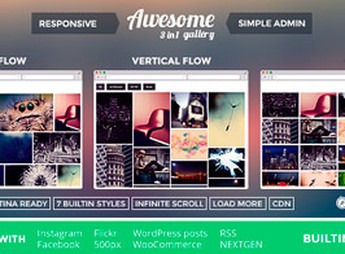
Awesome Gallery – Instagram, Flickr, Facebook galleries on your site creates integrated galleries that display photos directly from Instagram, Flickr and Facebook accounts, using shortcodes and widgets to facilitate insertion in WordPress. With it, you organize visual content in slideshows and responsive grids, ideal for sites that wish to highlight social presence and improve visual engagement.
Main Features
- Multiple network integration
Syncs images from Instagram, Flickr and Facebook on your site automatically. - Custom shortcodes
Generates codes to insert galleries on any WordPress page or post. - Varied layouts
Offers display options in slideshow, grid and photo list. - Responsive galleries
Adapts image display for mobile devices and desktops. - Administrative settings
Allows managing connections and styles directly from the WordPress panel.
Benefits of Awesome Gallery – Instagram, Flickr, Facebook galleries on your site
- Expanded visual engagement
Facilitates the exposure of social networks to attract visitors to the site. - Time saving
Automates image publication without the need for manual upload. - Flexibility of use
Allows positioning galleries in various areas of the site with ease. - Improves user experience
Presents dynamic and updated content for visitors.
Who Is It Recommended For?
- Bloggers and digital influencers.
- Marketing and visual communication agencies.
- Companies that want to display social networks on their site.
Awesome Gallery – Instagram, Flickr, Facebook galleries on your site is a practical solution for those who need to integrate social images directly into WordPress, combining multiple sources in a single customized gallery. Simplified management and adaptable layouts facilitate the visual maintenance of the site, ensuring that content is always updated and attractive.
Frequently asked questions
Is Awesome Gallery – Instagram, Flickr, Facebook galleries on your site GPL-licensed?
Yes. Awesome Gallery – Instagram, Flickr, Facebook galleries on your site is distributed under the GPL (GNU General Public License). You may legally use, modify and redistribute it on as many sites as you want.
Can I use Awesome Gallery – Instagram, Flickr, Facebook galleries on your site on multiple sites?
Yes. You can install Awesome Gallery – Instagram, Flickr, Facebook galleries on your site on as many sites as you want. Only automatic updates through Ultrapack Auto Updater have a limit: from 3 to 80 sites, depending on the plan.
How much does Awesome Gallery – Instagram, Flickr, Facebook galleries on your site cost at Ultrapack?
Awesome Gallery – Instagram, Flickr, Facebook galleries on your site costs US$2.99 as a single purchase, and it is also included in the subscription plans starting at US$12/mo (VIP I).
Does Awesome Gallery – Instagram, Flickr, Facebook galleries on your site include updates?
Yes. The current version of Awesome Gallery – Instagram, Flickr, Facebook galleries on your site is 2.2.3, published at Ultrapack on Oct 17, 2018. Subscribers update straight from the WordPress dashboard with UAU (Ultrapack Auto Updater).
Is Awesome Gallery – Instagram, Flickr, Facebook galleries on your site scanned before publication?
Yes. Every version of Awesome Gallery – Instagram, Flickr, Facebook galleries on your site goes through a malware scan (ClamAV and YARA rules, at UltraHub) before it is published.
How to install
Automatic updates: this item is updated by the Ultrapack Auto Updater. With it installed, the new version shows up in your dashboard like any other WordPress update (how to set it up).
- Download the file
codecanyon-6462937-awesome-gallery-instagram-flickr-facebook-galleries-on-your-site.zip. - In the WordPress dashboard, go to Plugins > Add New > Upload Plugin.
- Select the file
codecanyon-6462937-awesome-gallery-instagram-flickr-facebook-galleries-on-your-site.zipand click Install Now. - Click Activate.
Stuck on a step? Open a ticket telling us which one you stopped at.