 UAU Ready
Description
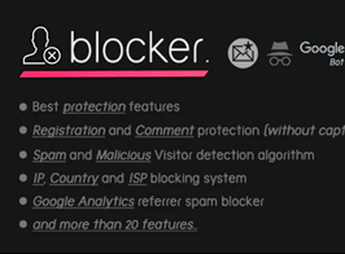
The Blocker Firewall WordPress Security Plugin filters WordPress site traffic by country, IP range, proxy, and VPN, blocking unwanted visitors even before the page loads. Designed for those managing content portals, stores, and communities subject to comment spam, automated login attempts, and access from regions outside the target audience, it acts as an extra protection layer integrated into the WordPress dashboard.
Main Features of the Blocker Firewall WordPress Security Plugin
- Country blocking
Restricts site access based on visitor IP geolocation. - VPN and proxy detection
Identifies masked connections and prevents them from bypassing blocking rules. - Custom IP lists
Allows creating manual whitelists and blacklists for specific addresses and ranges. - Anti-spam form protection
Filters suspicious submissions in comments, contact, and registration attempts. - Monitoring panel
Logs blocked accesses with date, IP, and geographic origin in the admin.
Benefits of the Blocker Firewall WordPress Security Plugin
- Less server load
Malicious traffic is stopped before consuming database and PHP resources. - Reduced spam received
Comments and forms stay cleaner without relying only on captcha. - Granular audience control
Allows showing the site only to countries where the business operates. - Defense against automated attacks
Brute-force attempts from anonymous networks are intercepted.
Who Is the Blocker Firewall WordPress Security Plugin For?
- Those running blogs and news portals affected by comment spam coming from foreign networks.
- You operating a WooCommerce store only for Brazil and wanting to block accesses outside the region.
- Those needing an extra firewall layer without migrating to heavy CDN or external WAF solutions.
- Communities, forums, and member areas suffering repeated automated login attempts.
How to Download the Blocker Firewall WordPress Security Plugin
The Blocker Firewall WordPress Security Plugin is available for download here on Ultrapack. After saving the .zip file, go to Plugins > Add New > Upload Plugin in the WordPress dashboard, select the file, and click activate. After that, country, IP, and VPN settings become accessible in a dedicated item in the admin sidebar menu.
Combining geoblocking, VPN detection, manual IP lists, and anti-spam filtering into a single internal layer within WordPress, the Blocker Firewall WordPress Security Plugin works as a frontline for sites needing to reduce unwanted traffic without relying exclusively on external protection services. It is a practical choice for those seeking to control who enters and block recurring threats directly via the admin panel.
Frequently asked questions
Is Blocker Firewall WordPress Security Plugin GPL-licensed?
Yes. Blocker Firewall WordPress Security Plugin is distributed under the GPL (GNU General Public License). You may legally use, modify and redistribute it on as many sites as you want.
Can I use Blocker Firewall WordPress Security Plugin on multiple sites?
Yes. You can install Blocker Firewall WordPress Security Plugin on as many sites as you want. Only automatic updates through Ultrapack Auto Updater have a limit: from 3 to 80 sites, depending on the plan.
How much does Blocker Firewall WordPress Security Plugin cost at Ultrapack?
Blocker Firewall WordPress Security Plugin costs US$2.99 as a single purchase, and it is also included in the subscription plans starting at US$12/mo (VIP I).
Does Blocker Firewall WordPress Security Plugin include updates?
Yes. The current version of Blocker Firewall WordPress Security Plugin is 1.6.0, published at Ultrapack on Jul 15, 2023. Subscribers update straight from the WordPress dashboard with UAU (Ultrapack Auto Updater).
Is Blocker Firewall WordPress Security Plugin scanned before publication?
Yes. Every version of Blocker Firewall WordPress Security Plugin goes through a malware scan (ClamAV and YARA rules, at UltraHub) before it is published.
How to install
Automatic updates: this item is updated by the Ultrapack Auto Updater. With it installed, the new version shows up in your dashboard like any other WordPress update (how to set it up).
- Download the file
elements-blocker-firewall-wordpress-security.zip. - In the WordPress dashboard, go to Plugins > Add New > Upload Plugin.
- Select the file
elements-blocker-firewall-wordpress-security.zipand click Install Now. - Click Activate.
Stuck on a step? Open a ticket telling us which one you stopped at.