

 UAU Ready
Description
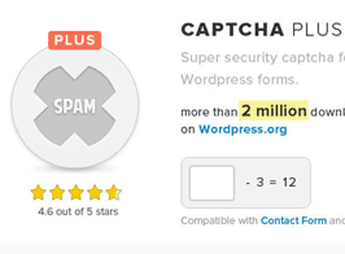
Captcha Plus adds CAPTCHA to login, registration, password recovery, comments, and custom forms, with invisible types, math actions, character recognition, and slide captcha to validate submissions before processing. It meets the needs of those who want to reduce spam in public areas of the site and keep contact or authentication forms with configurable anti-spam validation through the WordPress dashboard.
Main Features of Captcha Plus
- Protected forms
Adds CAPTCHA to login, registration, comments, and password recovery. - CAPTCHA types
Includes invisible mode, math actions, character recognition, and slide. - IP control
Hides the challenge for addresses included in the allowed list. - Submission time
Sets time limits for submissions made through protected forms. - Editable messages
Allows adjusting CAPTCHA titles, warnings, and displayed notifications.
Benefits of Captcha Plus
- Less manual spam
Reduces automated submissions before they reach the site dashboard. - Cleaner flows
Keeps registrations, comments, and contacts with fewer false entries. - Centralized configuration
Concentrates validation settings without editing theme files. - More flexible use
Adapts challenge types to the required protection level.
Who Is Captcha Plus For?
- Those who receive many automated submissions through contact, comments, or registration forms.
- You who keep open login areas and need to filter suspicious attempts.
- Those already using Contact Form 7 who want to add anti-spam validation to forms.
How to Download Captcha Plus
Captcha Plus is available for download here on Ultrapack. After downloading the .zip file, go to Plugins > Add New > Upload Plugin, select the package, and activate it through the WordPress dashboard.
Captcha Plus fits sites that rely on public forms and need to separate real interactions from automated submissions. With challenge options, IP allowed lists, and message settings, the plugin helps keep data entry more controlled without changing WordPress’s main structure.
Frequently asked questions
Is Captcha Plus GPL-licensed?
Yes. Captcha Plus is distributed under the GPL (GNU General Public License). You may legally use, modify and redistribute it on as many sites as you want.
Can I use Captcha Plus on multiple sites?
Yes. You can use Captcha Plus on multiple sites. The number of sites connected to Ultrapack Auto Updater is limited by your plan.
How much does Captcha Plus cost at Ultrapack?
Captcha Plus costs US$2.99 as a single purchase, and it is also included in the subscription plans starting at US$12/mo (VIP I).
Does Captcha Plus include updates?
Yes. The current version of Captcha Plus is 5.1.5, published at Ultrapack on Aug 17, 2021. Subscribers update straight from the WordPress dashboard with UAU (Ultrapack Auto Updater).
Is Captcha Plus scanned before publication?
Yes. Every version of Captcha Plus goes through a malware scan (ClamAV and YARA rules, at UltraHub) before it is published.
What changed in this version
Version 5.1.5
- Update : All functionality was updated for WordPress 5.8
- Update : Packages for slide captcha was updated.
Version 5.1.4
- Bugfix : Syntax error has been fixed.
- Update : BWS panel section was updated.
- Update : Packages for slide captcha was updated.
Version 5.1.3
- NEW : Ability to edit messages of slide captcha has been added.
- Bugfix : The issue with submitting Contact 7 form has been fixed.
- Bugfix : The issue of sending a password reset link on the user edit page has been fixed.
- Update : All functionality was updated for WordPress 5.7.2
- Pro : Ability to edit the appearance of slide captcha has been added.
- Pro : The issue with displaying captcha in the form of creating a new topic and in the reply form in WpForo has been fixed.
Version 5.1.2
- Bugfix : Captcha Time Limit Exceeded issue has been fixed.
Version 5.1.1
- Update : BWS panel section was updated.
- Update : All functionality was updated for WordPress 5.7
- Pro : The compatibility with Gravity Forms has been added.
Release notes published by the developer.
How to install
Automatic updates: this item is updated by the Ultrapack Auto Updater. With it installed, the new version shows up in your dashboard like any other WordPress update (how to set it up).
- Download the file
elements-captcha-plus.zip. - In the WordPress dashboard, go to Plugins > Add New > Upload Plugin.
- Select the file
elements-captcha-plus.zipand click Install Now. - Click Activate.
Stuck on a step? Open a ticket telling us which one you stopped at.


