

 UAU Ready
Description
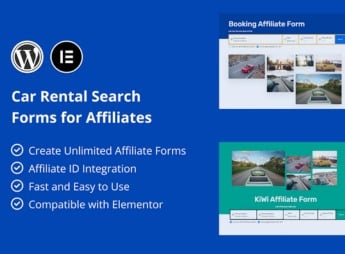
Car Rental Search Forms for Affiliates provides ready-made car rental search forms that load origin, destination, dates, and times parameters and redirect the visitor to rental portals with your affiliate code embedded in the URL. Recommended for affiliates in the automotive niche and travel blogs, it turns any WordPress page into a clickable capture point for trackable clicks in vehicle rental commission programs.
Main Features
- Ready search forms: pickup, drop-off, dates, and times fields configured for direct submission to the affiliate partner.
- Insertion via shortcode: publish the form on any page, post, or widget using
[shortcode]without editing templates. - Configurable affiliate parameters: set your ID and tracking variables that travel in the redirection URL.
- Responsive layout: fields adapt to sidebars, narrow columns, and page headers at any resolution.
- Adjustable styling: colors, typography, and spacing editable through the panel to match the active theme.
Benefits of Car Rental Search Forms for Affiliates
- Monetization of automotive traffic: converts readers of travel and mobility content into qualified affiliate clicks.
- Fast implementation: no programming or manual integration with rental portal APIs required.
- Familiar experience for visitors: presents the same search pattern as major portals, reducing friction before the click.
- Strategic positioning: allows placing the form on landing pages, posts, and highly visible sidebars.
Who Is It For?
- Affiliates of car rental programs who want to capture bookings directly from their own site.
- Travel, tourism, and urban mobility blogs that cover destinations and itineraries.
- Comparators and automotive portals that need a search field embedded in content.
Aimed at publishers who treat automotive traffic as a revenue channel, Car Rental Search Forms for Affiliates shortens the path between content reading and the affiliate click by bringing the search form inside the site itself. The practical gain is keeping the visitor engaged until the final step before redirection, preserving commission tracking on every originated booking.
Frequently asked questions
Is Car Rental Search Forms for Affiliates GPL-licensed?
Yes. Car Rental Search Forms for Affiliates is distributed under the GPL (GNU General Public License). You may legally use, modify and redistribute it on as many sites as you want.
Can I use Car Rental Search Forms for Affiliates on multiple sites?
Yes. You can install Car Rental Search Forms for Affiliates on as many sites as you want. Only automatic updates through Ultrapack Auto Updater have a limit: from 3 to 80 sites, depending on the plan.
How much does Car Rental Search Forms for Affiliates cost at Ultrapack?
Car Rental Search Forms for Affiliates costs US$2.99 as a single purchase, and it is also included in the subscription plans starting at US$12/mo (VIP I).
Does Car Rental Search Forms for Affiliates include updates?
Yes. The current version of Car Rental Search Forms for Affiliates is 1.0.0, published at Ultrapack on May 17, 2024. Subscribers update straight from the WordPress dashboard with UAU (Ultrapack Auto Updater).
Is Car Rental Search Forms for Affiliates scanned before publication?
Yes. Every version of Car Rental Search Forms for Affiliates goes through a malware scan (ClamAV and YARA rules, at UltraHub) before it is published.
How to install
Automatic updates: this item is updated by the Ultrapack Auto Updater. With it installed, the new version shows up in your dashboard like any other WordPress update (how to set it up).
The file on this page is the developer’s full package, documentation included. Do not upload that file through the dashboard: WordPress answers that the package does not contain a valid plugin. The plugin comes ready inside it, as a ZIP of its own, and that is the one you upload.
- Download the file
elements-car-rental-search-forms-for-affiliates-plugin.zipand extract it on your computer. - Look inside the extracted files for the file
plugin_package/car-rental-search-form-for-affiliates.zip. - In the WordPress dashboard, go to Plugins > Add New > Upload Plugin.
- Select that file, click Install Now and then Activate.
- There is nothing to zip. The ZIP inside the package is already in the format WordPress accepts.
- The rest of the package belongs to the author: documentation, license and sometimes sample files. None of that is installed through the dashboard.
Stuck on a step? Open a ticket telling us which one you stopped at.



