 UAU Ready
Description
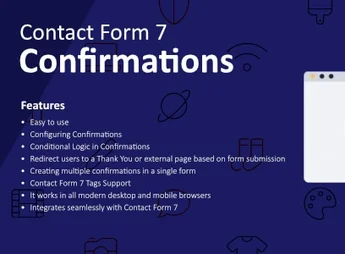
Configuring Confirmations for Contact Form 7 replaces CF7’s default submission message with custom confirmations, allowing visitors to be redirected to a specific URL after each successful form submission. It works as an additional layer over Contact Form 7 and serves sites that need to funnel leads to thank-you pages, complementary offers, or funnel stages without editing the theme or writing JavaScript.
Key Features
- Form-specific custom confirmations: set a unique message or destination for each CF7 on the site, without affecting others.
- Post-submit redirection: directs the visitor to a chosen URL as soon as the submission is successfully validated.
- CF7 panel configuration: adjust behavior directly on the form editor screen, without touching theme code.
- Multiple form compatibility: independent rules for each registered form, no conflict between pages.
- User feedback control: replace the default confirmation text with custom content tailored to the form’s context.
Benefits of Configuring Confirmations for Contact Form 7
- Lead direction: directs contact directly to the thank-you page, offer, or next funnel step.
- Conversion tracking: dedicated post-submit URLs facilitate event firing in Google Analytics, Tag Manager, and paid media.
- Clearer experience: visitors receive a focused response after submitting the form, instead of CF7’s generic message.
- No theme code: eliminates the need for PHP hooks or custom scripts to handle post-submit form processing.
Recommended for?
- Marketing professionals who run lead capture with Contact Form 7.
- Agencies and freelancers who deliver sites with contact and quote forms.
- Site owners who need a dedicated thank-you page to track conversions.
Recommended for anyone using Contact Form 7 who wants real control over what happens after the visitor clicks submit.
Frequently asked questions
Is Configuring Confirmations for Contact Form 7 GPL-licensed?
Yes. Configuring Confirmations for Contact Form 7 is distributed under the GPL (GNU General Public License). You may legally use, modify and redistribute it on as many sites as you want.
Can I use Configuring Confirmations for Contact Form 7 on multiple sites?
Yes. You can install Configuring Confirmations for Contact Form 7 on as many sites as you want. Only automatic updates through Ultrapack Auto Updater have a limit: from 3 to 80 sites, depending on the plan.
How much does Configuring Confirmations for Contact Form 7 cost at Ultrapack?
Configuring Confirmations for Contact Form 7 costs US$2.99 as a single purchase, and it is also included in the subscription plans starting at US$12/mo (VIP I).
Does Configuring Confirmations for Contact Form 7 include updates?
Yes. The current version of Configuring Confirmations for Contact Form 7 is 1.2.0, published at Ultrapack on Mar 13, 2025. Subscribers update straight from the WordPress dashboard with UAU (Ultrapack Auto Updater).
Is Configuring Confirmations for Contact Form 7 scanned before publication?
Yes. Every version of Configuring Confirmations for Contact Form 7 goes through a malware scan (ClamAV and YARA rules, at UltraHub) before it is published.
How to install
Automatic updates: this item is updated by the Ultrapack Auto Updater. With it installed, the new version shows up in your dashboard like any other WordPress update (how to set it up).
The file on this page is the developer’s full package, documentation included. Do not upload that file through the dashboard: WordPress answers that the package does not contain a valid plugin. The plugin comes ready inside it, as a ZIP of its own, and that is the one you upload.
- Download the file
elements-configuring-confirmations-for-contact-form-7.zipand extract it on your computer. - Look inside the extracted files for the file
Main/WordPress/contact-form-7-confirmations.zip. - In the WordPress dashboard, go to Plugins > Add New > Upload Plugin.
- Select that file, click Install Now and then Activate.
- There is nothing to zip. The ZIP inside the package is already in the format WordPress accepts.
- The rest of the package belongs to the author: documentation, license and sometimes sample files. None of that is installed through the dashboard.
Stuck on a step? Open a ticket telling us which one you stopped at.