

 UAU Ready
Description
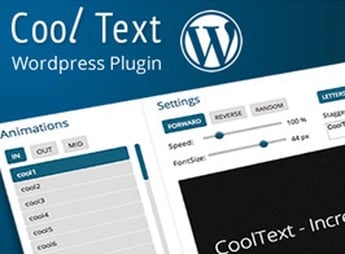
The CoolText Text Effects and Rotator Responsive WordPress applies animated effects to headings and text blocks in WordPress, with support for automatic word rotation, entry and exit transitions, speed control, and a ready-to-use shortcode that can be pasted into any page, post or widget. Recommended for those who need to create dynamic headlines on sales pages, hero sections and banners, without relying on external JavaScript libraries or manual CSS editing.
Main Features of CoolText Text Effects and Rotator Responsive WordPress
- Automatic word rotator
Alternates word sequences in the same text segment at configurable intervals. - Animation effects library
Includes entry, exit, and swap transitions for titles, phrases, and keywords. - Fully responsive output
Adapts animation size, spacing, and line breaks for desktop, tablet, and mobile. - Shortcode insertion
Provides a simple shortcode to paste the animation into any page, post, or widget. - Visual typography control
Allows adjusting fonts, colors, sizes, and rotation speed directly from the panel.
Benefits of CoolText Text Effects and Rotator Responsive WordPress
- More attractive headlines
Grabs the visitor’s attention right at the top of the page with moving text. - No code required
Eliminates the need to edit CSS or JavaScript for professional text effects. - Use in any builder
Works in classic editor, Gutenberg, and visual builders via shortcode. - Rapid campaign application
Speeds up assembling promotional landing pages and highlight sections.
Who is CoolText Text Effects and Rotator Responsive WordPress recommended for?
- Those who create sales landing pages and want animated headlines with automatic keyword swapping.
- Targeted at portfolio sites, creative agencies and blogs looking for visual reinforcement in titles.
- Those who need to add text effects without programming or installing extra JavaScript libraries.
How to Download CoolText Text Effects and Rotator Responsive WordPress
The CoolText Text Effects and Rotator Responsive WordPress is available for download here on Ultrapack. After downloading the .zip file, install it in Plugins > Add New > Upload Plugin, select the file and activate it. Once that is done, the plugin’s shortcode is ready to use on any page, post or widget area.
Targeted at those who need quick visual impact in titles without touching code, CoolText Text Effects and Rotator Responsive WordPress consolidates word rotation, animation effects, and responsive adjustments into a single shortcode-operated plugin. It is an easy option to reinforce key messages in hero sections, promotional banners and conversion calls within WordPress.
Frequently asked questions
Is CoolText Text Effects and Rotator Responsive WordPress GPL-licensed?
Yes. CoolText Text Effects and Rotator Responsive WordPress is distributed under the GPL (GNU General Public License). You may legally use, modify and redistribute it on as many sites as you want.
Can I use CoolText Text Effects and Rotator Responsive WordPress on multiple sites?
Yes. You can install CoolText Text Effects and Rotator Responsive WordPress on as many sites as you want. Only automatic updates through Ultrapack Auto Updater have a limit: from 3 to 80 sites, depending on the plan.
How much does CoolText Text Effects and Rotator Responsive WordPress cost at Ultrapack?
CoolText Text Effects and Rotator Responsive WordPress costs US$2.99 as a single purchase, and it is also included in the subscription plans starting at US$12/mo (VIP I).
Does CoolText Text Effects and Rotator Responsive WordPress include updates?
Yes. The current version of CoolText Text Effects and Rotator Responsive WordPress is 1.2.0, published at Ultrapack on Jun 20, 2017. Subscribers update straight from the WordPress dashboard with UAU (Ultrapack Auto Updater).
Is CoolText Text Effects and Rotator Responsive WordPress scanned before publication?
Yes. Every version of CoolText Text Effects and Rotator Responsive WordPress goes through a malware scan (ClamAV and YARA rules, at UltraHub) before it is published.
How to install
Automatic updates: this item is updated by the Ultrapack Auto Updater. With it installed, the new version shows up in your dashboard like any other WordPress update (how to set it up).
- Download the file
codecanyon-6978123-responsive-wordpress-text-effects-and-rotator.zip. - In the WordPress dashboard, go to Plugins > Add New > Upload Plugin.
- Select the file
codecanyon-6978123-responsive-wordpress-text-effects-and-rotator.zipand click Install Now. - Click Activate.
Stuck on a step? Open a ticket telling us which one you stopped at.


