

 UAU Ready
Description
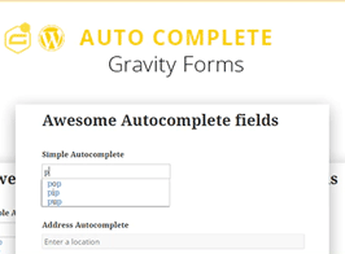
Gravity Forms Auto Complete (+address field) adds an autocomplete field to Gravity Forms, suggesting values as the visitor types and enabling an address-specific mode with integration to the Google Places API. Suggestions appear in real time below the input, and in address mode, components (street, number, city, state, ZIP, country) automatically populate form fields, reducing typing errors on landing pages, registrations, and checkouts.
Main Features of Gravity Forms Auto Complete (+address field)
- New field type
Includes an autocomplete item in the Gravity Forms visual editor, alongside standard fields. - Address mode with Google Places
Connects the field to the Google Places API to suggest real addresses during typing. - Component mapping
Separates the selected address into street, number, neighborhood, city, state, ZIP, and country. - Customized suggestion list
Allows feeding the autocomplete with a custom list of terms for non-address related fields. - Compatibility with form rules
Works with Gravity Forms’ native conditional logic, validations, and merge tags.
Benefits of Gravity Forms Auto Complete (+address field)
- Fewer typing errors
Visitors select already validated addresses instead of typing each component manually. - Faster registrations
Autofill reduces friction in long forms and speeds up submission. - Standardized data
Addresses normalized by Google aid logistics, segmentation, and reporting. - Higher conversion rate
Less effort filling out reduces abandonment on landing pages and checkouts.
Who is Gravity Forms Auto Complete (+address field) For?
- Those capturing leads via Gravity Forms who need structured addresses for CRM, shipping, or after-sales.
- Delivery and logistics operations requiring standardized address data for every order.
- People maintaining long registration, budgeting, or event sign-up forms who want to reduce abandonment.
How to Download Gravity Forms Auto Complete (+address field)
Gravity Forms Auto Complete (+address field) is available for download here on Ultrapack. After saving the .zip file, install it via Plugins > Add New > Upload Plugin, select the file, and activate it. The new field type will then appear in the Gravity Forms form editor, ready to be dragged into the layout.
On sites that rely on forms to capture reliable addresses, Gravity Forms Auto Complete (+address field) eliminates the need to review each submission by letting Google return already structured data. The combination of generic autocomplete and address mode serves everything from simple registrations to complex checkouts, keeping Gravity Forms as the core of the flow and adding accuracy to data collection without requiring code intervention.
Frequently asked questions
Is Gravity Forms Auto Complete (+address field) GPL-licensed?
Yes. Gravity Forms Auto Complete (+address field) is distributed under the GPL (GNU General Public License). You may legally use, modify and redistribute it on as many sites as you want.
Can I use Gravity Forms Auto Complete (+address field) on multiple sites?
Yes. You can install Gravity Forms Auto Complete (+address field) on as many sites as you want. Only automatic updates through Ultrapack Auto Updater have a limit: from 3 to 80 sites, depending on the plan.
How much does Gravity Forms Auto Complete (+address field) cost at Ultrapack?
Gravity Forms Auto Complete (+address field) costs US$2.99 as a single purchase, and it is also included in the subscription plans starting at US$12/mo (VIP I).
Does Gravity Forms Auto Complete (+address field) include updates?
Yes. The current version of Gravity Forms Auto Complete (+address field) is 1.8.8, published at Ultrapack on Apr 6, 2023. Subscribers update straight from the WordPress dashboard with UAU (Ultrapack Auto Updater).
Is Gravity Forms Auto Complete (+address field) scanned before publication?
Yes. Every version of Gravity Forms Auto Complete (+address field) goes through a malware scan (ClamAV and YARA rules, at UltraHub) before it is published.
How to install
Automatic updates: this item is updated by the Ultrapack Auto Updater. With it installed, the new version shows up in your dashboard like any other WordPress update (how to set it up).
- Download the file
codecanyon-19220825-gravityforms-autocomplete-wordpress-plugin.zip. - In the WordPress dashboard, go to Plugins > Add New > Upload Plugin.
- Select the file
codecanyon-19220825-gravityforms-autocomplete-wordpress-plugin.zipand click Install Now. - Click Activate.
Stuck on a step? Open a ticket telling us which one you stopped at.

