

 UAU Ready
Description
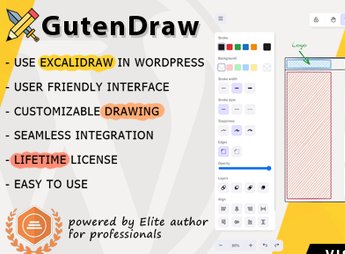
GutenDraw integrates Excalidraw into the Gutenberg editor, adding a native block for creating diagrams, flowcharts, wireframes and annotations with a hand-drawn style directly on WordPress pages and posts. Each drawing is saved as editable SVG within the content, allowing teachers, technical teams and creators to visualize ideas, illustrate tutorials and map processes without relying on external tools or uploading static images.
Key Features
- Dedicated Gutenberg block: inserts the Excalidraw drawing screen as a native editor block, with inline editing within the WordPress interface.
- Vector SVG output: drawings are generated as vector format, preserving sharpness at any screen size and device.
- Hand-drawn aesthetic: reproduces Excalidraw’s characteristic stroke, with shapes, arrows, connectors and text in manual style for lightweight diagrams.
- Reversible editing: each drawing can be reopened and modified at any time directly via the block, without needing to export and reimport files.
- Image-map feature: allows annotating areas and marking points over images, turning screenshots into explanatory diagrams.
Benefits of GutenDraw
- Workflow within WordPress: eliminates context switching to external apps like draw.io, Miro or Figma for simple diagrams.
- Cleaner pages: using SVG reduces file size compared to PNG/JPG screenshots and maintains quality on responsive designs.
- Fast visual documentation: ideal for illustrating tutorials, technical posts, teaching materials and knowledge bases.
- Short learning curve: takes advantage of Excalidraw’s familiar interface, known for its virtual whiteboard simplicity.
Who is it recommended for?
- Technical content creators and tutorial blogs that need to illustrate concepts with diagrams and flows.
- Educators and course platforms that want to build schematics, mind maps and annotations over images.
- Product, design and development teams that document architectures, wireframes and processes directly on the company website.
Recommended for anyone who produces content in WordPress and needs to turn ideas into visual diagrams without leaving the Gutenberg editor.
Frequently asked questions
Is GutenDraw – Visualize Ideas with Excalidraw in WordPress GPL-licensed?
Yes. GutenDraw – Visualize Ideas with Excalidraw in WordPress is distributed under the GPL (GNU General Public License). You may legally use, modify and redistribute it on as many sites as you want.
Can I use GutenDraw – Visualize Ideas with Excalidraw in WordPress on multiple sites?
Yes. You can install GutenDraw – Visualize Ideas with Excalidraw in WordPress on as many sites as you want. Only automatic updates through Ultrapack Auto Updater have a limit: from 3 to 80 sites, depending on the plan.
How much does GutenDraw – Visualize Ideas with Excalidraw in WordPress cost at Ultrapack?
GutenDraw – Visualize Ideas with Excalidraw in WordPress costs US$2.99 as a single purchase, and it is also included in the subscription plans starting at US$12/mo (VIP I).
Does GutenDraw – Visualize Ideas with Excalidraw in WordPress include updates?
Yes. The current version of GutenDraw – Visualize Ideas with Excalidraw in WordPress is 1.3.1, published at Ultrapack on Nov 23, 2024. Subscribers update straight from the WordPress dashboard with UAU (Ultrapack Auto Updater).
Is GutenDraw – Visualize Ideas with Excalidraw in WordPress scanned before publication?
Yes. Every version of GutenDraw – Visualize Ideas with Excalidraw in WordPress goes through a malware scan (ClamAV and YARA rules, at UltraHub) before it is published.
How to install
Automatic updates: this item is updated by the Ultrapack Auto Updater. With it installed, the new version shows up in your dashboard like any other WordPress update (how to set it up).
- Download the file
elements-gutendraw-visualize-ideas-with-excalidraw.zip. - In the WordPress dashboard, go to Plugins > Add New > Upload Plugin.
- Select the file
elements-gutendraw-visualize-ideas-with-excalidraw.zipand click Install Now. - Click Activate.
Stuck on a step? Open a ticket telling us which one you stopped at.


