 UAU Ready
Description
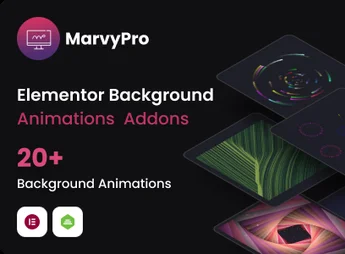
Marvy is an advanced animation plugin for Elementor, transforming your website into an interactive work of art. Ideal for designers, creative agencies, bloggers, and anyone looking to bring more dynamism and interactivity to their pages. Its simple and intuitive use allows you to create stunning animations with just a few clicks.
Primary Features
- Extensive range of animations:
From subtle fades to complex 3D rotations, Marvy has everything you need to bring your pages to life. - Performance optimization:
Animations are optimized to ensure smooth and fast performance, without affecting your site’s load speed. - Compatibility:
It works flawlessly with any theme and is fully compatible with all Elementor versions. - Easy to use:
Just drag and drop to apply animations to your pages. No coding required. - Full control:
Adjust the speed, direction, and style of each animation to create a unique user experience. - Responsive support:
Animations are fully responsive and work perfectly on all devices and screen sizes.
Benefits of Marvy – Ultimate Elementor Animation addons Pro plugin
- Increased interactivity: With Marvy, your pages come to life, boosting user engagement and improving the site experience.
- Higher attractiveness: Attractive animations make your site stand out, improving brand perception and increasing conversion rates.
- Performance optimization: Marvy is optimized to ensure your animations do not impede your site’s speed.
Recommended For:
- Designers looking for creative ways to bring their designs to life.
- Creative agencies wanting to impress their clients with interactive and dynamic sites.
- Bloggers looking to add an extra interactive element to engage their readers.
Marvy is a powerful ally for those looking to bring an extra dimension of interactivity to their sites. Its ease of use, variety of animations, and performance optimization make this plugin an unbeatable choice for creating truly memorable and attractive sites.
Frequently asked questions
Is MarvyPro – Background Animations for Elementor GPL-licensed?
Yes. MarvyPro – Background Animations for Elementor is distributed under the GPL (GNU General Public License). You may legally use, modify and redistribute it on as many sites as you want.
Can I use MarvyPro – Background Animations for Elementor on multiple sites?
Yes. You can install MarvyPro – Background Animations for Elementor on as many sites as you want. Only automatic updates through Ultrapack Auto Updater have a limit: from 3 to 80 sites, depending on the plan.
How much does MarvyPro – Background Animations for Elementor cost at Ultrapack?
MarvyPro – Background Animations for Elementor costs US$2.99 as a single purchase, and it is also included in the subscription plans starting at US$12/mo (VIP I).
Does MarvyPro – Background Animations for Elementor include updates?
Yes. The current version of MarvyPro – Background Animations for Elementor is 1.7.2, published at Ultrapack on Aug 5, 2025. Subscribers update straight from the WordPress dashboard with UAU (Ultrapack Auto Updater).
Is MarvyPro – Background Animations for Elementor scanned before publication?
Yes. Every version of MarvyPro – Background Animations for Elementor goes through a malware scan (ClamAV and YARA rules, at UltraHub) before it is published.
How to install
Automatic updates: this item is updated by the Ultrapack Auto Updater. With it installed, the new version shows up in your dashboard like any other WordPress update (how to set it up).
The file on this page is the developer’s full package, documentation included. Do not upload that file through the dashboard: WordPress answers that the package does not contain a valid plugin. The plugin comes ready inside it, as a ZIP of its own, and that is the one you upload.
- Download the file
codecanyon-28285063-marvy-background-animations-for-elementor.zipand extract it on your computer. - Look inside the extracted files for the file
Marvy - Ultimate Elementor Animation Addons/Plugin/marvy-animation-addons.zip. - In the WordPress dashboard, go to Plugins > Add New > Upload Plugin.
- Select that file, click Install Now and then Activate.
- There is nothing to zip. The ZIP inside the package is already in the format WordPress accepts.
- The rest of the package belongs to the author: documentation, license and sometimes sample files. None of that is installed through the dashboard.
- Ignore the folder
Old_Versions: they are the previous versions that the author left in the package.
Stuck on a step? Open a ticket telling us which one you stopped at.