

 UAU Ready
Description
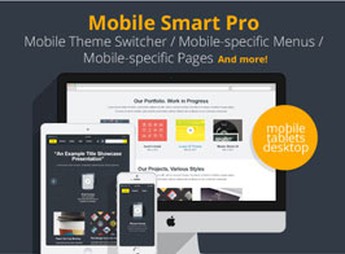
When a site needs to show different navigation and content on a mobile phone, Mobile Smart Pro switches menus and specific blocks for mobile visitors through device detection rules and display control in WordPress. It serves those who maintain pages with distinct journeys on small screens, reducing manual layout adjustments and aligning calls, menus and sections more closely with mobile access behavior.
Key Features of Mobile Smart Pro
- Mobile Switcher
Switch site elements when accessed from mobile devices. - Device-specific content
Controls which blocks or sections appear for visitors on a phone. - Device-based menus
Allows configuring different navigation for desktop and mobile screens. - Display rules
Applies conditions to show or hide content depending on context. - WordPress Integration
Centralizes mobile experience adjustments within the site structure.
Benefits of Mobile Smart Pro
- More Direct Navigation
Mobile visitors find paths better suited to the small screen. - Less Manual Duplication
Reduces separate adjustments on pages created only for mobile. - More Relevant Content
Displays messages, calls, and sections according to the device used. - Greater Editorial Control
Facilitates adapting journeys without relying on deep theme changes.
Who Should Use Mobile Smart Pro
- Those who need to show different menus for visitors accessing from a mobile phone.
- You who maintain pages with specific content for smartphone journeys.
- Teams who adjust calls, sections, and navigation according to device type.
How to Download Mobile Smart Pro
The Mobile Smart Pro is available to download here on Ultrapack. After downloading the .zip file, install it in Plugins > Add New > Upload Plugin, select the file, and activate it in the WordPress dashboard. After activation, configure the options according to your site’s structure.
Mobile Smart Pro helps treat mobile access as a separate journey within WordPress, without relying solely on visual responsiveness. By separating menus, content, and display rules by device, the plugin provides more precision for pages that need to communicate, guide, or convert differently on smaller screens.
Frequently asked questions
Is Mobile Smart Pro – mobile switcher, mobile-specific content, menus, and more. GPL-licensed?
Yes. Mobile Smart Pro – mobile switcher, mobile-specific content, menus, and more. is distributed under the GPL (GNU General Public License). You may legally use, modify and redistribute it on as many sites as you want.
Can I use Mobile Smart Pro – mobile switcher, mobile-specific content, menus, and more. on multiple sites?
Yes. You can install Mobile Smart Pro – mobile switcher, mobile-specific content, menus, and more. on as many sites as you want. Only automatic updates through Ultrapack Auto Updater have a limit: from 3 to 80 sites, depending on the plan.
How much does Mobile Smart Pro – mobile switcher, mobile-specific content, menus, and more. cost at Ultrapack?
Mobile Smart Pro – mobile switcher, mobile-specific content, menus, and more. costs US$2.99 as a single purchase, and it is also included in the subscription plans starting at US$12/mo (VIP I).
Does Mobile Smart Pro – mobile switcher, mobile-specific content, menus, and more. include updates?
Yes. The current version of Mobile Smart Pro – mobile switcher, mobile-specific content, menus, and more. is 1.4, published at Ultrapack on Oct 21, 2017. Subscribers update straight from the WordPress dashboard with UAU (Ultrapack Auto Updater).
Is Mobile Smart Pro – mobile switcher, mobile-specific content, menus, and more. scanned before publication?
Yes. Every version of Mobile Smart Pro – mobile switcher, mobile-specific content, menus, and more. goes through a malware scan (ClamAV and YARA rules, at UltraHub) before it is published.
How to install
Automatic updates: this item is updated by the Ultrapack Auto Updater. With it installed, the new version shows up in your dashboard like any other WordPress update (how to set it up).
- Download the file
codecanyon-3671362-mobile-smart-pro-wordpress-plugin.zip. - In the WordPress dashboard, go to Plugins > Add New > Upload Plugin.
- Select the file
codecanyon-3671362-mobile-smart-pro-wordpress-plugin.zipand click Install Now. - Click Activate.
Stuck on a step? Open a ticket telling us which one you stopped at.


