

 UAU Ready
Description
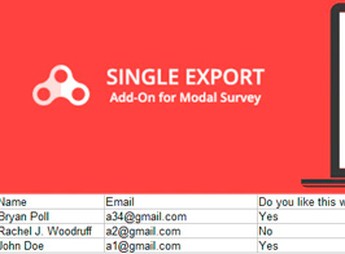
The Modal Survey Single Export Add-on exports every individual result from each survey or quiz into a single CSV file directly from the Modal Survey dashboard. Designed for those who collect responses in polls, surveys, and questionários on WordPress, the add-on adds an export option to the base plugin’s admin menu and generates the file ready for analysis in spreadsheets such as Excel, Google Sheets, or BI tools.
Key Features of The Modal Survey Single Export Add-on
- Individual CSV export
Creates a single CSV file with all individual responses from each survey or quiz. - Dedicated admin menu item
Automatically adds the export option to the Modal Survey navigation after activation. - Coverage of polls and quizzes
Processes both polls and quizzes created by the base plugin. - WPML compatibility
Works on multilingual sites that use the WPML plugin for content translation. - Standard WordPress installation
Installed via the plugin upload in the dashboard without requiring additional technical setup.
Benefits of The Modal Survey Single Export Add-on
- Off-dashboard analysis
Allows responses to be processed in spreadsheets, statistical tools, or BI dashboards. - Result archiving
Maintains a permanent record of responses outside the WordPress database. - Rapid data sharing
Sends the CSV file by email or forwards it to external teams in seconds. - Freedom in handling responses
Prevents being stuck with the native Modal Survey view when processing large volumes.
For Whom The Modal Survey Single Export Add-on is Recommended?
- Those who run satisfaction polls and surveys in WordPress and need to bring responses to Excel or Google Sheets.
- Designed for users of Modal Survey who create assessment or educational quizzes and want to archive results in CSV.
- Those who maintain multilingual sites with WPML and need to consolidate responses collected in different languages into a single file.
How to Download The Modal Survey Single Export Add-on
The Modal Survey Single Export Add-on is available for download here on Ultrapack. After saving the .zip file, navigate to Plugins > Add New > Upload plugin in the WordPress dashboard, select the file, and click activate. The export item appears in the Modal Survey menu immediately after activation.
Recommended for users who already work with Modal Survey and have missed a direct route to extract raw responses from the database, the add-on delivers a ready CSV without needing SQL, external scripts, or generic export plugins. The practical benefit is the ability to cross-reference data, build reports, and archive results using the same routine employed for any survey spreadsheet.
Frequently asked questions
Is Modal Survey Single Export Add-on GPL-licensed?
Yes. Modal Survey Single Export Add-on is distributed under the GPL (GNU General Public License). You may legally use, modify and redistribute it on as many sites as you want.
Can I use Modal Survey Single Export Add-on on multiple sites?
Yes. You can install Modal Survey Single Export Add-on on as many sites as you want. Only automatic updates through Ultrapack Auto Updater have a limit: from 3 to 80 sites, depending on the plan.
How much does Modal Survey Single Export Add-on cost at Ultrapack?
Modal Survey Single Export Add-on costs US$2.99 as a single purchase, and it is also included in the subscription plans starting at US$12/mo (VIP I).
Does Modal Survey Single Export Add-on include updates?
Yes. The current version of Modal Survey Single Export Add-on is 1.0.6, published at Ultrapack on Apr 3, 2021. Subscribers update straight from the WordPress dashboard with UAU (Ultrapack Auto Updater).
Is Modal Survey Single Export Add-on scanned before publication?
Yes. Every version of Modal Survey Single Export Add-on goes through a malware scan (ClamAV and YARA rules, at UltraHub) before it is published.
How to install
Automatic updates: this item is updated by the Ultrapack Auto Updater. With it installed, the new version shows up in your dashboard like any other WordPress update (how to set it up).
The file on this page is the developer’s full package, documentation included. Do not upload that file through the dashboard: WordPress answers that the package does not contain a valid plugin. The plugin comes ready inside it, as a ZIP of its own, and that is the one you upload.
- Download the file
elements-modal-survey-single-export.zipand extract it on your computer. - Look inside the extracted files for the file
modal_survey_single_export.zip. - In the WordPress dashboard, go to Plugins > Add New > Upload Plugin.
- Select that file, click Install Now and then Activate.
- There is nothing to zip. The ZIP inside the package is already in the format WordPress accepts.
- The rest of the package belongs to the author: documentation, license and sometimes sample files. None of that is installed through the dashboard.
Stuck on a step? Open a ticket telling us which one you stopped at.


