

 UAU Ready
Description
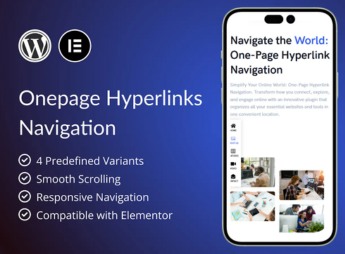
The OnePage Hyperlinks Navigation creates a navigation bar of anchors that connects links to specific sections of the page, smoothly scrolling to the exact point when the visitor clicks each menu item. Targeted at single-page sites, the plugin automatically highlights the active link as the user scrolls through the content, preserving a visual reference to the section currently being navigated.
Main Features
- Smooth anchor scrolling: guides the visitor to the target section with fluid animation on each menu link click.
- Automatic active item highlighting: visually marks the link of the section visible in the viewport during scrolling.
- Offset configuration: adjusts the scroll stop point to compensate for fixed headers and overlapping elements.
- Visual customization: allows setting colors, typography, and link styles to align with the site’s identity.
- Compatibility with builders: works on pages built with visual editors and Gutenberg blocks, integrating into the existing structure.
Benefits of OnePage Hyperlinks Navigation
- Continuous reading experience: eliminates page reloads and keeps the visitor immersed in the site’s content.
- Constant visual orientation: active link highlight informs the user of the section they are in without needing to look at the scrollbar.
- Fast implementation: eliminates manual script editing or CSS tweaks to create anchor navigation.
- Compact layout: brings all content into a single page, reducing clicks and shortening the path to information.
Who is it for?
- Landing page and single-page institutional site creators seeking smooth navigation between sections.
- Agencies and freelancers delivering one-page projects for portfolio clients, events, or product launches.
- Site owners who want to add a styled anchor menu without resorting to custom code.
Recommended for one-page projects that need clear section-based navigation, The OnePage Hyperlinks Navigation delivers smooth scrolling and dynamic active item marking ready for use. The result is a continuous reading experience, with permanent visual orientation over the point of the page the visitor is at.
Frequently asked questions
Is OnePage Hyperlinks Navigation GPL-licensed?
Yes. OnePage Hyperlinks Navigation is distributed under the GPL (GNU General Public License). You may legally use, modify and redistribute it on as many sites as you want.
Can I use OnePage Hyperlinks Navigation on multiple sites?
Yes. You can install OnePage Hyperlinks Navigation on as many sites as you want. Only automatic updates through Ultrapack Auto Updater have a limit: from 3 to 80 sites, depending on the plan.
How much does OnePage Hyperlinks Navigation cost at Ultrapack?
OnePage Hyperlinks Navigation costs US$2.99 as a single purchase, and it is also included in the subscription plans starting at US$12/mo (VIP I).
Does OnePage Hyperlinks Navigation include updates?
Yes. The current version of OnePage Hyperlinks Navigation is 1.1.0, published at Ultrapack on Jun 30, 2025. Subscribers update straight from the WordPress dashboard with UAU (Ultrapack Auto Updater).
Is OnePage Hyperlinks Navigation scanned before publication?
Yes. Every version of OnePage Hyperlinks Navigation goes through a malware scan (ClamAV and YARA rules, at UltraHub) before it is published.
How to install
Automatic updates: this item is updated by the Ultrapack Auto Updater. With it installed, the new version shows up in your dashboard like any other WordPress update (how to set it up).
The file on this page is the developer’s full package, documentation included. Do not upload that file through the dashboard: WordPress answers that the package does not contain a valid plugin. The plugin comes ready inside it, as a ZIP of its own, and that is the one you upload.
- Download the file
elements-onepage-hyperlinks-navigation.zipand extract it on your computer. - Look inside the extracted files for the file
plugin_package/onepage-hyperlinks-navigation.zip. - In the WordPress dashboard, go to Plugins > Add New > Upload Plugin.
- Select that file, click Install Now and then Activate.
- There is nothing to zip. The ZIP inside the package is already in the format WordPress accepts.
- The rest of the package belongs to the author: documentation, license and sometimes sample files. None of that is installed through the dashboard.
Stuck on a step? Open a ticket telling us which one you stopped at.



