

 UAU Ready
Description
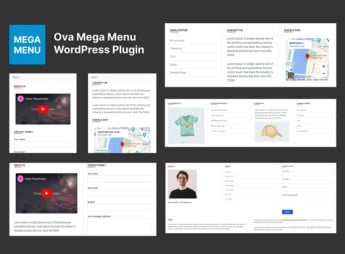
The Ova Mega Menu WordPress Plugin transforms the native WordPress menu into a customized mega menu with rows, columns and unlimited widgets, allowing insertion of content, shortcodes, images, videos, sliders, and galleries into each navigation item. With configurable full-width or boxed layouts per menu, column resizing by drag-and-drop, and device-specific content for desktop, tablet, and mobile, it serves sites that require rich, visually structured, and responsive navigation.
Main Features
- Full-width and boxed layouts: choose between a full-width menu or one contained in a box, with individual adjustments for each registered menu.
- Row and column builder: build the submenu’s internal structure by adding rows and columns that can be resized by dragging or by entering numeric values.
- Multi-type content within the menu: insert text blocks, shortcodes, images, video, sliders, and galleries into any submenu cell.
- Responsive content by device: set distinct views for desktop, tablet, and mobile within the same navigation item.
- Integration with builders and plugins: compatible with Elementor, Elementor Pro, WPBakery, WooCommerce, Contact Form 7, WPForms, Gravity Forms, Easy Digital Downloads, WPML, Jetpack, BuddyPress, and bbPress.
Benefits of The Ova Mega Menu WordPress Plugin
- Visually structured navigation: displays categories, promotional banners, and visual shortcuts without requiring visitors to open intermediate pages.
- Granular control of each column: adjust widths and layouts by drag-and-drop without editing CSS manually.
- RTL and WPML support: works in any language and on multilingual sites without extra code adjustments.
- Wide compatibility with the WordPress ecosystem: integrates with WooCommerce stores, forms, EDD, and page builders already used on the site.
Who This is Recommended For?
- WooCommerce stores with many categories and subcategories that need column-organized menus.
- Agencies and developers delivering Elementor or WPBakery sites who need a rich menu without programming.
- Institutional sites, portals, and magazines with deep hierarchy of sections, banners, and primary menu shortcuts.
For those maintaining sites with complex navigation, the Ova Mega Menu WordPress Plugin replaces the default menu with a visual submenu builder featuring rows, columns, and widgets, while preserving compatibility with Elementor, WPBakery, WooCommerce, and form plugins used most projects. The result is a menu that supports showcases, banners, and shortcuts without compromising responsiveness on desktop, tablet, and mobile.
Frequently asked questions
Is Ova Mega Menu WordPress Plugin GPL-licensed?
Yes. Ova Mega Menu WordPress Plugin is distributed under the GPL (GNU General Public License). You may legally use, modify and redistribute it on as many sites as you want.
Can I use Ova Mega Menu WordPress Plugin on multiple sites?
Yes. You can use Ova Mega Menu WordPress Plugin on multiple sites. The number of sites connected to Ultrapack Auto Updater is limited by your plan.
How much does Ova Mega Menu WordPress Plugin cost at Ultrapack?
Ova Mega Menu WordPress Plugin costs US$2.99 as a single purchase, and it is also included in the subscription plans starting at US$12/mo (VIP I).
Does Ova Mega Menu WordPress Plugin include updates?
Yes. The current version of Ova Mega Menu WordPress Plugin is 1.0.3, published at Ultrapack on Jul 22, 2026. Subscribers update straight from the WordPress dashboard with UAU (Ultrapack Auto Updater).
Is Ova Mega Menu WordPress Plugin scanned before publication?
Yes. Every version of Ova Mega Menu WordPress Plugin goes through a malware scan (ClamAV and YARA rules, at UltraHub) before it is published.
How to install
Automatic updates: this item is updated by the Ultrapack Auto Updater. With it installed, the new version shows up in your dashboard like any other WordPress update (how to set it up).
The file on this page is the developer’s full package, documentation included. Do not upload that file through the dashboard: WordPress answers that the package does not contain a valid plugin. The plugin comes ready inside it, as a ZIP of its own, and that is the one you upload.
- Download the file
elements-mega-menu-wordpress-plugin-ova.zipand extract it on your computer. - Look inside the extracted files for the file
ova-megamenu.zip. - In the WordPress dashboard, go to Plugins > Add New > Upload Plugin.
- Select that file, click Install Now and then Activate.
- There is nothing to zip. The ZIP inside the package is already in the format WordPress accepts.
- The rest of the package belongs to the author: documentation, license and sometimes sample files. None of that is installed through the dashboard.
Stuck on a step? Open a ticket telling us which one you stopped at.


