UAU Ready
Description
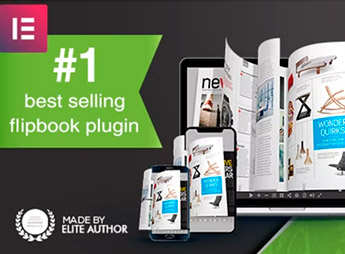
Page Editor for Real3D Flipbook adds a page-by-page visual editing interface to the Real3D Flipbook plugin, allowing the insertion of clickable links, audio, videos, images, and interactive zones directly on top of digital book content. Aimed at publishers, agencies, and virtual catalog creators, it transforms static flipbooks into navigable experiences with touch-sensitive areas positioned at the exact point on each page.
Main Features
- Visual page editor: drag and position interactive elements over each flipbook page in a graphical interface.
- Clickable hotspots: define touch-sensitive areas that open links, popups, videos, or extra content.
- Embedded media: insert images, audio, and videos linked to specific page regions.
- Internal navigation: create buttons that jump to other pages of the same flipbook, forming functional tables of contents and indexes.
- Per-page saving: settings are linked to each page of the book, preserving the structure when reopening the editor.
Benefits of Page Editor for Real3D Flipbook
- Faster production: eliminates the need for manual code or editing in external tools to make pages interactive.
- Increased engagement: readers click, watch, and listen to content without leaving the flipbook.
- Sellable catalogs: allows linking catalog products to sales pages, technical specs, or direct contact.
- Total visual control: element positioning is done precisely, with immediate preview.
Who Is It For?
- Publishing companies and digital magazines that publish interactive editions on WordPress.
- Agencies and studios that deliver catalogs, brochures, and portfolios to clients.
- Stores and brands that use virtual catalogs as product showcases with purchase links.
Designed for those already working with Real3D Flipbook who need to go beyond static pages, Page Editor for Real3D Flipbook delivers a visual authoring layer that connects each page of the book to links, media, and concrete actions. Ideal for editorial projects, commercial catalogs, and institutional materials that rely on rich interactivity to sustain digital reading.
Frequently asked questions
Is Page Editor for Real3D Flipbook GPL-licensed?
Yes. Page Editor for Real3D Flipbook is distributed under the GPL (GNU General Public License). You may legally use, modify and redistribute it on as many sites as you want.
Can I use Page Editor for Real3D Flipbook on multiple sites?
Yes. You can install Page Editor for Real3D Flipbook on as many sites as you want. Only automatic updates through Ultrapack Auto Updater have a limit: from 3 to 80 sites, depending on the plan.
How much does Page Editor for Real3D Flipbook cost at Ultrapack?
Page Editor for Real3D Flipbook costs US$2.99 as a single purchase, and it is also included in the subscription plans starting at US$12/mo (VIP I).
Does Page Editor for Real3D Flipbook include updates?
Yes. The current version of Page Editor for Real3D Flipbook is 1.2.2, published at Ultrapack on Oct 18, 2023. Subscribers update straight from the WordPress dashboard with UAU (Ultrapack Auto Updater).
Is Page Editor for Real3D Flipbook scanned before publication?
Yes. Every version of Page Editor for Real3D Flipbook goes through a malware scan (ClamAV and YARA rules, at UltraHub) before it is published.
How to install
Automatic updates: this item is updated by the Ultrapack Auto Updater. With it installed, the new version shows up in your dashboard like any other WordPress update (how to set it up).
- Download the file
codecanyon-33669331-page-editor-for-real3d-flipbook-wordpress-plugin.zip. - In the WordPress dashboard, go to Plugins > Add New > Upload Plugin.
- Select the file
codecanyon-33669331-page-editor-for-real3d-flipbook-wordpress-plugin.zipand click Install Now. - Click Activate.
Stuck on a step? Open a ticket telling us which one you stopped at.