 UAU Ready
Description
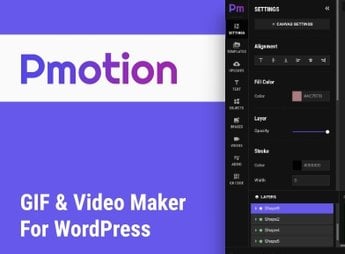
The Pmotion plugin is a powerful WordPress add-on, designed to give users complete control over their website’s animation and interactivity. Ideal for designers, creative agencies, and anyone looking to elevate their website’s look and feel to new heights.
Key Features
- Complete animation control:
Add and customize page transition animations, parallax scrolling, hover effects, and much more. - User-friendly interface:
Easy to use, even for those without technical knowledge. - Mobile-ready:
Animations work perfectly on all devices, from desktops to smartphones and tablets. - SEO-optimized:
Keeps the website compliant with SEO best practices, even with the most complex animations. - Theme compatibility:
Works seamlessly with any WordPress theme, offering endless design possibilities. - Regular updates:
The plugin is always evolving, with new features and improvements added regularly.
Benefits of the Pmotion plugin
- Increases engagement: Engaging animations can keep visitors on your website longer and encourage them to interact more.
- Enhances website aesthetics: Animations can add a professional, modern touch to your website design.
- Design flexibility: With complete control over all animations, you can create a truly unique user experience.
- Reliable support: If any issue arises, you can rely on responsive and efficient support.
Who Is It For?
- Designers seeking greater control and flexibility in website design.
- Creative agencies that want to offer more interactive and engaging websites to their clients.
- Bloggers who want to increase engagement and improve their blog’s aesthetics.
The Pmotion plugin is more than just an animation plugin—it is a tool that can completely transform the way you design and create websites. With it, you have complete control to create websites that not only look amazing but also engage and delight visitors. If you are looking for a way to take your website design to new heights, the Pmotion plugin is the right choice.
Frequently asked questions
Is Pmotion – Animated GIF and Video Maker For WordPress GPL-licensed?
Yes. Pmotion – Animated GIF and Video Maker For WordPress is distributed under the GPL (GNU General Public License). You may legally use, modify and redistribute it on as many sites as you want.
Can I use Pmotion – Animated GIF and Video Maker For WordPress on multiple sites?
Yes. You can install Pmotion – Animated GIF and Video Maker For WordPress on as many sites as you want. Only automatic updates through Ultrapack Auto Updater have a limit: from 3 to 80 sites, depending on the plan.
How much does Pmotion – Animated GIF and Video Maker For WordPress cost at Ultrapack?
Pmotion – Animated GIF and Video Maker For WordPress costs US$2.99 as a single purchase, and it is also included in the subscription plans starting at US$12/mo (VIP I).
Does Pmotion – Animated GIF and Video Maker For WordPress include updates?
Yes. The current version of Pmotion – Animated GIF and Video Maker For WordPress is 1.2, published at Ultrapack on Jan 17, 2025. Subscribers update straight from the WordPress dashboard with UAU (Ultrapack Auto Updater).
Is Pmotion – Animated GIF and Video Maker For WordPress scanned before publication?
Yes. Every version of Pmotion – Animated GIF and Video Maker For WordPress goes through a malware scan (ClamAV and YARA rules, at UltraHub) before it is published.
What are the requirements for the plugin Pmotion – Animated GIF and Video Maker For WordPress?
Requires PHP 7.0 or higher.
How to install
Automatic updates: this item is updated by the Ultrapack Auto Updater. With it installed, the new version shows up in your dashboard like any other WordPress update (how to set it up).
The file on this page is the developer’s full package. Do not upload that file through the dashboard: WordPress answers that the package does not contain a valid plugin. Inside it there are one or more ZIP files, and one of them is what you install.
- Download the file
elements-pmotion-animated-gif-video-maker-for-wordpress-plugin.zipand extract it on your computer. - Look for the
.zipfiles inside. The plugin is the one named after the product. - In the WordPress dashboard, go to Plugins > Add New > Upload Plugin and upload that ZIP file.
- Click Install Now and then Activate.
Requirements: Requires PHP 7.0 or higher.
- There is nothing to zip. The ZIP inside the package is already in the format WordPress accepts.
- Some packages carry more than one plugin: the main one and its add-ons. Install the ones you are going to use, each one the same way.
- If there is a documentation folder, it is not installed. It is reading material from the author.
Stuck on a step? Open a ticket telling us which one you stopped at.