

 UAU Ready
Description
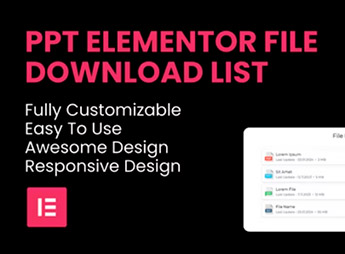
The PPT – File Download List Elementor Widget adds to the Elementor builder a component that assembles lists of files ready for download, with configurable buttons, icons by file type, and support for formats such as PDF, DOC, ZIP, spreadsheets, and images. Useful on pages containing materials, corporate manuals, media repositories, and resource areas, it eliminates manual coding or additional plugins to present collections of documents directly in the visual editor.
Key Features
- Native Elementor widget: drag the component to any section and edit all parameters via the visual panel, without touching HTML.
- Configurable file list: add multiple items in sequence, each with a title, optional description, file link, and its own download button.
- Icons by file type: automatically or manually display icons identifying the file format, helping visitors recognize content before clicking.
- Customizable buttons: control text, color, typography, border radius, spacing, and hover states of the download button on each item.
- Responsive layout: specific adjustments for desktop, tablet, and mobile, maintaining clear list readability at any screen width.
Benefits of the PPT – File Download List Elementor Widget
- Centralized downloads: brings related documents into a single organized block, avoiding loose links scattered across the page.
- Full visual editing: all configuration happens inside Elementor, with instant preview of changes.
- Consistent visual identity: style controls allow aligning the list appearance with the rest of the site without custom CSS.
- Rapid deployment: eliminates the need for coding or additional plugins to display multiple files with functional buttons.
Who is it For?
- Companies and marketing teams that provide materials such as catalogs, white papers, manuals, and pricing tables on institutional pages.
- Agencies and professionals building sites in Elementor who need a ready component for resource areas and download centers.
- Educational institutions, offices, and agencies that repeatedly publish documents, forms, and support materials on WordPress pages.
By concentrating file curation into a single visual widget, the PPT – File Download List Elementor Widget reduces the time spent maintaining resource pages and keeps a uniform experience for visitors. It is a straightforward choice for those already using Elementor as the default editor and seeking to replace makeshift lists with a dedicated downloads block, featuring fine controls for typography, icons, and buttons.
Frequently asked questions
Is PPT – File Download List Elementor Widget GPL-licensed?
Yes. PPT – File Download List Elementor Widget is distributed under the GPL (GNU General Public License). You may legally use, modify and redistribute it on as many sites as you want.
Can I use PPT – File Download List Elementor Widget on multiple sites?
Yes. You can install PPT – File Download List Elementor Widget on as many sites as you want. Only automatic updates through Ultrapack Auto Updater have a limit: from 3 to 80 sites, depending on the plan.
How much does PPT – File Download List Elementor Widget cost at Ultrapack?
PPT – File Download List Elementor Widget costs US$2.99 as a single purchase, and it is also included in the subscription plans starting at US$12/mo (VIP I).
Does PPT – File Download List Elementor Widget include updates?
Yes. The current version of PPT – File Download List Elementor Widget is 1.0.4, published at Ultrapack on Sep 1, 2024. Subscribers update straight from the WordPress dashboard with UAU (Ultrapack Auto Updater).
Is PPT – File Download List Elementor Widget scanned before publication?
Yes. Every version of PPT – File Download List Elementor Widget goes through a malware scan (ClamAV and YARA rules, at UltraHub) before it is published.
How to install
Automatic updates: this item is updated by the Ultrapack Auto Updater. With it installed, the new version shows up in your dashboard like any other WordPress update (how to set it up).
- Download the file
elements-file-download-list-elementor-widget.zip. - In the WordPress dashboard, go to Plugins > Add New > Upload Plugin.
- Select the file
elements-file-download-list-elementor-widget.zipand click Install Now. - Click Activate.
Stuck on a step? Open a ticket telling us which one you stopped at.


