

 UAU Ready
Description
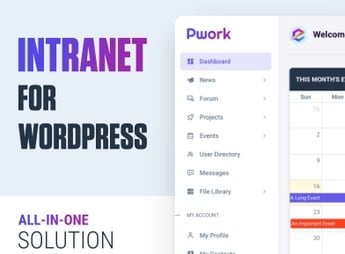
Expanding the possibilities of your WordPress site, the Pwork plugin is a robust, feature-packed addon that makes life easier for those seeking efficiency and agility. Ideal for freelancers, digital agencies, bloggers, and any professional who wants to optimize the management of their online content.
Main Features
- Intuitive Interface:
The Pwork plugin offers a simple and intuitive user experience, making setup and use easier. - Post Scheduling:
Allows posts to be scheduled in advance, ensuring a regular content schedule. - Access Control:
Manage who can access and edit your site, improving the security and management of your platform. - SEO Friendly:
With the Pwork plugin, your site will be optimized for SEO, improving its ranking in search engines. - Advanced Customization:
Offers several customization options, making your site unique. - Social Media Integration:
Makes integration with social media easier, expanding your online presence.
Benefits of the Pwork plugin
- Efficiency: Automates various site management tasks, saving time.
- Control: Allows strict control over access to your site, improving security.
- Visibility: Optimized for SEO, it helps improve your site’s visibility in search engines.
- Customization: With several customization options, your site will be truly unique.
Who Is It For?
- Freelancers who manage sites for multiple clients
- Digital agencies that need to optimize the management of multiple projects
- Bloggers who want to make content scheduling and publishing easier
- Any professional who wants efficient management of their WordPress site
Therefore, the Pwork plugin is a smart choice for everyone seeking efficiency, control, and visibility for their WordPress sites. The power of simplified management and an enhanced online presence is within your reach with this robust and intuitive plugin. Whether managing your own site or multiple client projects, the Pwork plugin is the tool that was missing to optimize your work.
Frequently asked questions
Is Pwork – Intranet For WordPress GPL-licensed?
Yes. Pwork – Intranet For WordPress is distributed under the GPL (GNU General Public License). You may legally use, modify and redistribute it on as many sites as you want.
Can I use Pwork – Intranet For WordPress on multiple sites?
Yes. You can install Pwork – Intranet For WordPress on as many sites as you want. Only automatic updates through Ultrapack Auto Updater have a limit: from 3 to 80 sites, depending on the plan.
How much does Pwork – Intranet For WordPress cost at Ultrapack?
Pwork – Intranet For WordPress costs US$2.99 as a single purchase, and it is also included in the subscription plans starting at US$12/mo (VIP I).
Does Pwork – Intranet For WordPress include updates?
Yes. The current version of Pwork – Intranet For WordPress is 2.2, published at Ultrapack on Apr 27, 2026. Subscribers update straight from the WordPress dashboard with UAU (Ultrapack Auto Updater).
Is Pwork – Intranet For WordPress scanned before publication?
Yes. Every version of Pwork – Intranet For WordPress goes through a malware scan (ClamAV and YARA rules, at UltraHub) before it is published.
What are the requirements for the plugin Pwork – Intranet For WordPress?
Requires PHP 7.0 or higher.
How to install
Automatic updates: this item is updated by the Ultrapack Auto Updater. With it installed, the new version shows up in your dashboard like any other WordPress update (how to set it up).
- Download the file
elements-pwork-intranet-for-wordpress.zip. - In the WordPress dashboard, go to Plugins > Add New > Upload Plugin.
- Select the file
elements-pwork-intranet-for-wordpress.zipand click Install Now. - Click Activate.
Requirements: Requires PHP 7.0 or higher.
Stuck on a step? Open a ticket telling us which one you stopped at.


