

Description
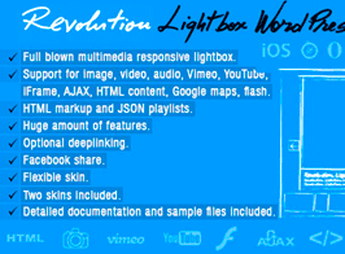
The Revolution Lightbox WordPress Plugin displays images, videos, and galleries in responsive modal overlays, replacing the default WordPress lightbox with an experience that features animated transitions and navigation controls via keyboard and touch gestures. It functions as an enlarged viewing layer for media content, ideal for visual portfolios, stores that need to highlight product photos, and blogs that work with themed galleries.
Main Features of the Revolution Lightbox WordPress Plugin
- Expanded multimedia support
Renders images, self-hosted videos, and embeds in a single modal layer. - Fully responsive layout
Adjusts overlay dimensions according to the desktop, tablet, or smartphone viewport. - Keyboard and touch navigation
Allows advancing and retreating with arrows, swipe gestures, and shortcuts to close the window. - Opening and transition animations
Applies smooth entry, exit, and slide-switching effects within the gallery. - Visual appearance configuration
Adjusts colors, overlay opacity, and control styles directly from the panel.
Benefits of the Revolution Lightbox WordPress Plugin
- More sophisticated visual presentation
Replaces generic modals with a layer possessing its own identity and a professional finish. - Longer stay time on the page
Navigable galleries keep visitors’ attention without reloading the screen. - Mobile device compatibility
Ensures comfortable reading of enlarged media on any screen size. - Fast, code-free setup
Customizes styles and behavior via native WordPress panel options.
Who is the Revolution Lightbox WordPress Plugin for?
- Photographers, designers, or architects who maintain portfolios and need to display high-resolution images.
- You who sell visual products (fashion, jewelry, decor) and want to enhance photos with quality on WooCommerce.
- Those who publish travel, gastronomy, or culture blogs and organize content into themed galleries.
- Creative studios and agencies that need a differentiated visual layer for project showcases.
How to Download the Revolution Lightbox WordPress Plugin
The Revolution Lightbox WordPress Plugin is available for download here on Ultrapack. After saving the .zip file, go to Plugins, Add New, Upload Plugin, select the package, and activate. Once activated, the lightbox configuration settings become accessible in a dedicated item within the panel’s sidebar menu.
Designed for sites where media is the product, the Revolution Lightbox WordPress Plugin reorganizes how images and videos are consumed by visitors, with modal layers that preserve page context and allow quick visual customization. The combination of responsiveness, gesture-based navigation, and animation control delivers an enlarged view consistent with modern layouts.
Recommended for photographers, designers, visual product stores, and editorial publications with strong visual appeal, the plugin fits scenarios where the theme’s default gallery falls short. It functions as a direct media experience upgrade without requiring template editing.
Frequently asked questions
Is Revolution Lightbox WordPress Plugin GPL-licensed?
Yes. Revolution Lightbox WordPress Plugin is distributed under the GPL (GNU General Public License). You may legally use, modify and redistribute it on as many sites as you want.
Can I use Revolution Lightbox WordPress Plugin on multiple sites?
Yes. You can install Revolution Lightbox WordPress Plugin on as many sites as you want. Only automatic updates through Ultrapack Auto Updater have a limit: from 3 to 80 sites, depending on the plan.
How much does Revolution Lightbox WordPress Plugin cost at Ultrapack?
Revolution Lightbox WordPress Plugin costs US$2.99 as a single purchase, and it is also included in the subscription plans starting at US$12/mo (VIP I).
Does Revolution Lightbox WordPress Plugin include updates?
Yes. The current version of Revolution Lightbox WordPress Plugin is 3.0, published at Ultrapack on Apr 14, 2023. Subscribers update straight from the WordPress dashboard with UAU (Ultrapack Auto Updater).
Is Revolution Lightbox WordPress Plugin scanned before publication?
Yes. Every version of Revolution Lightbox WordPress Plugin goes through a malware scan (ClamAV and YARA rules, at UltraHub) before it is published.
How to install
Updates: manual. When a new version comes out, download it on this same page and upload it over the old one; WordPress asks whether you want to replace the current version.
The file on this page is the developer’s full package. Do not upload that file through the dashboard: WordPress answers that the package does not contain a valid plugin. Inside it there are one or more ZIP files, and one of them is what you install.
- Download the file
elements-revolution-lightbox-wordpress-plugin.zipand extract it on your computer. - Look for the
.zipfiles inside. The plugin is the one named after the product. - In the WordPress dashboard, go to Plugins > Add New > Upload Plugin and upload that ZIP file.
- Click Install Now and then Activate.
- There is nothing to zip. The ZIP inside the package is already in the format WordPress accepts.
- Some packages carry more than one plugin: the main one and its add-ons. Install the ones you are going to use, each one the same way.
- If there is a documentation folder, it is not installed. It is reading material from the author.
Stuck on a step? Open a ticket telling us which one you stopped at.


