

 UAU Ready
Description
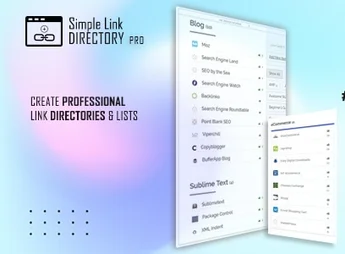
Simple Link Directory Pro creates link directories organized by categories within WordPress, with registration fields, a search system, and filters so visitors can quickly find each item. It’s built for anyone who maintains resource pages, partner lists, site catalogs, or themed collections and needs to manage everything from the dashboard, without manually editing HTML for every new link added to the listing.
Main Features of Simple Link Directory Pro
- Structured link registration
Registers each link with title, description, image, and category from the dashboard. - Category organization
Groups items into categories and subcategories for hierarchical navigation. - Search and filters in the listing
Lets visitors locate items by typed term and refine by category. - Shortcode display
Inserts the directory into any page or post via shortcode. - Centralized management panel
Edit, reorder, and remove links from a single admin screen.
Benefits of Simple Link Directory Pro
- Less manual maintenance work
Updating a link no longer requires editing code across multiple pages. - Clearer navigation for visitors
Categories and filters reduce the time it takes to reach the desired item. - Listings that grow without becoming disorganized
The structure supports hundreds of entries while keeping the same display logic. - Autonomy for publishers
Whoever feeds the content works directly in the dashboard, without relying on a developer.
Who Is Simple Link Directory Pro For?
- Anyone who maintains pages of resources, tools, or recommended reading and reviews the list frequently.
- Niche sites that gather links from partners, members, or companies in the same segment.
- You, if you need a searchable directory in WordPress and don’t want to build the listing by hand.
- Blogs and portals that publish themed collections and want to organize them by category.
How to Download Simple Link Directory Pro
Simple Link Directory Pro is available for download here on Ultrapack. The step-by-step guide for installing this file is in the How to install tab, next to the description. After activation, the directory’s registration and organization options appear in the dashboard’s side menu.
The practical value shows up in the routine: instead of keeping link lists scattered across content blocks, everything lives in a single repository, categorized and searchable. For anyone publishing link collections regularly, this means visual consistency across pages and a short path between registering an entry and seeing it available in the site’s search.
Frequently asked questions
Is Simple Link Directory Pro GPL-licensed?
Yes. Simple Link Directory Pro is distributed under the GPL (GNU General Public License). You may legally use, modify and redistribute it on as many sites as you want.
Can I use Simple Link Directory Pro on multiple sites?
Yes. You can install Simple Link Directory Pro on as many sites as you want. Only automatic updates through Ultrapack Auto Updater have a limit: from 3 to 80 sites, depending on the plan.
How much does Simple Link Directory Pro cost at Ultrapack?
Simple Link Directory Pro costs US$2.99 as a single purchase, and it is also included in the subscription plans starting at US$12/mo (VIP I).
Does Simple Link Directory Pro include updates?
Yes. The current version of Simple Link Directory Pro is 15.1.6, published at Ultrapack on Sep 11, 2026. Subscribers update straight from the WordPress dashboard with UAU (Ultrapack Auto Updater).
Is Simple Link Directory Pro scanned before publication?
Yes. Every version of Simple Link Directory Pro goes through a malware scan (ClamAV and YARA rules, at UltraHub) before it is published.
What are the requirements for the plugin Simple Link Directory Pro?
Requires WordPress 3.8 or higher and PHP 5.3.0 or higher. Tested up to WordPress 5.2.
How to install
Automatic updates: this item is updated by the Ultrapack Auto Updater. With it installed, the new version shows up in your dashboard like any other WordPress update (how to set it up).
- Download the file
elements-simple-link-directory.zip. - In the WordPress dashboard, go to Plugins > Add New > Upload Plugin.
- Select the file
elements-simple-link-directory.zipand click Install Now. - Click Activate.
Requirements: Requires WordPress 3.8 or higher and PHP 5.3.0 or higher. Tested up to WordPress 5.2.
Stuck on a step? Open a ticket telling us which one you stopped at.


