

 UAU Ready
Description
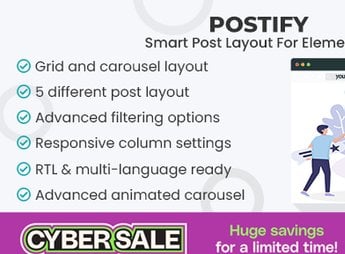
Smart Post Layout for Elementor adds widgets to the Elementor builder that display post listings in grids, carousels, and magazine layouts, with filters by category, taxonomy, and custom post type. Recommended for blogs, news portals, and content sites that need to organize articles in visual highlights without resorting to PHP code or custom theme templates.
Main Features
- Native Elementor widgets: drag and drop post listing blocks directly into the visual editor.
- Varied grid layouts: display articles in columns, mosaics, alternating lists, and magazine-style formats.
- Taxonomy filters: select posts by category, tag, author, date, or custom post type.
- Granular style controls: adjust typography, colors, spacing, borders, and hover effects per element.
- Pagination and dynamic loading: enable page navigation, infinite scroll, or load more button.
Benefits of Smart Post Layout for Elementor
- Fast blog page assembly: removes the need to edit PHP files or create manual templates.
- Visual consistency: maintains site identity by reusing the same widgets in different sections.
- Increased time on site: presents related and featured articles to expand internal navigation.
- Editorial flexibility: allows reordering the content hierarchy without relying on a developer.
Who Is It For?
- Blog editors and news portal publishers who post content frequently.
- Agencies and freelancers delivering Elementor sites with editorial sections.
- Content creators, digital magazines, and institutional sites with an articles area.
Solution aimed at those who use Elementor and need to organize post listings in varied visual layouts without additional programming.
Frequently asked questions
Is Smart Post Layout for Elementor GPL-licensed?
Yes. Smart Post Layout for Elementor is distributed under the GPL (GNU General Public License). You may legally use, modify and redistribute it on as many sites as you want.
Can I use Smart Post Layout for Elementor on multiple sites?
Yes. You can install Smart Post Layout for Elementor on as many sites as you want. Only automatic updates through Ultrapack Auto Updater have a limit: from 3 to 80 sites, depending on the plan.
How much does Smart Post Layout for Elementor cost at Ultrapack?
Smart Post Layout for Elementor costs US$2.99 as a single purchase, and it is also included in the subscription plans starting at US$12/mo (VIP I).
Does Smart Post Layout for Elementor include updates?
Yes. The current version of Smart Post Layout for Elementor is 1.0.1, published at Ultrapack on Dec 4, 2024. Subscribers update straight from the WordPress dashboard with UAU (Ultrapack Auto Updater).
Is Smart Post Layout for Elementor scanned before publication?
Yes. Every version of Smart Post Layout for Elementor goes through a malware scan (ClamAV and YARA rules, at UltraHub) before it is published.
How to install
Automatic updates: this item is updated by the Ultrapack Auto Updater. With it installed, the new version shows up in your dashboard like any other WordPress update (how to set it up).
The file on this page is the developer’s full package, documentation included. Do not upload that file through the dashboard: WordPress answers that the package does not contain a valid plugin. The plugin comes ready inside it, as a ZIP of its own, and that is the one you upload.
- Download the file
elements-smart-post-layout-for-elementor.zipand extract it on your computer. - Look inside the extracted files for the file
postify-pro-for-elementor-main/postify-pro-for-elementor.zip. - In the WordPress dashboard, go to Plugins > Add New > Upload Plugin.
- Select that file, click Install Now and then Activate.
- There is nothing to zip. The ZIP inside the package is already in the format WordPress accepts.
- The rest of the package belongs to the author: documentation, license and sometimes sample files. None of that is installed through the dashboard.
Stuck on a step? Open a ticket telling us which one you stopped at.



