

 UAU Ready
Description
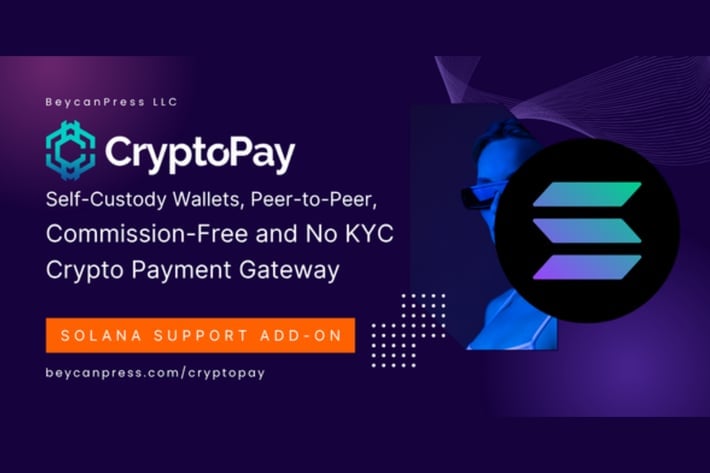
Solana Crypto Payments Support for CryptoPay adds the Solana blockchain as a cryptocurrency payment method in the WooCommerce checkout, extending the CryptoPay plugin with native support for the SOL token and SPL tokens issued on the network. The integration processes on-chain transactions, confirms payments by querying RPC nodes, and automatically updates order status, targeting those who sell digital or physical products and want to receive SOL without relying on centralized gateways.
Key Features of Solana Crypto Payments Support for CryptoPay
- Native support for the Solana network
Enables payments in SOL and SPL tokens issued on the Solana blockchain directly in the checkout. - Automatic on-chain confirmation
Queries network RPC nodes to validate transactions and mark orders as paid without manual intervention. - Integration with CryptoPay
Connects to the CryptoPay plugin dashboard as an additional provider, reusing the existing wallet and order interface. - WooCommerce compatibility
Appears as a payment option on the checkout page alongside other configured methods in the store. - Configurable wallet address
Allows setting the receiving wallet and network fee parameters in the admin panel.
Benefits of Solana Crypto Payments Support for CryptoPay
- Direct wallet receipt
The amount drops into the specified wallet without intermediate or external crypto processors. - Low transaction fees
The Solana network typically charges fractions of a cent per operation, preserving margin on small-ticket sales. - Fast confirmations
Orders paid in SOL are released within seconds thanks to the blockchain’s short block time. - Expanded store audience
Caters to buyers holding SOL balances who prefer to avoid conversions to fiat.
Who is Solana Crypto Payments Support for CryptoPay recommended for?
- Those who sell digital products (eBooks, courses, licenses, NFTs) on WooCommerce and want to accept SOL.
- Web3 ecosystem projects that already use CryptoPay and need to add the Solana network to checkout.
- Those who want to receive cryptocurrencies directly into their own wallet, without third-party custody.
How to Download Solana Crypto Payments Support for CryptoPay
Solana Crypto Payments Support for CryptoPay is available for download here on Ultrapack. After obtaining the .zip file, install it in Plugins > Add New > Upload Plugin, select the package and activate; the Solana network appears as a provider in CryptoPay’s configuration. The file is complete and ready for immediate installation.
Targeted at WooCommerce stores that already operate with CryptoPay and want to expand cryptocurrency acceptance beyond EVM networks, this add-on adds Solana to the checkout flow without replacing the gateway’s base. The combination of low fees, seconds-long confirmations, and direct wallet receipt makes the module practical for recurring sales, micropayments, and digital products with a native crypto audience.
Frequently asked questions
Is Solana Crypto Payments Support for CryptoPay GPL-licensed?
Yes. Solana Crypto Payments Support for CryptoPay is distributed under the GPL (GNU General Public License). You may legally use, modify and redistribute it on as many sites as you want.
Can I use Solana Crypto Payments Support for CryptoPay on multiple sites?
Yes. You can use Solana Crypto Payments Support for CryptoPay on multiple sites. The number of sites connected to Ultrapack Auto Updater is limited by your plan.
How much does Solana Crypto Payments Support for CryptoPay cost at Ultrapack?
Solana Crypto Payments Support for CryptoPay costs US$2.99 as a single purchase, and it is also included in the subscription plans starting at US$12/mo (VIP I).
Does Solana Crypto Payments Support for CryptoPay include updates?
Yes. The current version of Solana Crypto Payments Support for CryptoPay is 1.4.6, published at Ultrapack on Aug 26, 2026. Subscribers update straight from the WordPress dashboard with UAU (Ultrapack Auto Updater).
Is Solana Crypto Payments Support for CryptoPay scanned before publication?
Yes. Every version of Solana Crypto Payments Support for CryptoPay goes through a malware scan (ClamAV and YARA rules, at UltraHub) before it is published.
How to install
Automatic updates: this item is updated by the Ultrapack Auto Updater. With it installed, the new version shows up in your dashboard like any other WordPress update (how to set it up).
- Download the file
elements-solana-crypto-payments-support-for-cryptopay.zip. - In the WordPress dashboard, go to Plugins > Add New > Upload Plugin.
- Select the file
elements-solana-crypto-payments-support-for-cryptopay.zipand click Install Now. - Click Activate.
Stuck on a step? Open a ticket telling us which one you stopped at.


