

Description
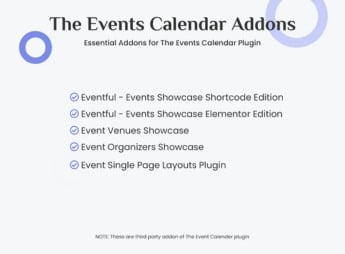
The The Events Calendar Addons Bundle adds a set of extensions to the WordPress event calendar, bringing together an event carousel, advanced search filters, location maps, and new display layouts for the agenda in a single package. This combination serves those who organize recurring events, fairs, workshops, or conferences and need to display the complete schedule in a visual and organized way on their website.
Key Features of The Events Calendar Addons Bundle
- Event Carousel
Displays upcoming events in an automatic slider on the homepage. - Advanced Search Filters
Visitors filter events by category, date, location, and organizer. - Location Map
Each event shows an interactive map with the location address. - Alternative Agenda Layouts
Adds new grid, list, and timeline formats for events. - Event Widgets
Inserts blocks of nearby events in any theme widget area.
Benefits of The Events Calendar Addons Bundle
- More Visual Agenda
The carousel and new layouts make the schedule easier to follow. - Easy Event Search
Visitors quickly find the right event using the available filters. - Clear Location for Attendees
The integrated map avoids doubts about where the event will take place. - Savings with a Single Package
Combines several paid extensions separately into a single installation.
Who is The Events Calendar Addons Bundle Suitable For?
- Those who organize fairs, workshops, or conferences with extensive schedules.
- Those who manage a website for recurring or seasonal events.
- Those who need to display maps and locations for each event on the website.
- Those who already use the event calendar and want more display options.
How to Download The Events Calendar Addons Bundle
The The Events Calendar Addons Bundle is available for download here on Ultrapack. After obtaining the file, access Plugins > Add New > Upload plugin in the WordPress dashboard and upload the package for installation. Then, activate each desired extension in the plugins menu.
Those who already use the event calendar and miss visual options will find in this package a quick way to refresh the agenda without having to compare and install several separate extensions. The combination of carousel, maps, and filters helps to keep the schedule organized even with many registered events.
Frequently asked questions
Is The Events Calendar Addons Bundle GPL-licensed?
Yes. The Events Calendar Addons Bundle is distributed under the GPL (GNU General Public License). You may legally use, modify and redistribute it on as many sites as you want.
Can I use The Events Calendar Addons Bundle on multiple sites?
Yes. You can install The Events Calendar Addons Bundle on as many sites as you want. Only automatic updates through Ultrapack Auto Updater have a limit: from 3 to 80 sites, depending on the plan.
How much does The Events Calendar Addons Bundle cost at Ultrapack?
The Events Calendar Addons Bundle costs US$2.99 as a single purchase, and it is also included in the subscription plans starting at US$12/mo (VIP I).
Does The Events Calendar Addons Bundle include updates?
Yes. The current version of The Events Calendar Addons Bundle is 1.0.1, published at Ultrapack on Jan 16, 2026. Subscribers update straight from the WordPress dashboard with UAU (Ultrapack Auto Updater).
Is The Events Calendar Addons Bundle scanned before publication?
Yes. Every version of The Events Calendar Addons Bundle goes through a malware scan (ClamAV and YARA rules, at UltraHub) before it is published.
How to install
Updates: manual. When a new version comes out, download it on this same page and upload it over the old one; WordPress asks whether you want to replace the current version.
The file on this page is the developer’s full package. Do not upload that file through the dashboard: WordPress answers that the package does not contain a valid plugin. Inside it there are one or more ZIP files, and one of them is what you install.
- Download the file
elements-the-events-calendar-addons-bundle.zipand extract it on your computer. - Look for the
.zipfiles inside. The plugin is the one named after the product. - In the WordPress dashboard, go to Plugins > Add New > Upload Plugin and upload that ZIP file.
- Click Install Now and then Activate.
- There is nothing to zip. The ZIP inside the package is already in the format WordPress accepts.
- Some packages carry more than one plugin: the main one and its add-ons. Install the ones you are going to use, each one the same way.
- If there is a documentation folder, it is not installed. It is reading material from the author.
Stuck on a step? Open a ticket telling us which one you stopped at.



