 UAU Ready
Description
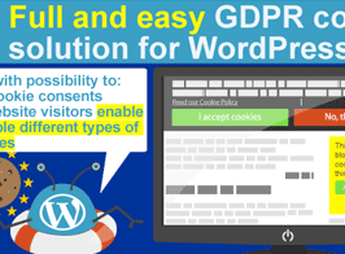
The WordPress GDPR + CCPA + DPA Compliance 2021 adds to your site a configurable consent banner, user acceptance records, and automated flows to meet the requirements of GDPR, CCPA, and DPA. It is aimed at those who run institutional websites, WooCommerce stores, and content portals that receive visitors from the European Union, California, or the United Kingdom and need to document cookie consent, manage data deletion requests, and export personal data.
Key Features of the WordPress GDPR + CCPA + DPA Compliance 2021
- Cookie consent banner
Displays a configurable notice with acceptance, refusal, and granular selection by cookie category. - User consent record
Stores date, IP, and the version of the accepted policy for each visitor for auditing. - Data export request
Generates a report with the personal data collected by the site upon request from the data subject. - Account deletion request
Allows the user to trigger the removal of their own data directly from the front-end panel. - Script blocking before consent
Suspends loading of tracking scripts and third-party cookies until explicit authorization. - Ready policy pages
Creates editable privacy, cookies, and terms templates in the standard WordPress editor.
Benefits of the WordPress GDPR + CCPA + DPA Compliance 2021
- Documented compliance
Keeps a verifiable history of consents for presentation in inspections and audits. - Reduced legal risk
Decreases exposure to fines provided by European, California, and UK regulations. - Visitor trust
Transparency about data use increases the perception of security on the site. - Fast implementation
Replaces initial technical consulting for small and medium sites with just a few clicks.
Who Is the WordPress GDPR + CCPA + DPA Compliance 2021 For?
- Those who run WooCommerce stores with customers in the European Union or the United Kingdom.
- You who maintain a blog or news portal with international traffic and use remarketing tools.
- Those who need to adapt institutional websites to LGPD, GDPR, and CCPA without hiring custom development.
- Agencies that deliver WordPress projects for clients in regulated sectors such as healthcare, education, and finance.
How to Download the WordPress GDPR + CCPA + DPA Compliance 2021
The WordPress GDPR + CCPA + DPA Compliance 2021 is available for download here on Ultrapack. After obtaining the .zip file, go to Plugins > Add New > Upload plugin in the WordPress admin panel, select the file, and activate it. Then, configure the banner and consent flows in the plugin options menu that appears after activation.
For sites that collect visitor data in more than one jurisdiction, the WordPress GDPR + CCPA + DPA Compliance 2021 consolidates banner, acceptance record, export, and deletion into a single administrative panel. The combination of pre-consent script blocking and an auditable consent log meets the core of legal requirements without depending on external cookie management solutions.
Frequently asked questions
Is WordPress GDPR + CCPA + DPA Compliance 2021 GPL-licensed?
Yes. WordPress GDPR + CCPA + DPA Compliance 2021 is distributed under the GPL (GNU General Public License). You may legally use, modify and redistribute it on as many sites as you want.
Can I use WordPress GDPR + CCPA + DPA Compliance 2021 on multiple sites?
Yes. You can use WordPress GDPR + CCPA + DPA Compliance 2021 on multiple sites. The number of sites connected to Ultrapack Auto Updater is limited by your plan.
How much does WordPress GDPR + CCPA + DPA Compliance 2021 cost at Ultrapack?
WordPress GDPR + CCPA + DPA Compliance 2021 costs US$2.99 as a single purchase, and it is also included in the subscription plans starting at US$12/mo (VIP I).
Does WordPress GDPR + CCPA + DPA Compliance 2021 include updates?
Yes. The current version of WordPress GDPR + CCPA + DPA Compliance 2021 is 2.6.1, published at Ultrapack on Sep 2, 2021. Subscribers update straight from the WordPress dashboard with UAU (Ultrapack Auto Updater).
Is WordPress GDPR + CCPA + DPA Compliance 2021 scanned before publication?
Yes. Every version of WordPress GDPR + CCPA + DPA Compliance 2021 goes through a malware scan (ClamAV and YARA rules, at UltraHub) before it is published.
How to install
Automatic updates: this item is updated by the Ultrapack Auto Updater. With it installed, the new version shows up in your dashboard like any other WordPress update (how to set it up).
- Download the file
elements-wordpress-gdpr-compliance.zip. - In the WordPress dashboard, go to Plugins > Add New > Upload Plugin.
- Select the file
elements-wordpress-gdpr-compliance.zipand click Install Now. - Click Activate.
Stuck on a step? Open a ticket telling us which one you stopped at.