 UAU Ready
Description
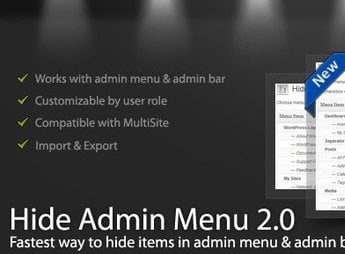
WordPress Hide Admin Menu Plugin hides specific items from the wp-admin sidebar and top bar based on user role, precisely controlling what each profile sees when entering the dashboard. The tool serves agencies, developers, and administrators who deliver sites to end-clients and need to streamline the interface, hiding technical areas such as updates, plugins, or sensitive settings without altering actual WordPress permissions.
Key Features
- Hide by role: hides sidebar menu items based on the user’s role (administrator, editor, author, contributor, subscriber, or custom roles).
- Top bar control: removes entries from the WordPress admin bar, including native shortcuts and items injected by other plugins.
- Selectable submenus: allows hiding specific entries within each parent menu, keeping only what matters to the profile.
- User-by-user configuration: applies rules globally by role as well as for individual users, useful for occasional cases.
- Custom admin panel: centralizes all rules on a single screen within wp-admin, with a visual selection of items to hide.
Benefits of WordPress Hide Admin Menu Plugin
- Cleaner dashboard for clients: delivers a simplified wp-admin to end-clients, focused on the tasks they actually need to perform.
- Less recurring support: reduces questions and accidental clicks in technical areas, lowering tickets about screens users should never see.
- Visual protection of sensitive areas: hides access to plugins, themes, and updates for profiles that shouldn’t touch those sections.
- Project-based customization: adapts the admin interface to the scope of each delivered site, without editing theme code or functions.php.
Who is it recommended for?
- Agencies and freelancers who deliver ready WordPress sites to non-technical clients.
- Site administrators with multiple editors, authors or contributors.
- Developers who need to visually restrict the dashboard without rewriting role capabilities.
Recommended for professionals who deliver WordPress sites to clients and want to simplify the dashboard, providing a streamlined admin experience tailored to each user’s profile.
Frequently asked questions
Is WordPress Hide Admin Menu Plugin GPL-licensed?
Yes. WordPress Hide Admin Menu Plugin is distributed under the GPL (GNU General Public License). You may legally use, modify and redistribute it on as many sites as you want.
Can I use WordPress Hide Admin Menu Plugin on multiple sites?
Yes. You can install WordPress Hide Admin Menu Plugin on as many sites as you want. Only automatic updates through Ultrapack Auto Updater have a limit: from 3 to 80 sites, depending on the plan.
How much does WordPress Hide Admin Menu Plugin cost at Ultrapack?
WordPress Hide Admin Menu Plugin costs US$2.99 as a single purchase, and it is also included in the subscription plans starting at US$12/mo (VIP I).
Does WordPress Hide Admin Menu Plugin include updates?
Yes. The current version of WordPress Hide Admin Menu Plugin is 3.1.0, published at Ultrapack on Jan 20, 2026. Subscribers update straight from the WordPress dashboard with UAU (Ultrapack Auto Updater).
Is WordPress Hide Admin Menu Plugin scanned before publication?
Yes. Every version of WordPress Hide Admin Menu Plugin goes through a malware scan (ClamAV and YARA rules, at UltraHub) before it is published.
What are the requirements for the plugin WordPress Hide Admin Menu Plugin?
Requires WordPress 4.4 or higher. Tested up to WordPress 6.9.
What changed in this version
Version 3.1.0
- Release Date: December 25th, 2025
- Updated: Latest WordPress 6.9 compatibility Check
Version 3.0.10
- Release Date: April 15th, 2025
- Fixed: Admin bar not showing issue.
- Fixed: Plugin deletion issue.
- Latest WordPress 6.8 compatibility Check
Version 3.0.9
- Release Date: November 27th, 2024
- Latest WordPress 6.7.1 compatibility Check
Version 3.0.8
- Release Date: September 2nd, 2024
- Latest WordPress 6.6.1 compatibility Check
Version 3.0.7
- Release Date: September 1st, 2023
- Latest WordPress 6.3 compatibility Check
- Fixed: Disable Rating Notice.
Release notes published by the developer.
How to install
Automatic updates: this item is updated by the Ultrapack Auto Updater. With it installed, the new version shows up in your dashboard like any other WordPress update (how to set it up).
- Download the file
elements-wordpress-hide-admin-menu-plugin.zip. - In the WordPress dashboard, go to Plugins > Add New > Upload Plugin.
- Select the file
elements-wordpress-hide-admin-menu-plugin.zipand click Install Now. - Click Activate.
Requirements: Requires WordPress 4.4 or higher. Tested up to WordPress 6.9.
Stuck on a step? Open a ticket telling us which one you stopped at.