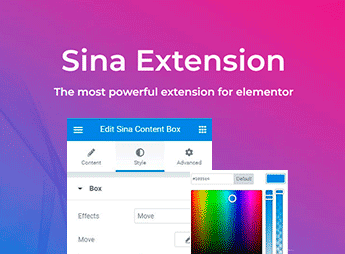
Description
The Advanced Elementor Widgets Collection & Parallax Layer adds to the Elementor widget library by providing drag-and-drop ready widgets within the visual editor and a parallax layer that applies depth to sections of the page. Aimed at users who build sites with Elementor and want to enrich layouts without coding, it groups content, media, and visual components ready to fit into existing Elementor builder structures.
Key Features of Advanced Elementor Widgets Collection & Parallax Layer
- Additional widget collection
Includes new content, media, and interface elements in the Elementor sidebar. - Parallax layer for sections
Applies a depth effect as you scroll the page with controllable speed and direction. - Drag-and-drop in the editor
Widgets are positioned within Elementor columns without coding. - Visual panel configuration
Each element exposes styling, spacing, and responsiveness options directly in the Elementor bar. - Responsive layouts
Components adjust display on desktop, tablet, and mobile via native breakpoint controls.
Benefits of Advanced Elementor Widgets Collection & Parallax Layer
- MORE VARIETY
Expands the creative range of Elementor without the need to install multiple separate addons. - Deeper pages
The parallax effect creates an immersive feel in highlight and featured sections. - Faster assembly
Reduces creation time by offering pre-configured blocks instead of building from scratch. - Developer independence
Allows direct layout and effect adjustments in the visual editor without touching CSS or JS.
Who is the Advanced Elementor Widgets Collection & Parallax Layer For?
- Users who already use Elementor and want to expand the available widget set in the editor.
- Those building landing pages and need parallax effects in highlight sections.
- Agencies and creative studios delivering WordPress sites with a unique visual identity.
How to Download Advanced Elementor Widgets Collection & Parallax Layer
The Advanced Elementor Widgets Collection & Parallax Layer is available for download here on Ultrapack. After saving the .zip file, go to Plugins > Add New > Upload Plugin, select the package, and activate it. With Elementor already installed, the new widgets appear in the Elementor sidebar ready to be dragged into columns.
With a focus on users creating pages in Elementor and seeking richer visual compositions, the Advanced Elementor Widgets Collection & Parallax Layer combines widget expansion with parallax effects to deliver visually deeper sections. It fits into projects like landing pages, institutional sites, and portfolios where the impact of the homepage and highlighted sections heavily influences brand perception.
Frequently asked questions
Is WPKit For Elementor | Advanced Elementor Widgets Collection & Parallax Layer GPL-licensed?
Yes. WPKit For Elementor | Advanced Elementor Widgets Collection & Parallax Layer is distributed under the GPL (GNU General Public License). You may legally use, modify and redistribute it on as many sites as you want.
Can I use WPKit For Elementor | Advanced Elementor Widgets Collection & Parallax Layer on multiple sites?
Yes. You can install WPKit For Elementor | Advanced Elementor Widgets Collection & Parallax Layer on as many sites as you want. Only automatic updates through Ultrapack Auto Updater have a limit: from 3 to 80 sites, depending on the plan.
How much does WPKit For Elementor | Advanced Elementor Widgets Collection & Parallax Layer cost at Ultrapack?
WPKit For Elementor | Advanced Elementor Widgets Collection & Parallax Layer costs US$2.99 as a single purchase, and it is also included in the subscription plans starting at US$12/mo (VIP I).
Does WPKit For Elementor | Advanced Elementor Widgets Collection & Parallax Layer include updates?
Yes. The current version of WPKit For Elementor | Advanced Elementor Widgets Collection & Parallax Layer is 1.1.0, published at Ultrapack on Apr 5, 2022. Subscribers update straight from the WordPress dashboard with UAU (Ultrapack Auto Updater).
Is WPKit For Elementor | Advanced Elementor Widgets Collection & Parallax Layer scanned before publication?
Yes. Every version of WPKit For Elementor | Advanced Elementor Widgets Collection & Parallax Layer goes through a malware scan (ClamAV and YARA rules, at UltraHub) before it is published.
What are the requirements for the plugin WPKit For Elementor | Advanced Elementor Widgets Collection & Parallax Layer?
Requires WordPress 5.2 or higher.
How to install
Updates: manual. When a new version comes out, download it on this same page and upload it over the old one; WordPress asks whether you want to replace the current version.
The file on this page is the developer’s full package, documentation included. Do not upload that file through the dashboard: WordPress answers that the package does not contain a valid plugin. The plugin comes ready inside it, as a ZIP of its own, and that is the one you upload.
- Download the file
elements-wpkit-for-elementor-advanced-widgets-addon.zipand extract it on your computer. - Look inside the extracted files for the file
WPKit-For-Elementor/wpkit-elementor.zip. - In the WordPress dashboard, go to Plugins > Add New > Upload Plugin.
- Select that file, click Install Now and then Activate.
Requirements: Requires WordPress 5.2 or higher.
- There is nothing to zip. The ZIP inside the package is already in the format WordPress accepts.
- The rest of the package belongs to the author: documentation, license and sometimes sample files. None of that is installed through the dashboard.
Stuck on a step? Open a ticket telling us which one you stopped at.