

 UAU Ready
Description
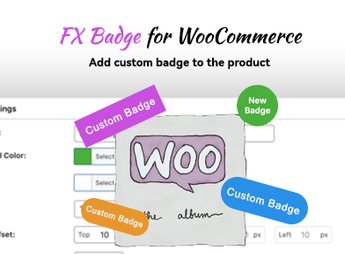
FX Badge – Custom Badges Management for WooCommerce creates and displays custom badges over shop product images, allowing you to highlight items on sale, new releases, low inventory or limited editions with mass-applied conditional rules. The tool is aimed at WooCommerce store owners who need to reinforce visual triggers on catalog and product pages without editing templates manually.
Key Features
- Central badge manager: register, edit, and organize all badges of the store in a single admin screen.
- Conditional display rules: apply badges automatically by category, tag, stock status, price range, or individual product.
- Visual customization: adjust color, shape, text, and placement of the badge over the product image.
- Support for textual and graphic badges: use typed labels or upload your own images for exclusive badges.
- Mass application: assign a single badge to multiple products at once without individual edits.
Benefits of FX Badge – Custom Badges Management for WooCommerce
- Higher conversion in the catalog: visible badges attract attention in dense listings and reduce decision friction.
- Time savings: automatic rules eliminate the manual work of marking product by product.
- Unified visual control: consistent badge identity throughout the store, no theme editing improvisation.
- Commercial flexibility: quick adjustments of campaigns, stock clearance, and seasonal promotions.
Who is it intended for?
- WooCommerce store owners who run frequent promotions and need to communicate offers in the catalog.
- Agencies and developers who deliver stores with standardized visual identity.
- E-commerce operations with large product volumes that rely on mass tagging.
For WooCommerce stores that rely on visual triggers to drive clicks and conversions, FX Badge – Custom Badges Management for WooCommerce centralizes badge management in a single admin workflow, with automatic rules that eliminate theme editing and keep offer communication aligned on all catalog pages.
Frequently asked questions
Is FX Badge – Custom Badges Management for WooCommerce GPL-licensed?
Yes. FX Badge – Custom Badges Management for WooCommerce is distributed under the GPL (GNU General Public License). You may legally use, modify and redistribute it on as many sites as you want.
Can I use FX Badge – Custom Badges Management for WooCommerce on multiple sites?
Yes. You can install FX Badge – Custom Badges Management for WooCommerce on as many sites as you want. Only automatic updates through Ultrapack Auto Updater have a limit: from 3 to 80 sites, depending on the plan.
How much does FX Badge – Custom Badges Management for WooCommerce cost at Ultrapack?
FX Badge – Custom Badges Management for WooCommerce costs US$2.99 as a single purchase, and it is also included in the subscription plans starting at US$12/mo (VIP I).
Does FX Badge – Custom Badges Management for WooCommerce include updates?
Yes. The current version of FX Badge – Custom Badges Management for WooCommerce is 1.0.0, published at Ultrapack on Dec 2, 2024. Subscribers update straight from the WordPress dashboard with UAU (Ultrapack Auto Updater).
Is FX Badge – Custom Badges Management for WooCommerce scanned before publication?
Yes. Every version of FX Badge – Custom Badges Management for WooCommerce goes through a malware scan (ClamAV and YARA rules, at UltraHub) before it is published.
What are the requirements for the plugin FX Badge – Custom Badges Management for WooCommerce?
Requires PHP 7.4 or higher.
How to install
Automatic updates: this item is updated by the Ultrapack Auto Updater. With it installed, the new version shows up in your dashboard like any other WordPress update (how to set it up).
The file on this page is the developer’s full package. Do not upload that file through the dashboard: WordPress answers that the package does not contain a valid plugin. Inside it there are one or more ZIP files, and one of them is what you install.
- Download the file
elements-fx-badge-custom-badges-for-woocommerce.zipand extract it on your computer. - Look for the
.zipfiles inside. The plugin is the one named after the product. - In the WordPress dashboard, go to Plugins > Add New > Upload Plugin and upload that ZIP file.
- Click Install Now and then Activate.
Requirements: Requires PHP 7.4 or higher.
- There is nothing to zip. The ZIP inside the package is already in the format WordPress accepts.
- Some packages carry more than one plugin: the main one and its add-ons. Install the ones you are going to use, each one the same way.
- If there is a documentation folder, it is not installed. It is reading material from the author.
Stuck on a step? Open a ticket telling us which one you stopped at.


