

 UAU Ready
Description
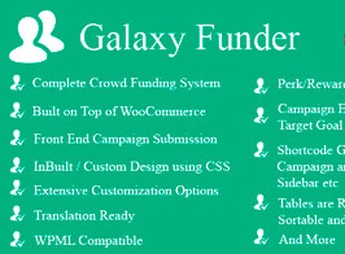
Galaxy Funder turns WooCommerce into a crowdfunding and fundraising platform, allowing creation of custom campaigns with a financial goal, deadline, and real-time donation tracking directly from the store dashboard. Designed for social projects, NGOs, and independent initiatives, it features progress visualization through charts, rewards for supporters, and social media sharing to boost the reach of each campaign.
Main Features of Galaxy Funder
- Customizable campaigns
Create individual fundraising pages with title, description, media, and adjustable financial goal. - Real-time donation management
Records and displays each contribution in the admin panel as transactions are confirmed. - Defined goals and deadlines
Sets the target amount and campaign deadline publicly visible to visitors. - Progress reports and charts
Shows visual indicators of the percentage raised and detailed reports per campaign. - Reward system for donors
Links contribution levels to gifts or benefits delivered to supporters. - Social media sharing
Adds sharing buttons to expand the campaigns’ reach on external networks. - Native WooCommerce integration
Utilizes the checkout, payment methods, and order management already configured in the store.
Benefits of Galaxy Funder
- Organized fundraising in one place
Centralizes supports, donors, and amounts in the same dashboard where the store is managed. - Increased supporter engagement
The rewards system and progress bar encourage larger and more frequent contributions. - Transparency with the public
Open display of goals and funds raised builds trust with those deciding to donate. - Reuse of existing infrastructure
Avoids creating a separate fundraising structure by leveraging WooCommerce already installed.
Who Is Galaxy Funder Recommended For?
- NGOs and social projects needing continuous online fundraising.
- Coordinators of independent initiatives, cultural collectives, or community causes seeking financial support.
- Those looking to launch one-time campaigns to finance products, events, or ideas.
- Anyone who already has a WooCommerce store and wants to add a fundraising front without switching platforms.
How to Download Galaxy Funder
Galaxy Funder is available for download here at Ultrapack. After downloading the .zip file, install it via Plugins > Add New > Upload Plugin, select the file, and click activate. Campaign and donation configuration options become accessible in the WordPress admin menu after activation.
With direct integration to WooCommerce, Galaxy Funder eliminates the need for external crowdfunding platforms by reusing the payment flow already operating in the store. The combination of visual goals, rewards, and reports makes management of each campaign objective and measurable, both for one-time campaigns and long-term fundraising conducted by nonprofit organizations.
Frequently asked questions
Is Galaxy Funder – WooCommerce Crowdfunding System GPL-licensed?
Yes. Galaxy Funder – WooCommerce Crowdfunding System is distributed under the GPL (GNU General Public License). You may legally use, modify and redistribute it on as many sites as you want.
Can I use Galaxy Funder – WooCommerce Crowdfunding System on multiple sites?
Yes. You can install Galaxy Funder – WooCommerce Crowdfunding System on as many sites as you want. Only automatic updates through Ultrapack Auto Updater have a limit: from 3 to 80 sites, depending on the plan.
How much does Galaxy Funder – WooCommerce Crowdfunding System cost at Ultrapack?
Galaxy Funder – WooCommerce Crowdfunding System costs US$2.99 as a single purchase, and it is also included in the subscription plans starting at US$12/mo (VIP I).
Does Galaxy Funder – WooCommerce Crowdfunding System include updates?
Yes. The current version of Galaxy Funder – WooCommerce Crowdfunding System is 12.0, published at Ultrapack on Oct 4, 2021. Subscribers update straight from the WordPress dashboard with UAU (Ultrapack Auto Updater).
Is Galaxy Funder – WooCommerce Crowdfunding System scanned before publication?
Yes. Every version of Galaxy Funder – WooCommerce Crowdfunding System goes through a malware scan (ClamAV and YARA rules, at UltraHub) before it is published.
How to install
Automatic updates: this item is updated by the Ultrapack Auto Updater. With it installed, the new version shows up in your dashboard like any other WordPress update (how to set it up).
The file on this page is the developer’s full package, documentation included. Do not upload that file through the dashboard: WordPress answers that the package does not contain a valid plugin. The plugin comes ready inside it, as a ZIP of its own, and that is the one you upload.
- Download the file
codecanyon-7360954-galaxy-funder-woocommerce-crowdfunding-system.zipand extract it on your computer. - Look inside the extracted files for the file
galaxyfunder/gf.zip. - In the WordPress dashboard, go to Plugins > Add New > Upload Plugin.
- Select that file, click Install Now and then Activate.
- There is nothing to zip. The ZIP inside the package is already in the format WordPress accepts.
- The rest of the package belongs to the author: documentation, license and sometimes sample files. None of that is installed through the dashboard.
Stuck on a step? Open a ticket telling us which one you stopped at.


