

 UAU Ready
Description
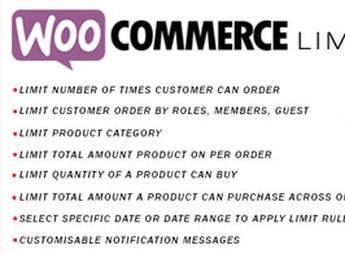
The Limit Order WooCommerce adds minimum and maximum value rules to the WooCommerce cart, blocking checkout whenever the subtotal falls outside the configured limits and displaying custom error messages to the customer. These limits can be applied at the store’s global level or restricted to specific product categories, giving control over order flow, promotional campaigns, and high-demand products.
Main Features of Limit Order WooCommerce
- Minimum purchase limit
Sets a minimum subtotal value that the customer must reach to complete the order. - Maximum purchase limit
Sets a ceiling value per order, blocking checkout above it. - Category restriction
Allows limit rules to be applied only to selected product categories. - Custom error messages
Customizes the text shown in the cart when the order violates the configured limits. - Cart quantity control
Adjusts the number of products allowed per order according to the defined rules.
Benefits of Limit Order WooCommerce
- Inventory protection during promotions
Avoids few customers depleting high-demand items or flash offers. - More predictable average order value
Guides buying behavior toward values that match your margin and logistics. - Service for wholesale buyers
Reserves certain categories for orders above a minimum value, separating retail from wholesale. - Fewer manual cancellations
Blocks orders outside the desired profile before payment, reducing operational rework.
Who is Limit Order WooCommerce Recommended For?
- Shop owners on WooCommerce who need to set minimum orders by region, free shipping, or delivery routes.
- For wholesale sellers who want to separate that operation from retail directly by cart value.
- Those who need to protect promotional campaigns and limit how many items each customer adds per purchase.
How to Download Limit Order WooCommerce
The Limit Order WooCommerce is available for download here on Ultrapack. After saving the .zip file, install it via the dashboard at Plugins > Add New > Upload Plugin, select the .zip, activate it, and configure the minimum and maximum values within WooCommerce settings. The file is complete and ready for immediate installation.
With clear subtotal rules and category restrictions, Limit Order WooCommerce gives the store manager a layer of control that default WooCommerce doesn’t provide, preventing unviable orders for the operation. It’s an objective choice for those who need to tie commercial policy directly to checkout, without relying on manual approval for each nonstandard order.
Frequently asked questions
Is Limit Order WooCommerce GPL-licensed?
Yes. Limit Order WooCommerce is distributed under the GPL (GNU General Public License). You may legally use, modify and redistribute it on as many sites as you want.
Can I use Limit Order WooCommerce on multiple sites?
Yes. You can install Limit Order WooCommerce on as many sites as you want. Only automatic updates through Ultrapack Auto Updater have a limit: from 3 to 80 sites, depending on the plan.
How much does Limit Order WooCommerce cost at Ultrapack?
Limit Order WooCommerce costs US$2.99 as a single purchase, and it is also included in the subscription plans starting at US$12/mo (VIP I).
Does Limit Order WooCommerce include updates?
Yes. The current version of Limit Order WooCommerce is 2.6, published at Ultrapack on Jun 13, 2017. Subscribers update straight from the WordPress dashboard with UAU (Ultrapack Auto Updater).
Is Limit Order WooCommerce scanned before publication?
Yes. Every version of Limit Order WooCommerce goes through a malware scan (ClamAV and YARA rules, at UltraHub) before it is published.
How to install
Automatic updates: this item is updated by the Ultrapack Auto Updater. With it installed, the new version shows up in your dashboard like any other WordPress update (how to set it up).
- Download the file
codecanyon-16478761-woocommerce-limit-order-wordpress-plugin.zip. - In the WordPress dashboard, go to Plugins > Add New > Upload Plugin.
- Select the file
codecanyon-16478761-woocommerce-limit-order-wordpress-plugin.zipand click Install Now. - Click Activate.
Stuck on a step? Open a ticket telling us which one you stopped at.


