

 UAU Ready
Description
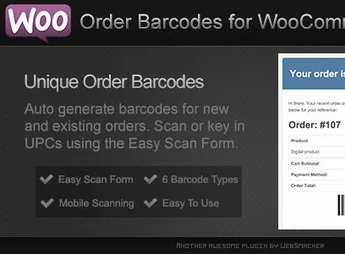
The Order Barcodes for WooCommerce plugin is the ultimate solution to optimize order management and processing in your online store. Designed for store owners and warehouse managers, it automatically generates a unique barcode for each order, simplifying tracking, picking, and shipping of products, reducing manual errors and drastically speeding up the entire logistical workflow.
Main Features
- Automatic Barcode Generation: Creates a unique barcode for each new order placed in your WooCommerce store.
- Support for Multiple Formats: Compatible with major barcode types, including CODE 128, CODE 39, QR Codes and others.
- Document Integration: Automatically adds barcodes to confirmation emails, invoices, and packing slips.
- Fast Order Scanning: Enables use of a barcode scanner to locate and update order status quickly in the WordPress dashboard.
- Dedicated Reading Page: Provides a simple admin interface to scan codes and batch-process orders, speeding up fulfillment.
- Flexible Settings: Lets you customize the type, size, and details within the barcode to match your needs.
Benefits of Order Barcodes for WooCommerce plugin
- Operational Speed: Significantly reduces time spent locating and processing orders, eliminating the need to manually search for order numbers.
- Reduced Human Error: Minimizes shipment and picking failures, ensuring the correct order is dispatched to the right customer by automating identification.
- Workflow Optimization: Eases control of every step in the logistics process, from inventory picking to packing and final dispatch.
- Professionalism and Traceability: Enhances customer perception and simplifies return or support processes, as the barcode serves as a quick, accurate reference to the order.
Who is it for?
- Online stores with medium to high sales volume that need an efficient order management system.
- Warehouse managers and logistics teams looking to automate picking and packing of products.
- Businesses that offer in-store pickup and need a quick method to identify and deliver orders to customers.
Implement the Order Barcodes for WooCommerce plugin and elevate the efficiency of your logistics operation, ensuring greater speed, precision, and professionalism with every order.
Frequently asked questions
Is Order Barcodes for WooCommerce GPL-licensed?
Yes. Order Barcodes for WooCommerce is distributed under the GPL (GNU General Public License). You may legally use, modify and redistribute it on as many sites as you want.
Can I use Order Barcodes for WooCommerce on multiple sites?
Yes. You can install Order Barcodes for WooCommerce on as many sites as you want. Only automatic updates through Ultrapack Auto Updater have a limit: from 3 to 80 sites, depending on the plan.
How much does Order Barcodes for WooCommerce cost at Ultrapack?
Order Barcodes for WooCommerce costs US$2.99 as a single purchase, and it is also included in the subscription plans starting at US$12/mo (VIP I).
Does Order Barcodes for WooCommerce include updates?
Yes. The current version of Order Barcodes for WooCommerce is 1.1.0, published at Ultrapack on Mar 24, 2026. Subscribers update straight from the WordPress dashboard with UAU (Ultrapack Auto Updater).
Is Order Barcodes for WooCommerce scanned before publication?
Yes. Every version of Order Barcodes for WooCommerce goes through a malware scan (ClamAV and YARA rules, at UltraHub) before it is published.
How to install
Automatic updates: this item is updated by the Ultrapack Auto Updater. With it installed, the new version shows up in your dashboard like any other WordPress update (how to set it up).
The file on this page is the developer’s full package, documentation included. Do not upload that file through the dashboard: WordPress answers that the package does not contain a valid plugin. The plugin comes ready inside it, as a ZIP of its own, and that is the one you upload.
- Download the file
elements-order-barcodes-for-woocommerce-plugin.zipand extract it on your computer. - Look inside the extracted files for the file
Main/WordPress/order-barcodes-for-woocommerce.zip. - In the WordPress dashboard, go to Plugins > Add New > Upload Plugin.
- Select that file, click Install Now and then Activate.
- There is nothing to zip. The ZIP inside the package is already in the format WordPress accepts.
- The rest of the package belongs to the author: documentation, license and sometimes sample files. None of that is installed through the dashboard.
Stuck on a step? Open a ticket telling us which one you stopped at.

