

 UAU Ready
Description
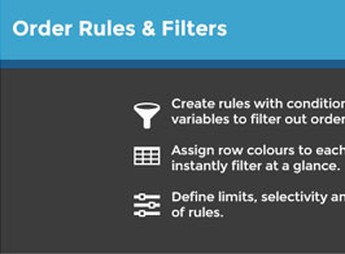
The Order Rules & Filters – WooCommerce blocks or allows WooCommerce orders based on configurable conditional rules, validating cart, billing data, shipping methods, and payment before permitting order finalization. Designed for those selling products with logistical, commercial, or regional restrictions (wholesale, perishables, niche items), the plugin combines chained filters and custom messages to prevent unwanted sales directly at checkout.
Main Features of Order Rules & Filters – WooCommerce
- Conditional rules by attribute
Defines filters based on product, category, tag, quantity, value or cart weight. - Restrictions by location
Allows or blocks orders based on country, state, ZIP or delivery city. - Control of payment and shipping methods
Enables or hides gateways and carriers based on cart conditions. - Custom blocking messages
Displays personalized notices at checkout when a rule stops order finalization. - Limits by user or role
Restricts minimum, maximum, and multiples according to logged-in customer profile.
Benefits of Order Rules & Filters – WooCommerce
- Fewer problematic orders
Avoids purchases outside delivery area or in logistically infeasible quantities. - Smarter checkout
Offers customers only options compatible with the current order. - Business rule automation
Replaces manual validations with once-off configured filters in the dashboard. - Reduced cancellations
Prevents sales that would need to be refunded due to shipping or payment incompatibility.
Who is the Order Rules & Filters – WooCommerce recommended for?
- Those who sell products with region, weight or volume shipping restrictions.
- Wholesale operations that require minimum quantity or multiples per order.
- B2B catalogs with distinct payment rules based on customer profile.
- Those who need to condition payment gateways by cart value or type.
How to Download Order Rules & Filters – WooCommerce
The Order Rules & Filters – WooCommerce is available for download here on Ultrapack. After downloading the .zip file, install via Plugins > Add New > Upload Plugin, select the file and activate. The rule settings then appear within the WooCommerce menu in the admin panel.
Combining conditional filters and real-time validation at checkout, Order Rules & Filters – WooCommerce gives the store a central mechanism to enforce commercial policies without relying on custom code. Chained rules cover complex cart, customer and delivery scenarios in a single dashboard.
For stores with sensitive logistics, segmented catalogs, or B2B models, the plugin reduces operational hassle by preventing, at source, orders that would cause rework. The result is a checkout that guides the customer and protects the operation from purchases incompatible with the business reality.
Frequently asked questions
Is Order Rules & Filters – WooCommerce GPL-licensed?
Yes. Order Rules & Filters – WooCommerce is distributed under the GPL (GNU General Public License). You may legally use, modify and redistribute it on as many sites as you want.
Can I use Order Rules & Filters – WooCommerce on multiple sites?
Yes. You can install Order Rules & Filters – WooCommerce on as many sites as you want. Only automatic updates through Ultrapack Auto Updater have a limit: from 3 to 80 sites, depending on the plan.
How much does Order Rules & Filters – WooCommerce cost at Ultrapack?
Order Rules & Filters – WooCommerce costs US$2.99 as a single purchase, and it is also included in the subscription plans starting at US$12/mo (VIP I).
Does Order Rules & Filters – WooCommerce include updates?
Yes. The current version of Order Rules & Filters – WooCommerce is 1.5.3, published at Ultrapack on May 8, 2018. Subscribers update straight from the WordPress dashboard with UAU (Ultrapack Auto Updater).
Is Order Rules & Filters – WooCommerce scanned before publication?
Yes. Every version of Order Rules & Filters – WooCommerce goes through a malware scan (ClamAV and YARA rules, at UltraHub) before it is published.
What changed in this version
Version 1.5.3 2018.04.04
- Fix - errors related to orders deprecated.
- Fix - order post status deprecated fix.
Version 1.5.2 2018.02.20
- Feature - shipping state and billing state added as a rule.
Version 1.5.1 2017.08.22
- Fix bug with unsafe scripts not loading with SSL configured domains.
- Fix bug with select2 not loading correctly on the rules editing page.
Version 1.5.0 2017.04.12
- WooCommerce 3.0 compatibility.
- Fix bug conflict with Order Status Manager plugin.
Version 1.4.6 2017.01.15
- Fix bug with JS dependancies.
- Fix bug with new shipping methods.
- Added Chip & PIN payment method for POS plugin.
Release notes published by the developer.
How to install
Automatic updates: this item is updated by the Ultrapack Auto Updater. With it installed, the new version shows up in your dashboard like any other WordPress update (how to set it up).
- Download the file
codecanyon-9299494-woocommerce-order-rules-filters.zip. - In the WordPress dashboard, go to Plugins > Add New > Upload Plugin.
- Select the file
codecanyon-9299494-woocommerce-order-rules-filters.zipand click Install Now. - Click Activate.
Stuck on a step? Open a ticket telling us which one you stopped at.



